



August 27, 2017
Here’s the step-by-step DAS/Xentry activation guide for Mercedes Benz MB Star diagnostic (Super MB Star C3/MB SD Connect C4) system byYouobd2.com technician.
Software version: V2016.03
HDD format optinal: Dell D630/External
Operating system: Win 7 64-bit/Win8
Multi-languages: Chinese; English, Croatian, Czech, Danish, Dutch, Finish, French, German, Greek, Hungarian, Italian, Japanese, Korean, Polish, Portuguese, Romanian, Russian, Spanish, Swedish & Turkish.
2016.03 MB STAR C3/MB STAR C4 software including:
1.D-A-S / Xentry 2016.03
2.W-I-S net 2015.09
3.EPC.net 2015.09 : Electronic Parts Catalog
4.ST Finder 2008 art location finder
5. STARKey : manager the startkeys
6, SDMEDIA 2014
7, PL70
8.Win7 O/S
How to activate MB Star 2016.03 DAS Xentry EPC on Win7 64-bit?
Send to us this
Hardware ID XXXX-XXXX-XXXX-XXXX-XXXX-XXXX-XXXX-XXXX
LAN-ID XXXXXXXXXXXX
HW-ID XXXXXXXXXXX APPID XXX
XENTRY
Run the software "Get Hardware ID â€
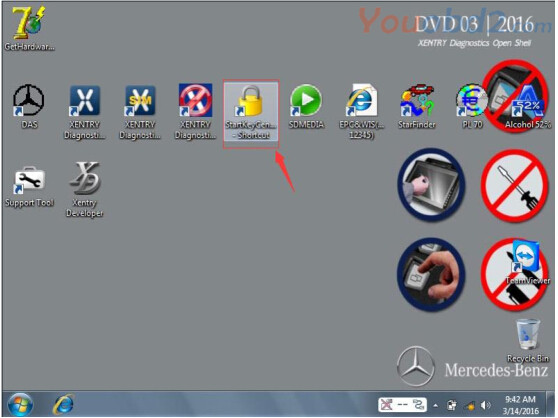
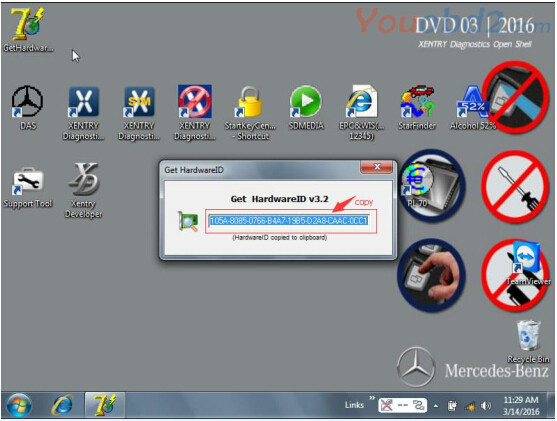
COPY HW-ID:XXXXXXXXXXXX & APP-ID:XXX r
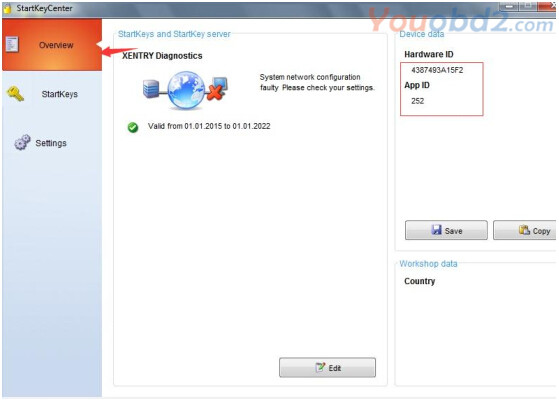
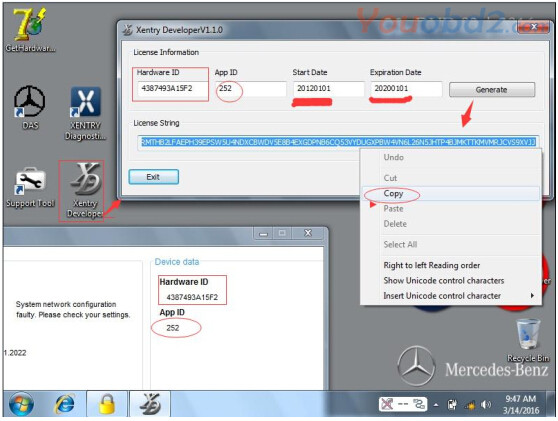
Mbstarshop engieer will send you back the Startkey. Paste the Startkey and activate Xentry.
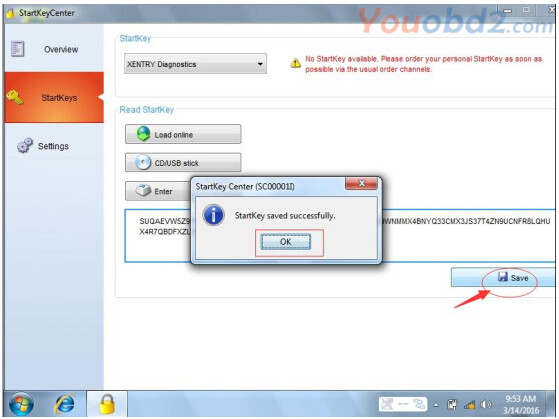
Run Xentry

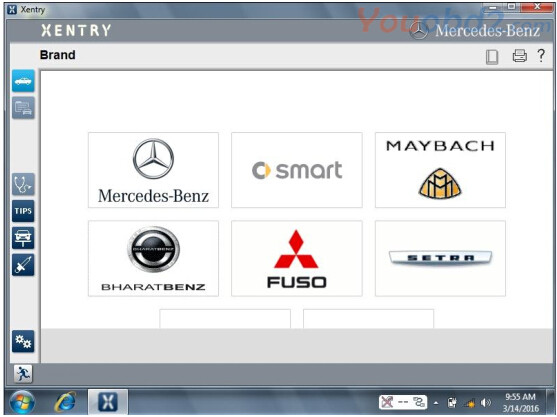
DAS
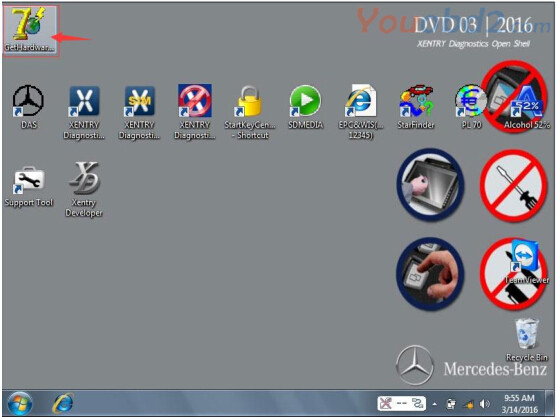
Run the software "Get Hardware ID †, copy the generated hardware ID to our dealer for the license.reg file.
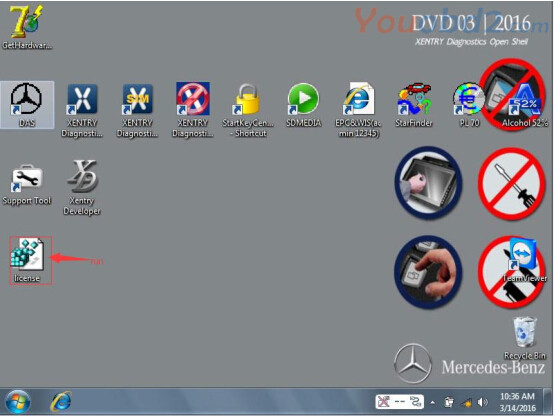
Run fileâ€license.re

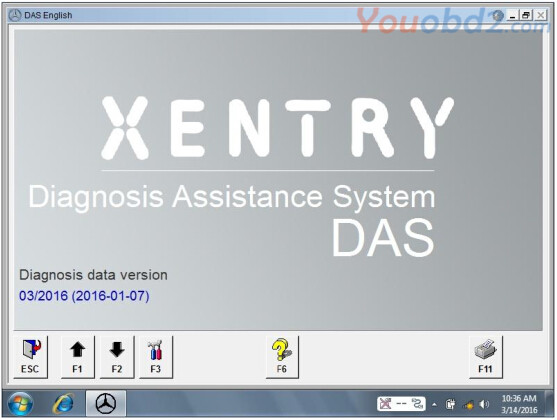
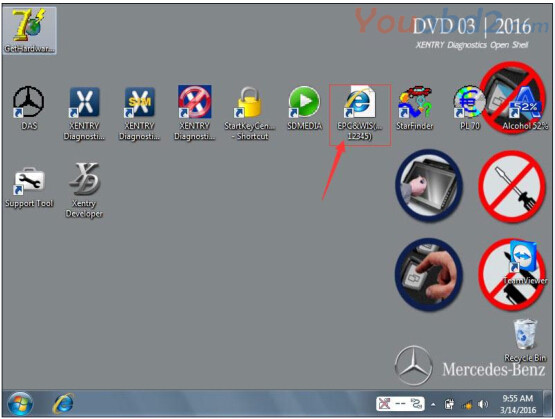
EPC.net
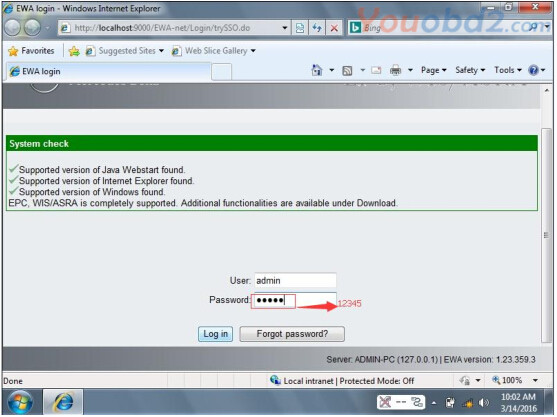
Login with User : admin password: 12345
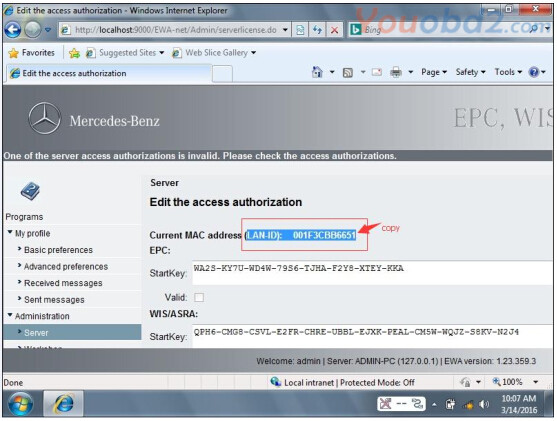
Click "Server†->"Edit the access authorization â€

Send us the Lan-ID , We will give you a new startkey. Paste the new startkey
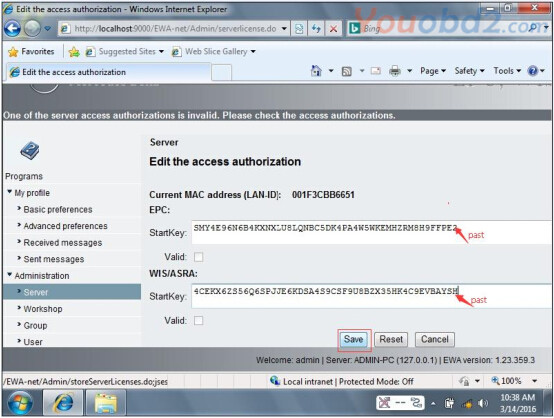
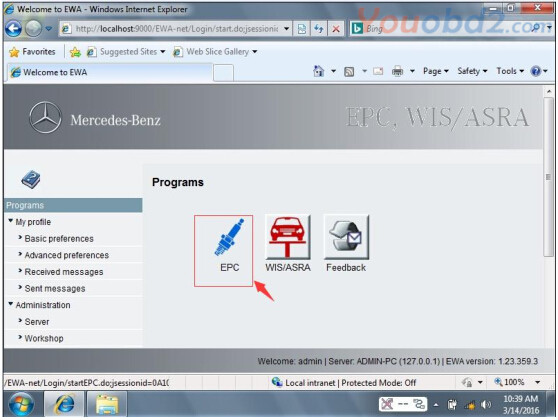
Run EPC
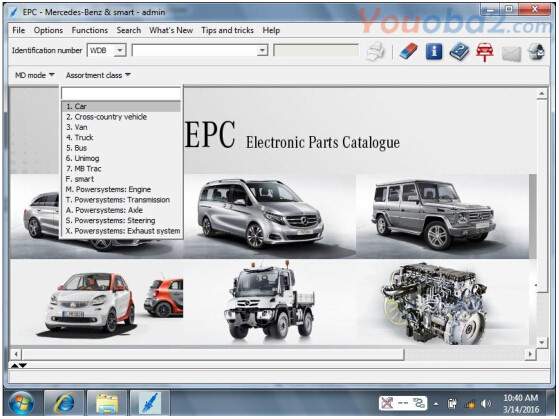
MB Star diagnosis software activation complete.
Posted by: youobd2 at
02:07 AM
| No Comments
| Add Comment
Post contains 222 words, total size 6 kb.
35 queries taking 0.0219 seconds, 128 records returned.
Powered by Minx 1.1.6c-pink.

