



February 22, 2018
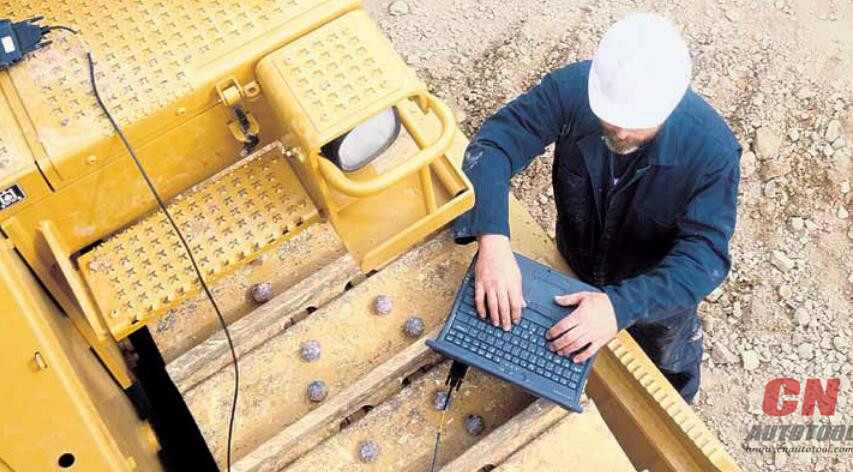
Maintain Productivity and Control Cost
Quickly reduce engine and machine downtime, control costs and schedule
repairs more efficiently by diagnosing problems using Cat?Electronic
Technician (ET).
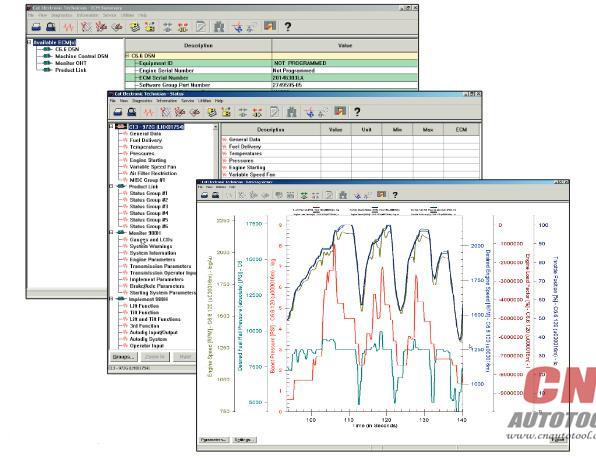
Cat ET is easy to use. The software accesses information from the
electronic control modules on Cat engines and equipment. Using CAT ET,
technicians can view status parameters, logged codes, active codes,
perform functional tests, and record and view data logs of equipment
operation.
Optimize Profitability
* View active and logged diagnostic codes to quickly identify faulty sensors.
* Review logged event codes to show engine overspeeds, high temperatures, and more.
* Monitor fuel consumption.
* Perform diagnostic tests to quickly identify the root cause of problems.
* Calibrate key components to ensure maximum operating efficiency.
* Use Data Logger to record real-time data.
* View previously recorded data logs to monitor trends in the health of your equipment to ensure peak performance.
Maximize Efficiency
* Search help options to guide every task.
* Retrieve engine data quickly for fuel used, miles traveled, idle time and hours operated.
* Display status of engine speed, throttle position, timing advance, fuel flow and more.
* Check anDiagnostic Tool electronic control module’s configuration and change user settings.
CAT DEALERS DEFINE WORLD- CLASS PRODUCT SUPPORT
We offer you the right parts and service solutions, when and where you need them.
TheCaterpillar Electronic Technician network of highly trained experts can help you maximize your equipment investment.

Posted by: youobd2 at
12:51 PM
| No Comments
| Add Comment
Post contains 241 words, total size 3 kb.
February 19, 2018
Take Peugeot BSI 2004 HO5 odometer adjustment for example.
Guide:
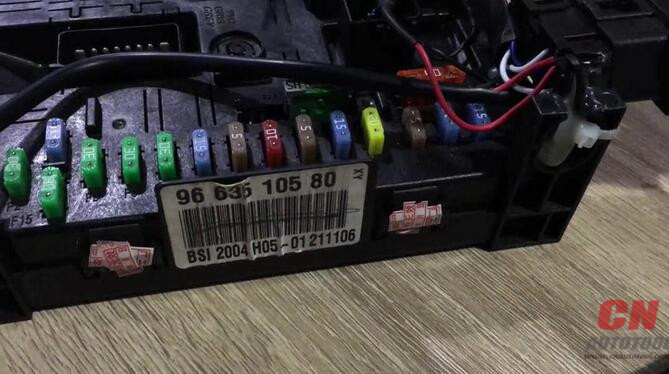
This is Peugeot BSI 2004 HO5 type removed from the car.
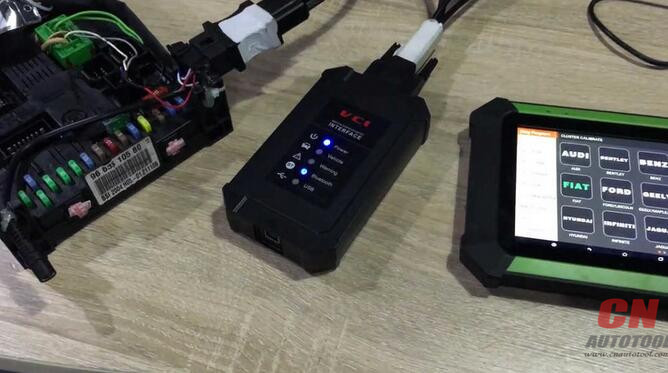
Connect X300 DP / X300 Pro 3 with the VCI box and BSI box.
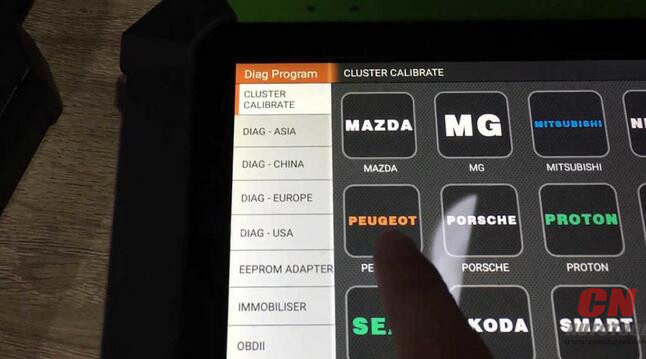
Tab "Cluster Calibrateâ€, then "Peugeotâ€.
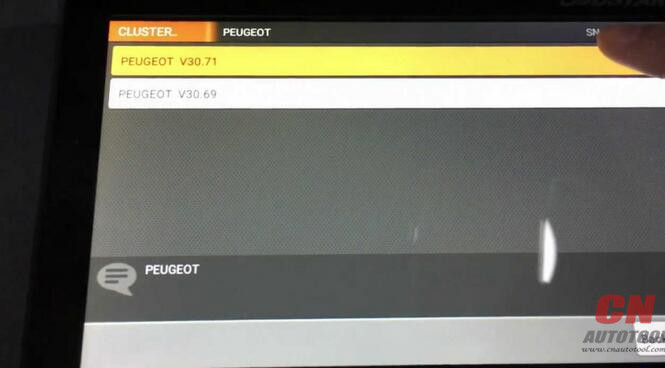
Tab the latest version.
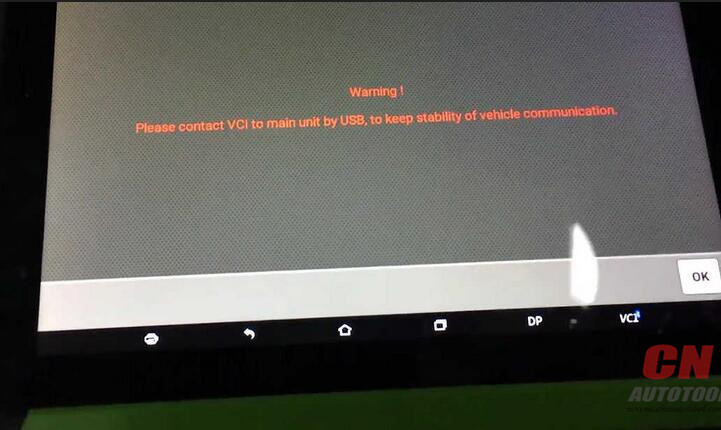
Warning! Please contact VCI to main unit by USB, to keep stability of vehicle communication.
Tab "OKâ€
BSI (cluster calibration)
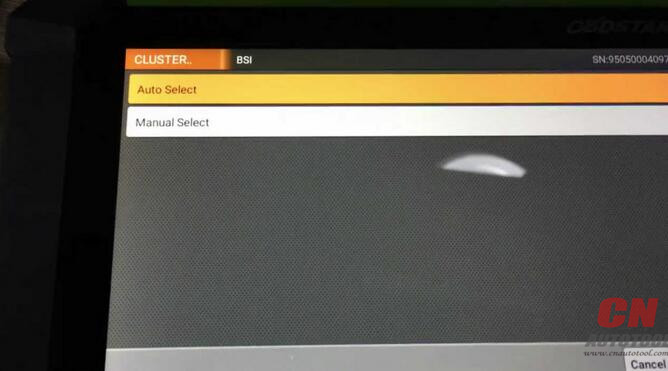
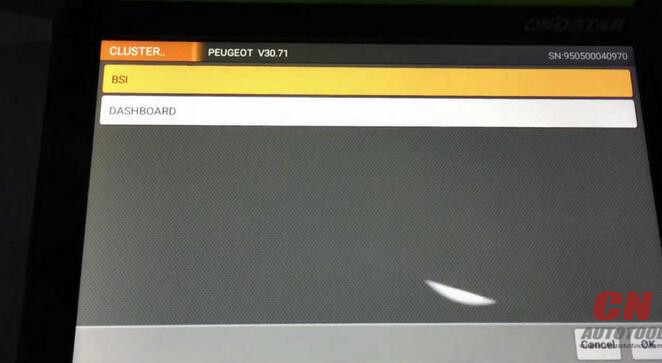
Option "Auto select†and "Manual selectâ€: If you don’t know what specifi type of BSI, you can tab "Auto selectâ€, if you know the BSI type, tab "Manual selectâ€.
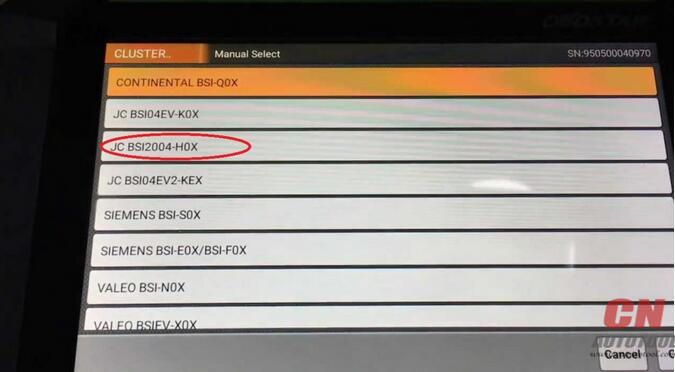
Tab the third option "JC BSI2004-H0Xâ€

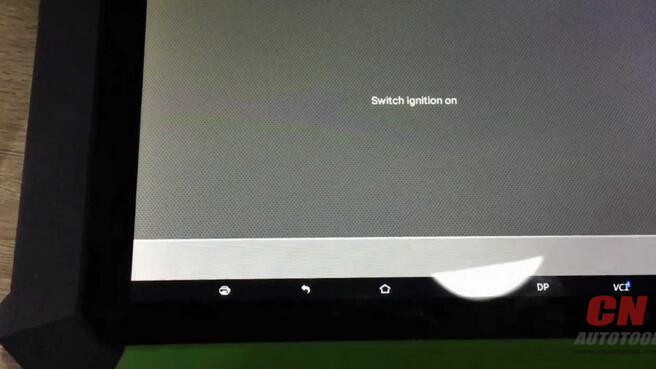
Switch ignition on
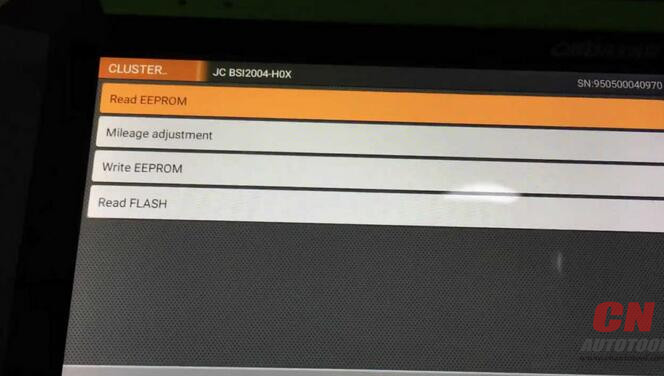
Next is to operate one by one: Read EEPROM, Mileage adjustment, Write EEPROM, Read Flash.
Communicating…
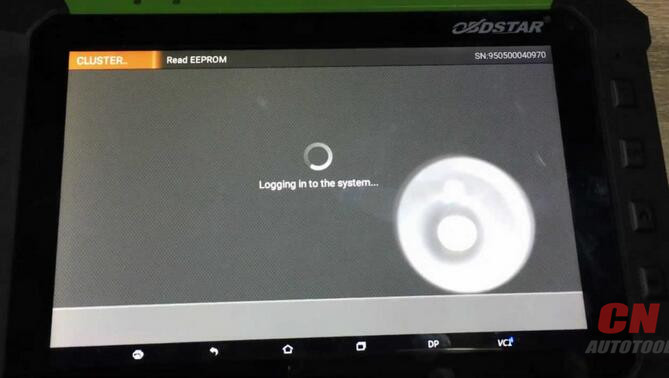
Logging in to the system…take 1-2 minutes.
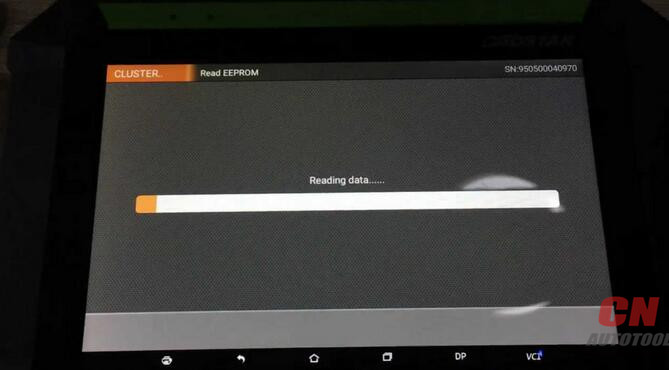
Reading data…
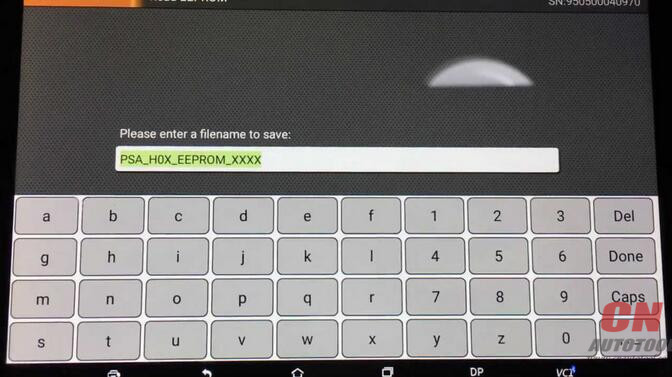
Please enter a file name to save.
You should take note this file name.

Input value:… tab "OKâ€

The file name that you enter already exists, whether to cover? tab "Yesâ€
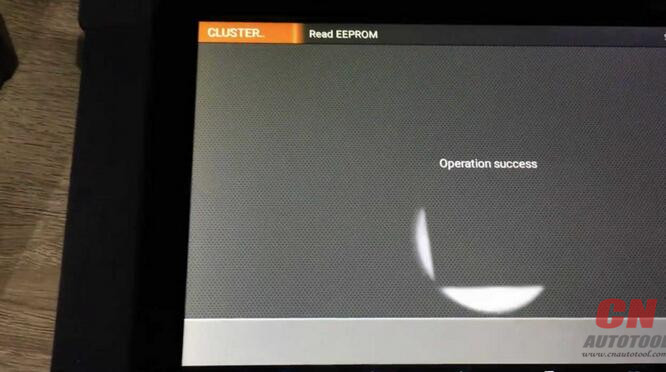
Operation succeed.
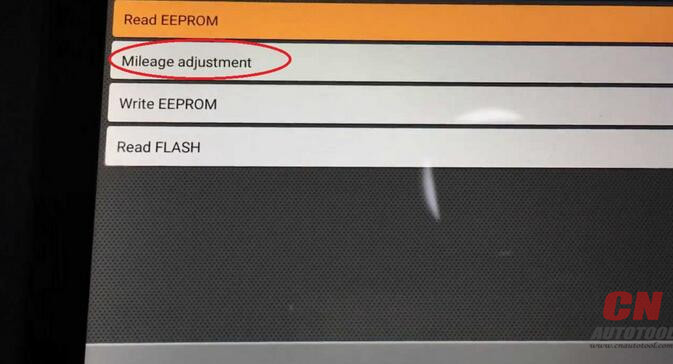
Back to tab "Mileage adjustmentâ€
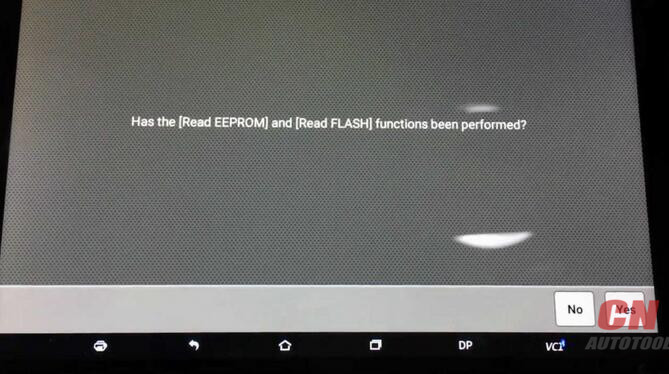
Has the "Read EEPROM†and "Read Flash†functions been performed? tab "Yesâ€
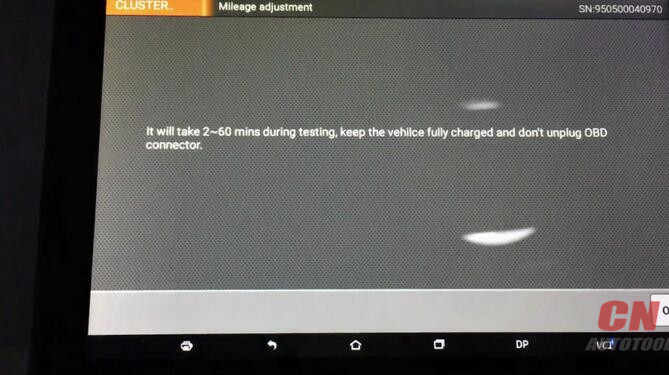
It will take 2-60 mins during testing, keep the vehicle fully charged and don’t unplug OBD connector.
Tab "Yesâ€.
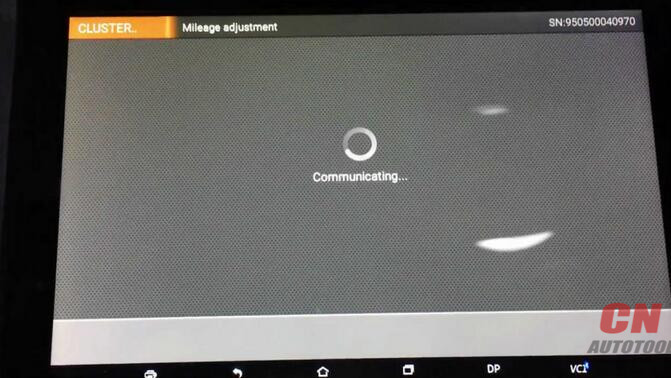
Communicating…

Current mileage: 3000 km
Please confirm the mileage correctly and press ENTER to contine.
Tab "Yesâ€.
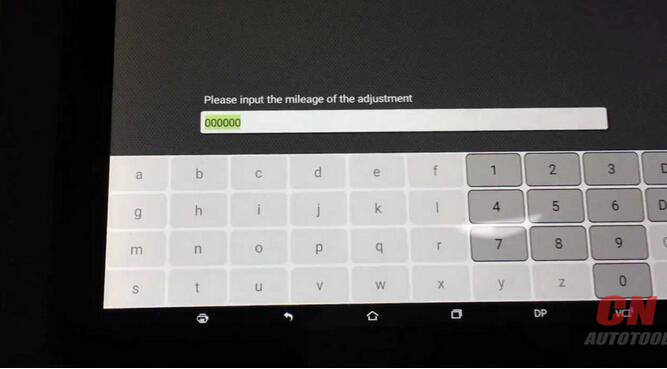
Please input the mileage of the adjustment.
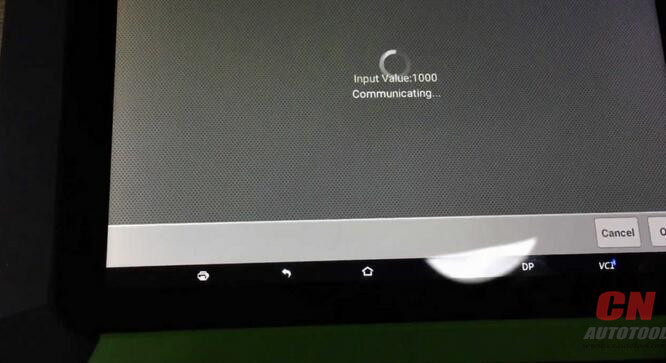

Communicating…
Switch ignition off.
Switch ignition on.
Communicating…
Adjustment success.

Posted by: youobd2 at
11:56 AM
| No Comments
| Add Comment
Post contains 271 words, total size 8 kb.
February 11, 2018
This section describes the general procedure to connect the tablet with the J2534 ECU programming device via Ethernet connection. To establish successful communication, you need to set up the network configuration on the display tablet.
1.If not already done, power up theAutel OBD2 MaxiSys display tablet.
2.Connect the MaxiSys Display Tablet to the J2534 ECU programming device with the accompanied Ethernet serial cable.
3.Select the VCI Managerapplication from the MaxiSys Job Menu.
4.Select the Wired Network.option on the Connection Mode list.The Ethernet Setting screen displays on the right section.
5.Select a connection type:
DHCP–obtains the LAN IP address automatically
Manual–allows you to enter IP address manually
6.If Manual is selected, you need to set the IP address on your own.
NOTE:If you are not sure about the specific IP address values, please contact your network administrator.
7.Tap Apply to set up the wired network connection.
When the wired network is successfully connected, the connection status is displayed as Connected, and the two status lights at the corners alongside the Ethernet Ports on the display tablet illuminate. The solid amber light indicates steady connection, and the flashing green light indicates active communication, between the units. TheAutel MaxiSYS Elite navigation button at the bottom bar shall display a green tick icon after a few seconds, indicating the MaxiSys Elite diagnostic platform is ready to perform vehicle diagnosis.
Posted by: youobd2 at
04:34 AM
| No Comments
| Add Comment
Post contains 238 words, total size 2 kb.
February 10, 2018
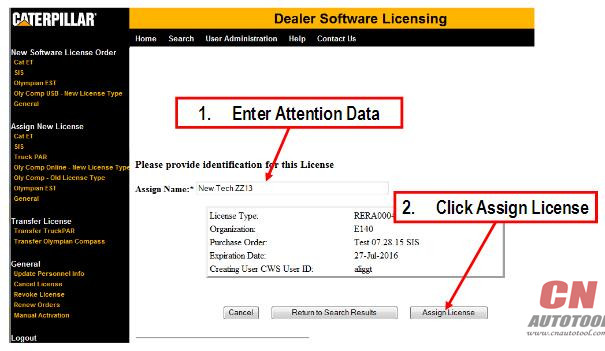
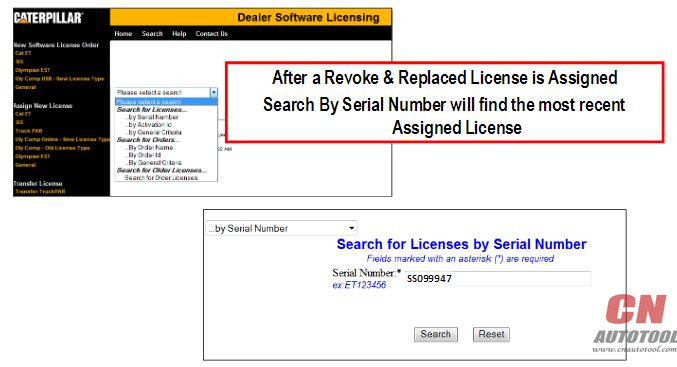
Beginning in September 2015 SIS DVD or SIS Network serial numbers will be RECYCLED after a license is Revoked & Replaced Auto Diagnostic tool
Caterpillar SISsoftware vendor bills Cat based on a count of Active Serial Numbers
New serial numbers issued to current users inflates the user count after a revoke and replacement of a SIS DVD license
Recycling serial numbers will help reduce cost to Cat which is passed on to Cat dealers.
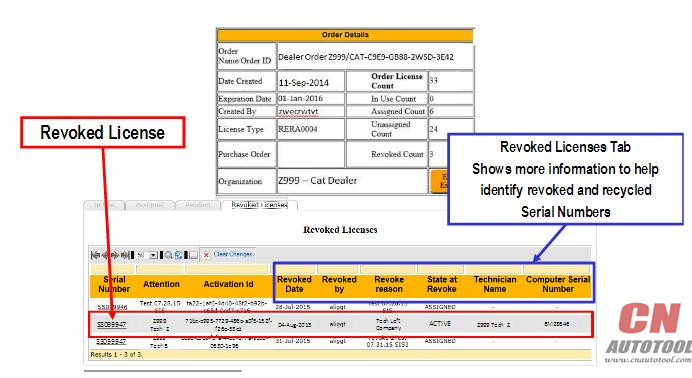
Revoke Licenses – SIS Serial Number Recycling
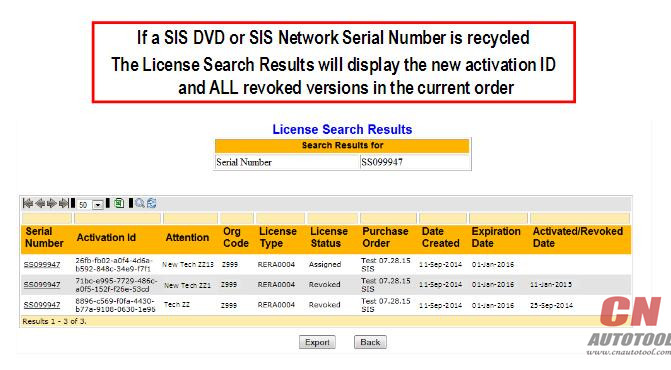
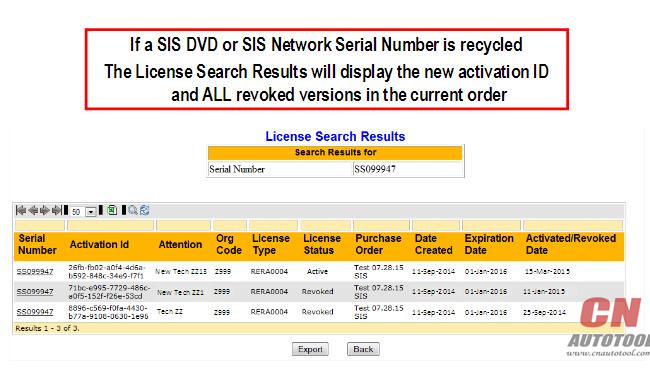
When SIS DVD or SIS Network licenses are revoked and REPLACED the
revoked serial number will be RECYCLED with a new Activation ID
CAT ETSerial Numbers WILL NOT BE RECYCLED
This change affects SIS DVD or SIS Network ONLY
Revoke License Scenario SIS Serial Number Recycling
When SIS DVD or SIS Network licenses are revoked and REPLACED the
revoked serial number will be RECYCLED with a new Activation ID
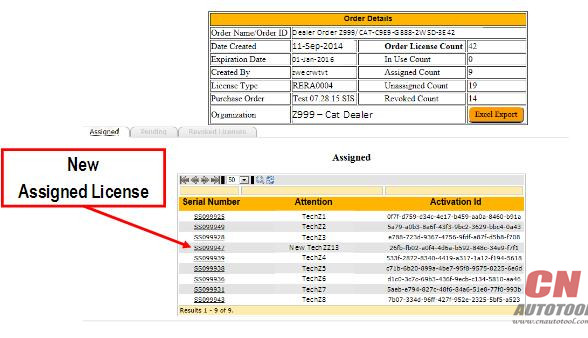
Serial Number SS099947 must be revoked and replaced because Technician Bob who held the license was issued a new computer
-or –
Serial Number SS099947 must be revoked and replaced because Technician
Bob who held the license is no longer employed by the dealership
After Serial Number SS099947 is revoked, SS099947 can be assigned to a NEW user because SS099947 has a NEW activation ID
Revoke License – SIS
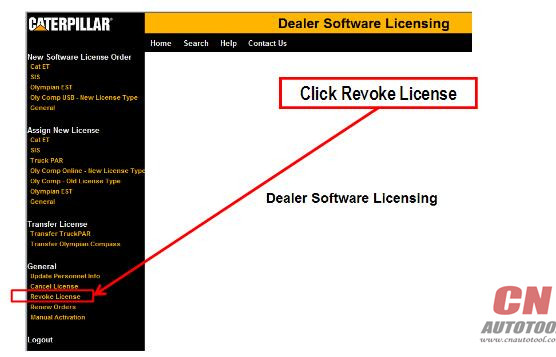
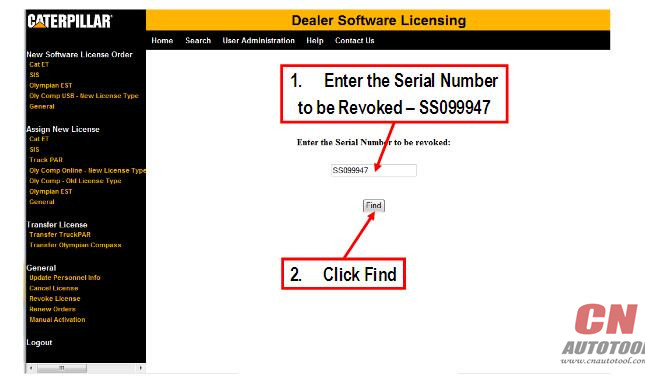
Revoke License
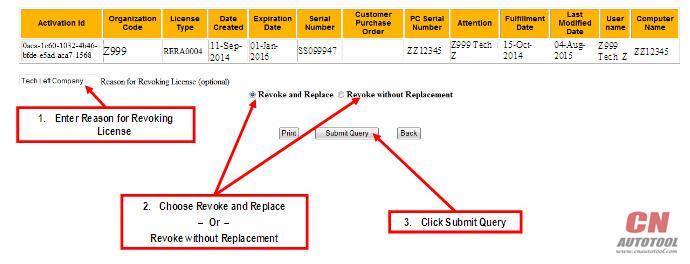
Revoke & Replace Results
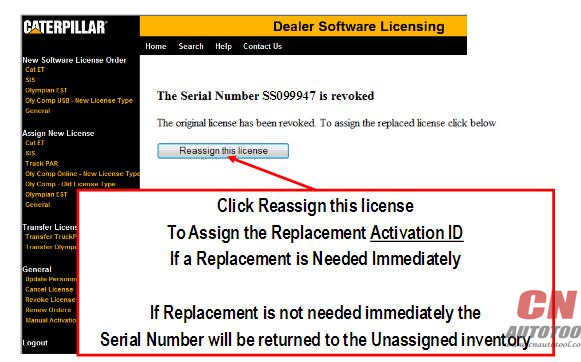
Recycled License – SIS
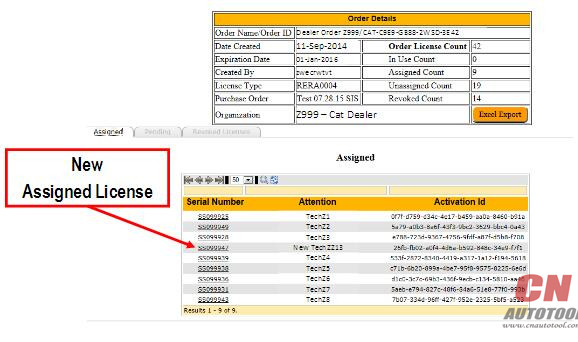
Previous Revoked License Tab
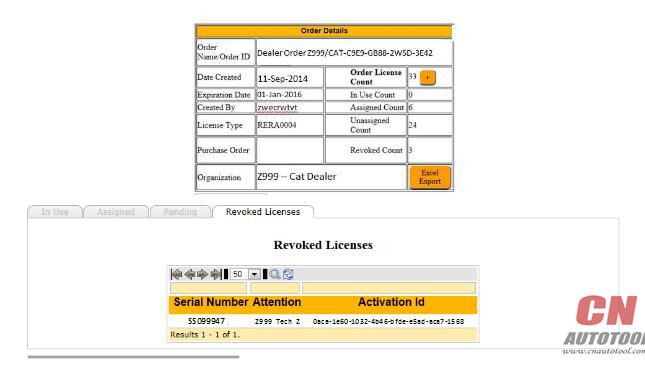
NEW Revoked License Tab
Posted by: youobd2 at
06:05 AM
| No Comments
| Add Comment
Post contains 244 words, total size 5 kb.
Beginning in September 2015 SIS DVD or SIS Network serial numbers will be RECYCLED after a license is Revoked & Replaced Auto Diagnostic tool
Caterpillar SISsoftware vendor bills Cat based on a count of Active Serial Numbers
New serial numbers issued to current users inflates the user count after a revoke and replacement of a SIS DVD license
Recycling serial numbers will help reduce cost to Cat which is passed on to Cat dealers.
Revoke Licenses – SIS Serial Number Recycling
When SIS DVD or SIS Network licenses are revoked and REPLACED the
revoked serial number will be RECYCLED with a new Activation ID
CAT ETSerial Numbers WILL NOT BE RECYCLED
This change affects SIS DVD or SIS Network ONLY
Revoke License Scenario SIS Serial Number Recycling
When SIS DVD or SIS Network licenses are revoked and REPLACED the
revoked serial number will be RECYCLED with a new Activation ID
Serial Number SS099947 must be revoked and replaced because Technician Bob who held the license was issued a new computer
-or –
Serial Number SS099947 must be revoked and replaced because Technician
Bob who held the license is no longer employed by the dealership
After Serial Number SS099947 is revoked, SS099947 can be assigned to a NEW user because SS099947 has a NEW activation ID
Revoke License – SIS
Revoke License
Revoke & Replace Results
Recycled License – SIS
Previous Revoked License Tab
NEW Revoked License Tab
Posted by: youobd2 at
06:04 AM
| No Comments
| Add Comment
Post contains 244 words, total size 5 kb.
February 09, 2018
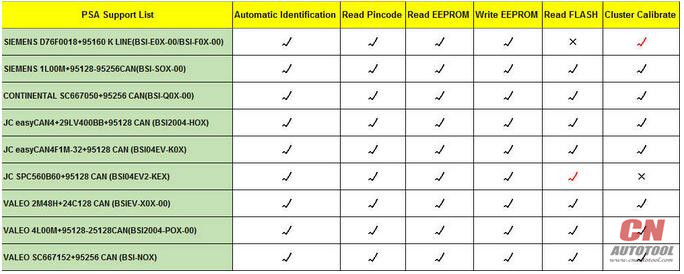
OBDSTAR X300DPandOBDSTAR X300 PRO3 is free update to perform automatic identification, read pincode, read eeprom, write EEPROM, read Flash and Cluster calibration on Peugeot /Citroen/ DS models.
Take Peugeot BSI 2004 HO5 odometer adjustment for example.
Guide:
This is Peugeot BSI 2004 HO5 type removed from the car.
Connect X300 DP / X300 Pro 3 with the VCI box and BSI box.
Tab "Cluster Calibrateâ€, then "Peugeotâ€.
Tab the latest version.
Warning! Please contact VCI to main unit by USB, to keep stability of vehicle communication.
Tab "OKâ€
BSI (cluster calibration)
Option "Auto select†and "Manual selectâ€: If you don’t know what specifi type of BSI, you can tab "Auto selectâ€, if you know the BSI type, tab "Manual selectâ€.
Tab the third option "JC BSI2004-H0Xâ€
Switch ignition on
Next is to operate one by one: Read EEPROM, Mileage adjustment, Write EEPROM, Read Flash.
Communicating…
Logging in to the system…take 1-2 minutes.
Reading data…
Please enter a file name to save.
You should take note this file name.
Input value:… tab "OKâ€
The file name that you enter already exists, whether to cover? tab "Yesâ€
Operation succeed.
Back to tab "Mileage adjustmentâ€
Has the "Read EEPROM†and "Read Flash†functions been performed? tab "Yesâ€
It will take 2-60 mins during testing, keep the vehicle fully charged and don’t unplug OBD connector.
Tab "Yesâ€.
Communicating…
Current mileage: 3000 km
Please confirm the mileage correctly and press ENTER to contine.
Tab "Yesâ€.
Please input the mileage of the adjustment.
Communicating…
Switch ignition off.
Switch ignition on.
Communicating…
Adjustment success.
Posted by: youobd2 at
02:24 AM
| No Comments
| Add Comment
Post contains 271 words, total size 8 kb.
February 05, 2018
Not too long ago, I purchaseda 2016 original Digimaster 3 odometer correction master, which gave me wonderfulhelp.
This ismy story. Actually, severaldays ago, I havebeen in thedifficultythat I do notunderstand howto adjustthe mileage for my lover,Fiat Punto 2003. What even worse is the fact thatI’m a verylazy particular personand have smallunderstandingof programming. For that reason, I asked for aidwithin theforum and hoped that somebodycan give me ideas.
What a fortunateman I was! A guy who was enthusiastic and patient encourageda odometer correction tool named Digimaster three. Followed his assistance, I boughtthe master on cardiagtool.co.uk with €1,200 and fourdays no costdelivery. It’sa package weighed 6.5kg such asAuto Scanner Tools Digimaster 3 on CnAutotool.com host, 12V switch energysupplyand varieties of adapters and cables,and so on. You understandwhat! This tool does notwill needactivate and theinstallation has been completed by the goodcustomer service.The after-sales service also providedall life longFree of chargeupdate every2month and optionsfor any predicamentthroughout theusage.
Posted by: youobd2 at
01:44 AM
| No Comments
| Add Comment
Post contains 258 words, total size 6 kb.
February 04, 2018
GM MDI (GeneralMotors A number ofDiagnostic Interface) with WiFi is aninterface betweenyour carDLC and also aPc(by wired USB, wired Ethernet, wireless Ethernet ) and TIS2web.
Auto key Programmer GM MDI scan tool can certainlytest all of theGM carfrom 1990 to 2013( Supports 2010-2012 Australia Holden).
Are attainablefor SPS programming on existingas well asfuture SGM vehicles.
Expectedfor diagnostics on new SGM InternationalA Electrical Architecture Vehicles.
Appliedwith TIS2Web, GM GlobalDiagnostics Program(GDS), SPS and MDI Manager Application.
Makes it possible forfor GDS diagnostic.
GM MDI China clone Workingproperly. Tested with GDS2 v.12.
Device functionswith GDS2 (Opel).
Device operateswith Tech2Win. (Opel, Hammer)
Device not functionswith SAAB throughTech2Win.
Price: USD259 + shipping price(according toyour country)
Payby way ofPaypal
TruePhotographs
Posted by: youobd2 at
04:54 AM
| No Comments
| Add Comment
Post contains 228 words, total size 6 kb.
February 03, 2018
While youuse GM MDI on a Computer, you couldmeet some trouble. Let?ˉs see what you maydo when it might?ˉt communicate.
Very first, you mustmake certainthat the Auto Scanner Tools MDI Manager softwareshould really beinstalled on thePcas well as theMDI have to bepowered up ahead ofyou use it to communicate. Also the MDI should beconfigured for wired ethernet or wireless communication. When theUSB is readily available, the MDI will connect by usingthe USB and if not, the MDI will connect by usingwired ethernet and if neither of them is readily available, the MDI will connect by utilizingwireless.
When theMDI on CnAutotool.com can not communicate with all theMDI, you shouldverifythe cables if they may besecurely attached to theMDI, in the event theMDI has completed its powerup sequence, if theconnector pins are clean and if theMDI Manager computer softwareis operating.
Posted by: youobd2 at
12:29 PM
| No Comments
| Add Comment
Post contains 364 words, total size 8 kb.
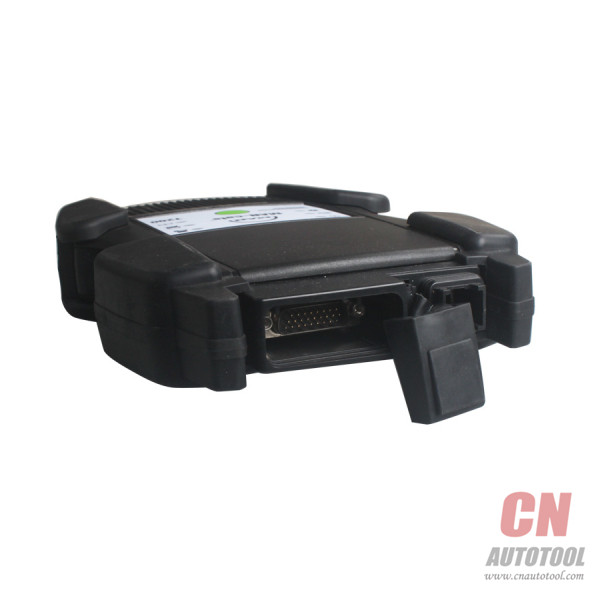
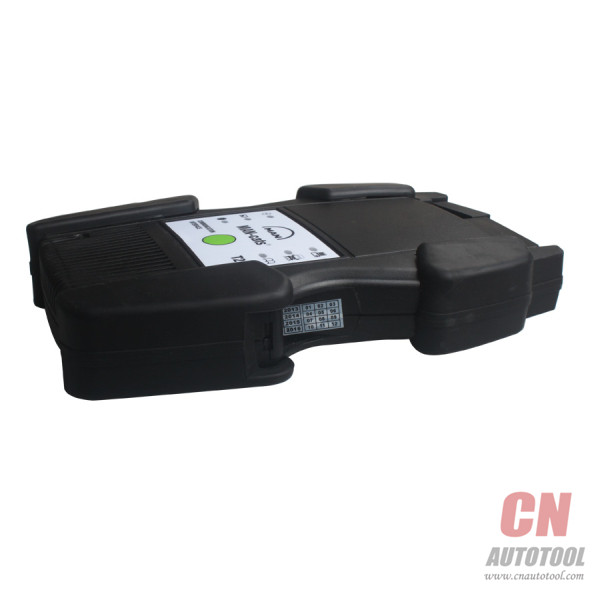
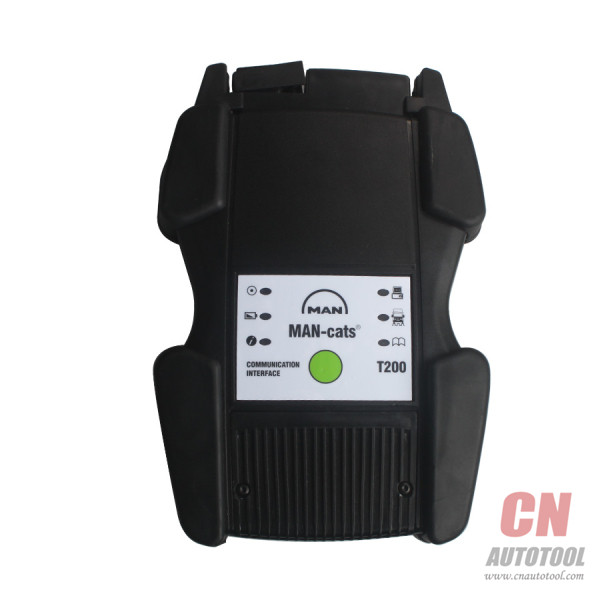
Hightlights of MAN CAT T200:
1. It is special dealer level diagnostic too for MAN trucks.
2. It support both Diagnose and Offline programming.
3. With one year warranty.
4. Support multi-languages: German, English, French, Spanish, Italian,
Dutch, Portuguese, Russian, Greek, Croatian, Turkish, Polish, Romanian
5. Support win 7 win8 win 10 XP system.
Notice:
1.This device software not support update.
2.System requirement
Dual-Core CPU
2G memory
Hard disk more than 160G
Examples of Diagnosable Systems:
•Electronic brake systems (EBS).
•Electronically controlled air suspension (ECAS).
•Engine regulation (EDC).
•Retarder.
•Gearbox.
•Air-conditioning systems.
•Central computer.
•Instrumentation.
•Door module.
•Airbag.
•And much more.
Possibilities of Use:
• Simple testing of actuators.
•Visualisation and assessment of current sensor signals.
•Identification of control unit in assembled condition.
•Depiction of all stored diagnosis entries.
•Fast orientation on vehicle by means of integrated overview wiring diagrams.
•HD-OBD scantool (Heavy Duty On Board Diagnosis), read-out and presentation of data relevant to exhaust gas.
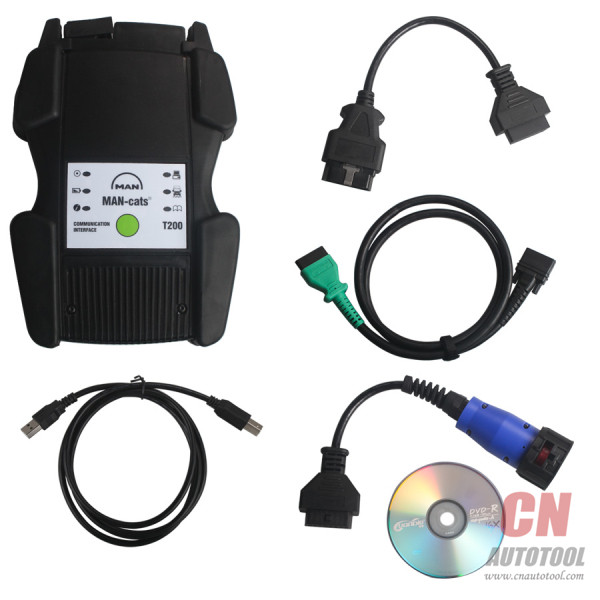
Package Including:
1pc x T200 Communication Interface
1pc x OBD2 Main Cable
1pc x 12-pin Round Cable
1pc x OBD2 Adapter Cable
1pc x USB Cable

Posted by: youobd2 at
09:13 AM
| No Comments
| Add Comment
Post contains 188 words, total size 3 kb.
32 queries taking 0.042 seconds, 142 records returned.
Powered by Minx 1.1.6c-pink.

