



February 19, 2023
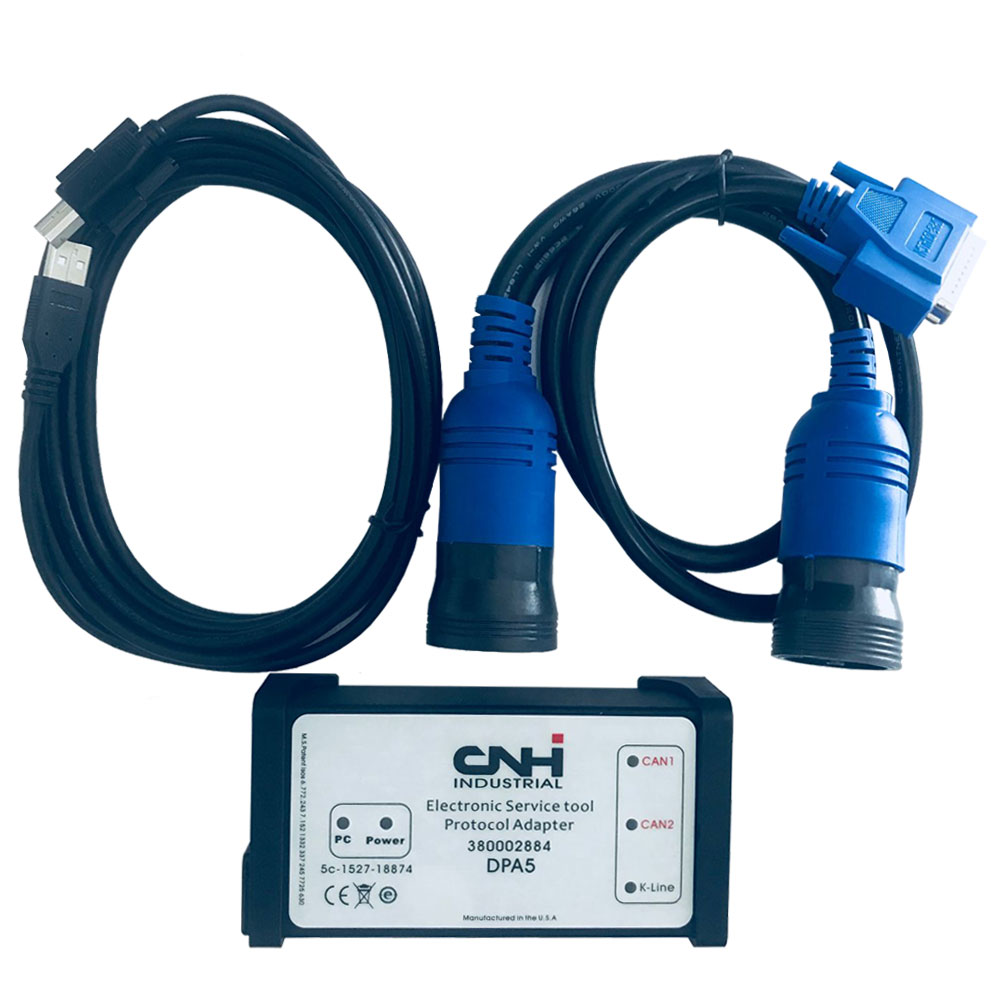
New Holland Electronic Service Tool Download:
https://mega.nz/#F!WVghzKwY!anc22uzd2t41QLiGgAt88Q
New Holland Electronic Service ToolsDESCRIPTION
Electronic Service Tool (EST) Engineering Level* (software only) – used by New Holland dealer technicians to connect with vehicles that have a Controller Area Network (CAN) BUS.
Supported languages:English, Italian, Russian, Polish, Spanish, French, Portuguese, German, Dutch, Danish.
OS: VISTA,Win 8 x32 x 64, Win7 x32 x64, WinXP
With this service tool you can:
- Check status of parameters;
- Retrieve faults;
- Run diagnostic tests;
- Make ECU and parameter programming;
- Monitor active and logged diagnostics;
- View and change ECU configuration;
- View diagnostic procedures and schematics.
- Troubleshoot problems;
- Use asist database;
- Run scope diagnostics.
New Holland Electronic Service Tool Supported Brands:
New Holland (Agriculture and Construction);
New Holland FK (Fi at-Kobelco);
New Holland O&K (Orenstein & Koppel);
CASE (Agriculture and Construction);
STEYR;
KOBE-LCO;
Iveco (Astra) (articulated dump trucks only);
Flexi-Coil;
Sumitomo (S.H.I.)
Posted by: youobd2 at
03:19 PM
| No Comments
| Add Comment
Post contains 173 words, total size 2 kb.
February 09, 2023
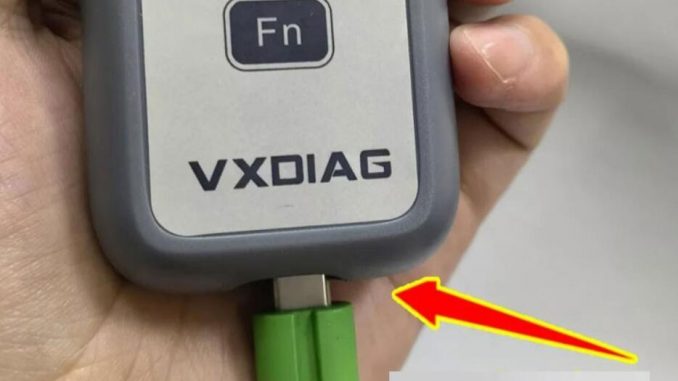
The guide is to help people who have problems in setting upBMW INPA softwarewithVXDIAG VCX SE BMW.
Setup requires USB connection
Make sure the USB cable is going all the way in.
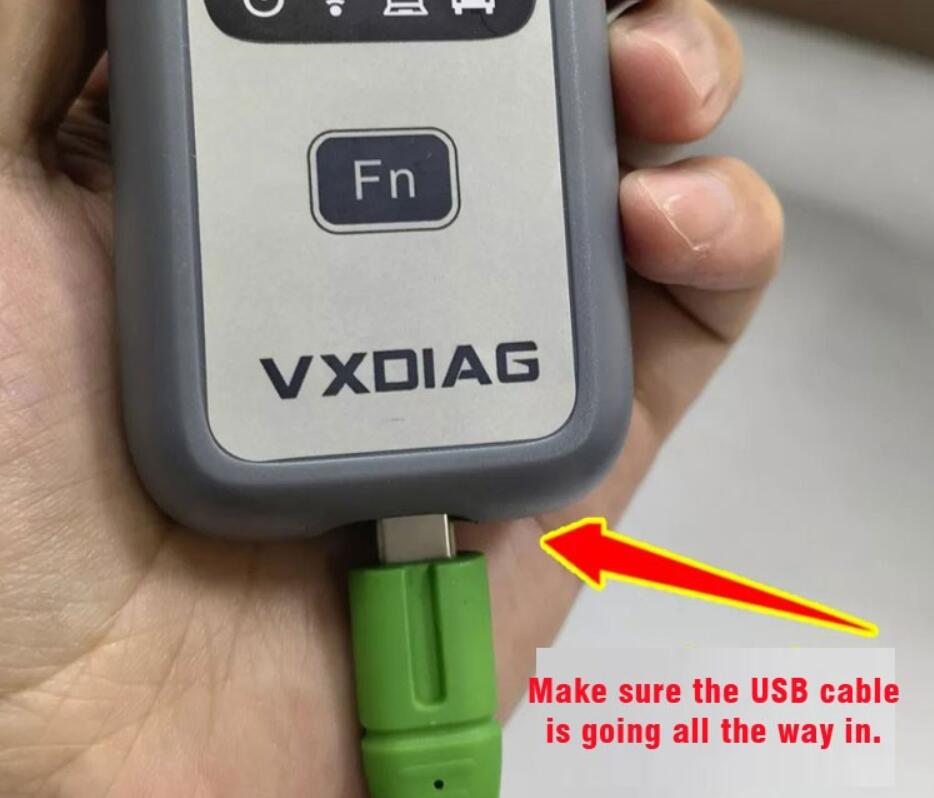
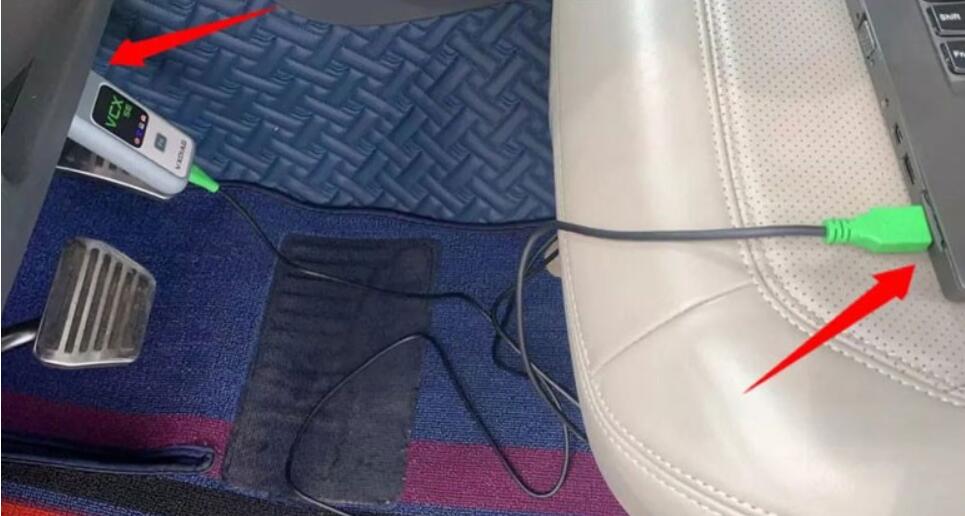
Connect VCX BMW with vehicle and laptop via USB cable
Open VX Manager to check device is well connected
VX Manager detects serial number, firmware driver version etc, vcx se bmw is well connected.
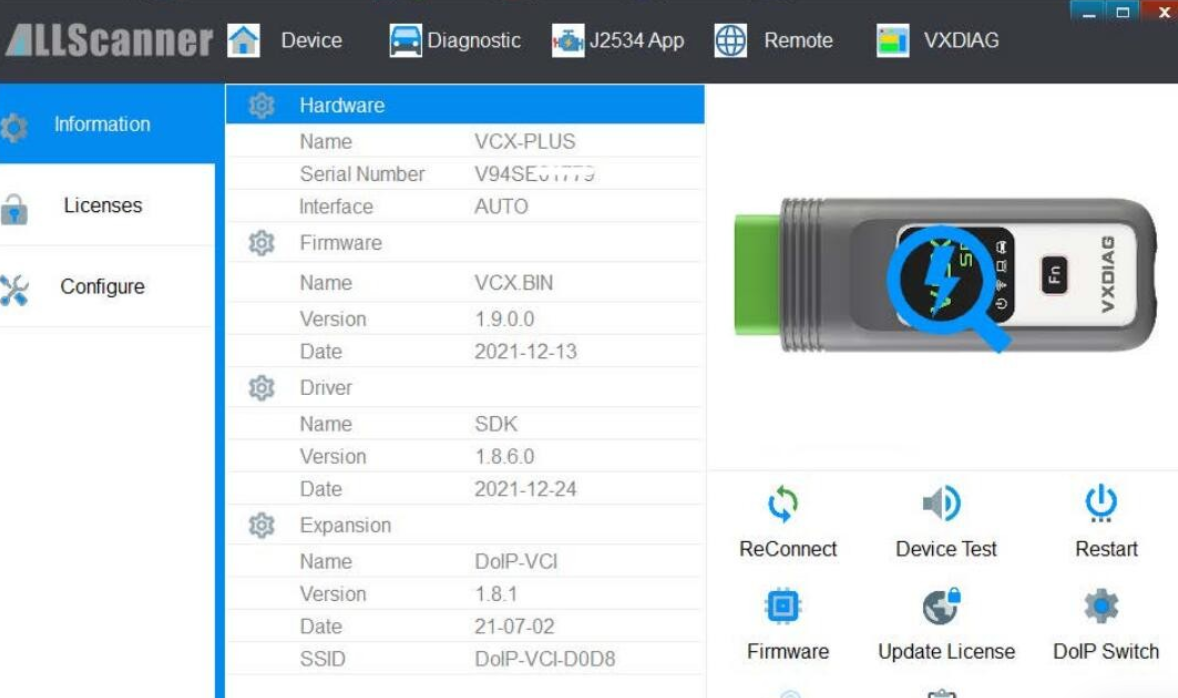
Open EasyConnect program
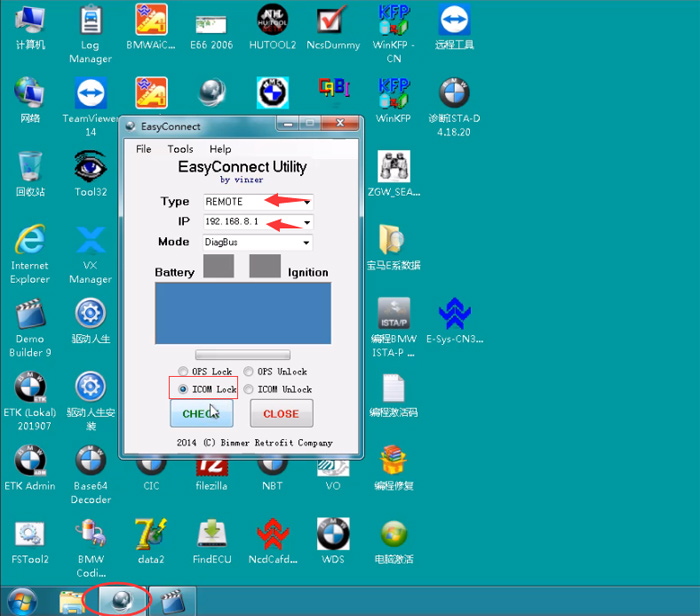
Choose Type: REMOTE
Set IP: 192.168.8.1
Select ICOM Lock and press CHECK button
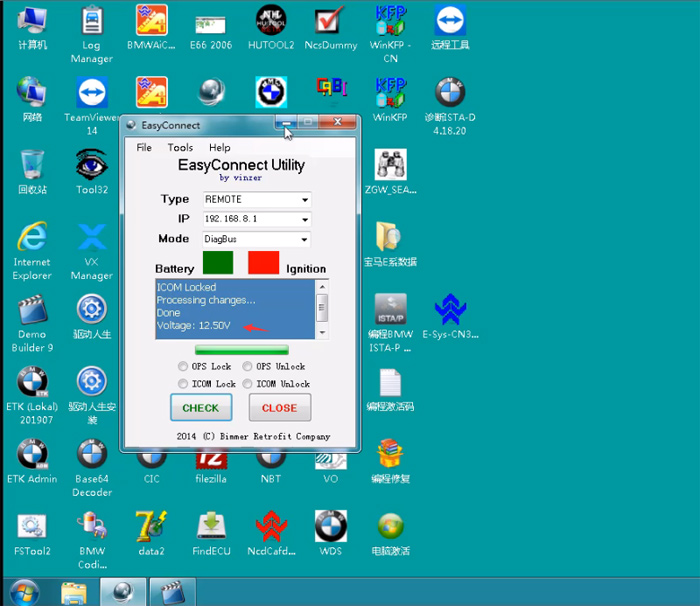
Voltage: 12.50V
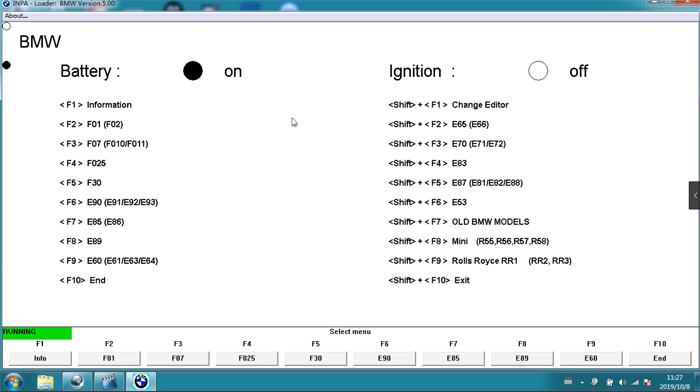
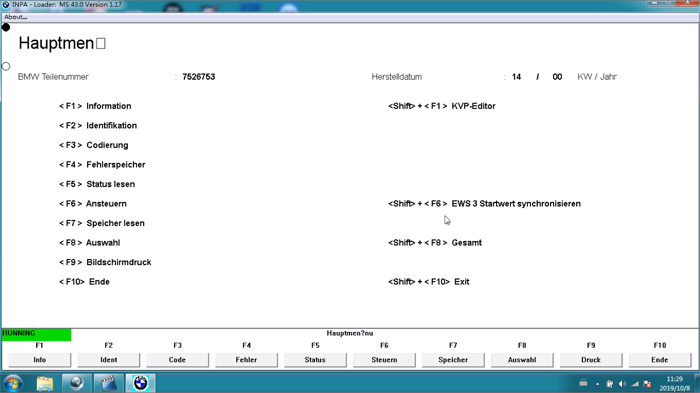
Now can you start INPA software on desktop
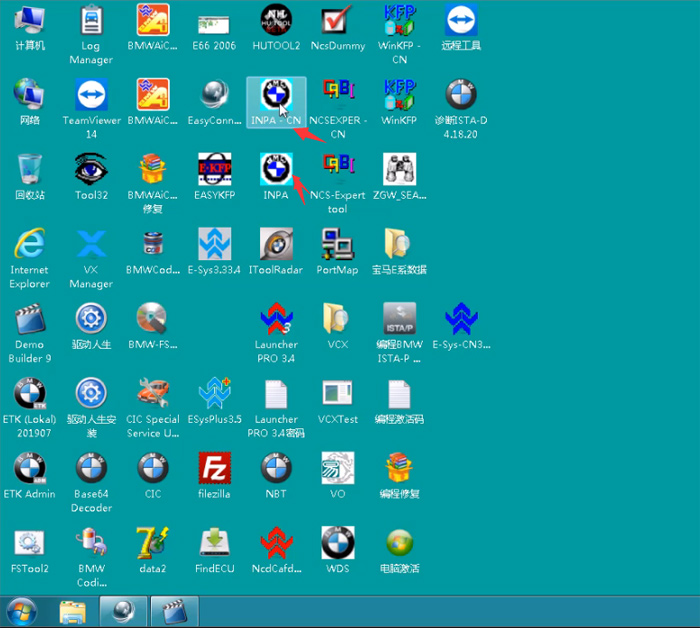
If the ‘on’ icon turns black, inpa software is ready to use.
Check video guide here as well
Posted by: youobd2 at
06:41 AM
| No Comments
| Add Comment
Post contains 120 words, total size 7 kb.
32 queries taking 0.0215 seconds, 126 records returned.
Powered by Minx 1.1.6c-pink.

