



February 02, 2020
Some 2010 Prius and early produced 2011 Prius vehicles may exhibit an abnormal noise when the brake pedal is released. The noise is typically heard when the vehicle is stopped. The ABS Actuator Skid Control Electronic Control Unit (ECU) calibration software has been revised to eliminate this noise.So here is a illustration on how to repair Toyota Prius 2010-2011 abnormal noise when brake pedal released.
Repair Procedures:
1.Confirm the abnormal (squawk/honk) noise when releasing the brake pedal.
2.Connect the GR8 Battery Diagnostic Station to the vehicle and turn it ON, then select Power Supply Mode.
Note:
The GR8 Battery Diagnostic Station MUST be used in Power Supply Mode to maintain battery voltage at 13.5 volts while flash reprogramming the vehicle.
If the GR8 Battery Diagnostic Station is unavailable, the PSC Power Supply Charger /Maintainer (MTRPSC550SKT) may be used.
3.Verify the vehicle’s applicability for recalibration.
A) Connect Techstream and establish a vehicle connection.
B) Click theToyoa Techstream TIS Health Check button on the System Select tab
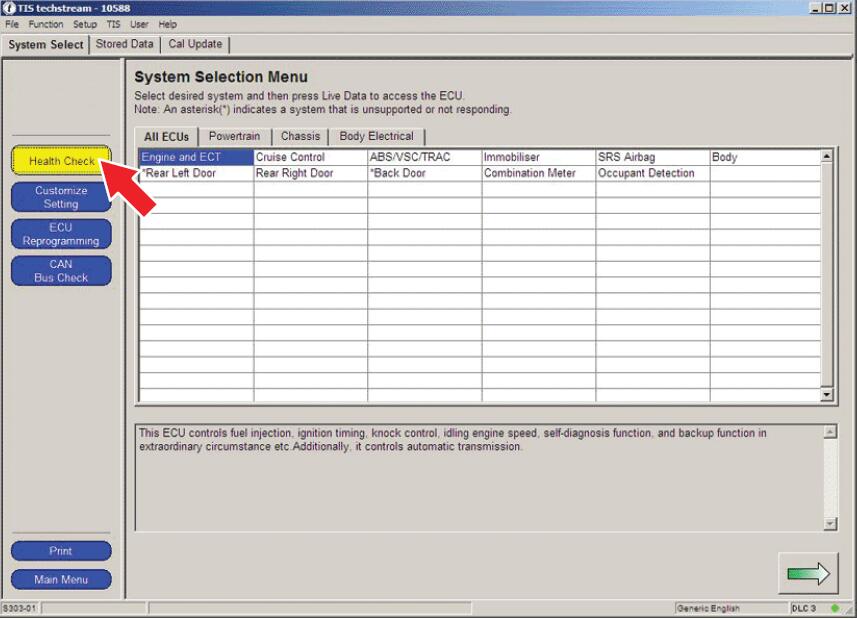
C) Choose Chassis ECU group in the Health Check dialog box.
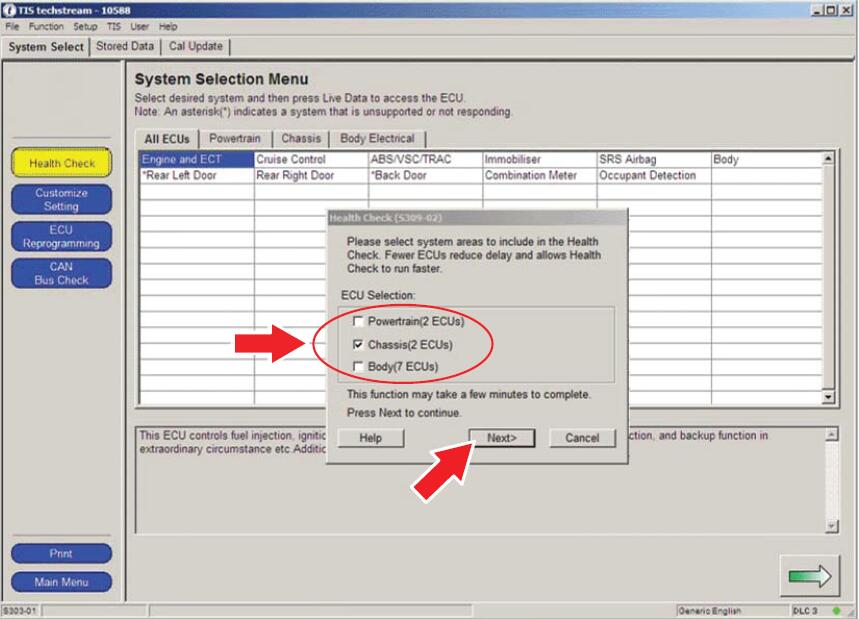
D) Click Next.
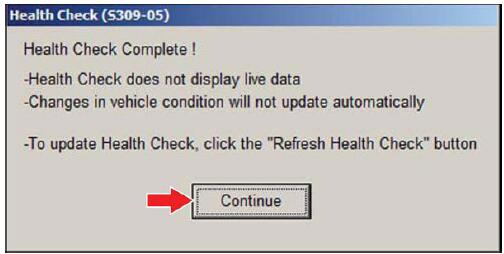
E) Click Continue to view Health Check results.
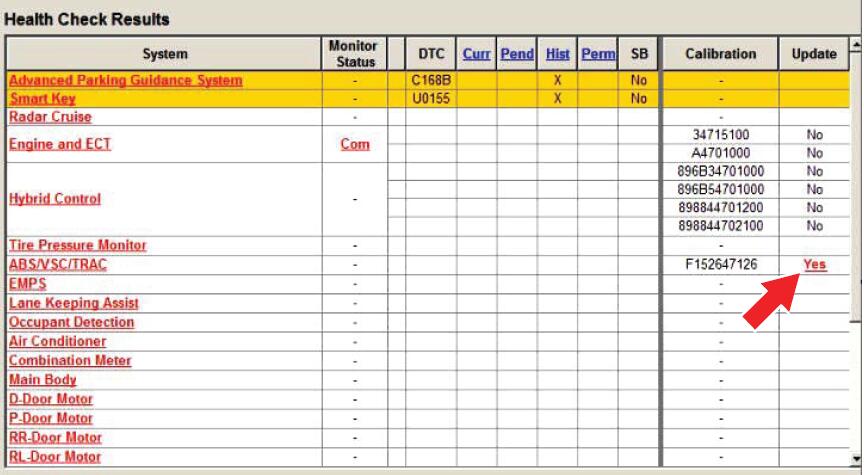
F) Available calibration updates are indicated by a Yes link in the Calibration Update column.STOP before clicking the Yes link.
4.Flash reprogram the ABS Actuator Skid Control Computer.
A) Place the car in the "IG-ON†mode (push the Power button twice when the car is OFF –DO NOT depress the brake pedal).
B) Reflash the ABS Actuator Skid Control Computer with the newly designed software (New Calibration ID), following the procedures outlined in TSB No. T-SB-0064-10, "Techstream ECU Flash Reprogramming Procedureâ€. Please refer to the Calibration Information table in this TSB for the NEW Calibration ID.
C) After completing the ABS Actuator Skid Control Computer reflash, disconnect the GR8 Battery Diagnostic Station or PSC Power Supply Charger / Maintainer (MTRPSC550SKT).
5.Using Techstream, check for Diagnostic Trouble Codes (DTCs).
NOTE:If any Pending, Current, and/or History DTCs are set, troubleshoot according to the Repair Manual.
6.Depress the brake pedal while vehicle is stopped to confirm the abnormal noise has been eliminated.
Posted by: youobd2 at
02:08 AM
| No Comments
| Add Comment
Post contains 355 words, total size 4 kb.
This post show you the operations to perform Nissan Maxima 2017 angle sensor adjustment byLaunch X431Throttle.
Steering Angle Sensor Adjustment Related Contents:
Nissan Sentra 2014 Steering Angle Sensor Adjustment by Launch X431 Torque
BMW X3 E83 Steering Angle Calibration by Launch X431
How restore Data Damaged of Toyota Steering Angle Sensor
Nissan Maxima Steering Angle Sensor Adjustment Procedures:
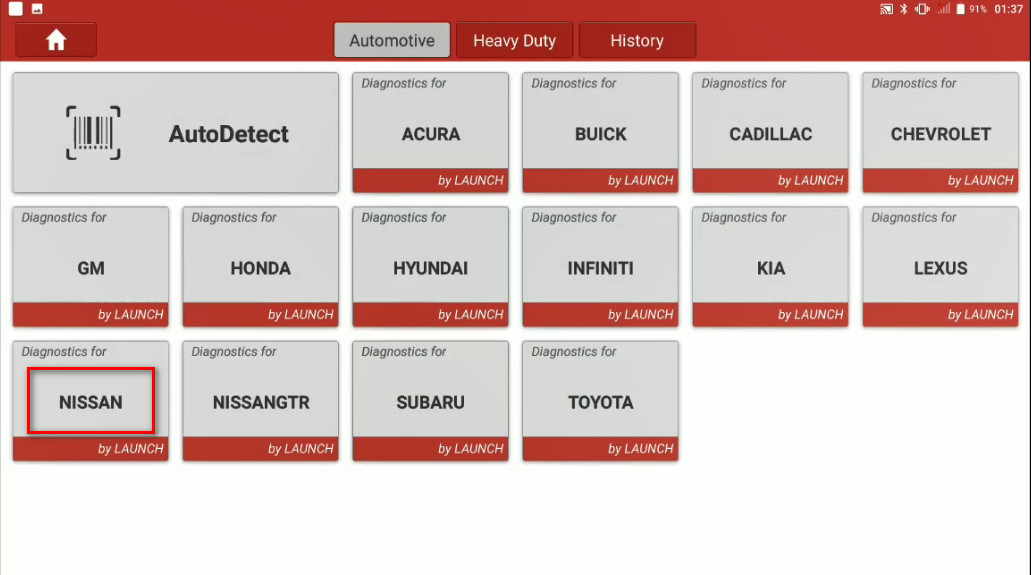
Connect your Launch X431 Throttle to Nissan OBD port,enter menu to select [Nissan] brand
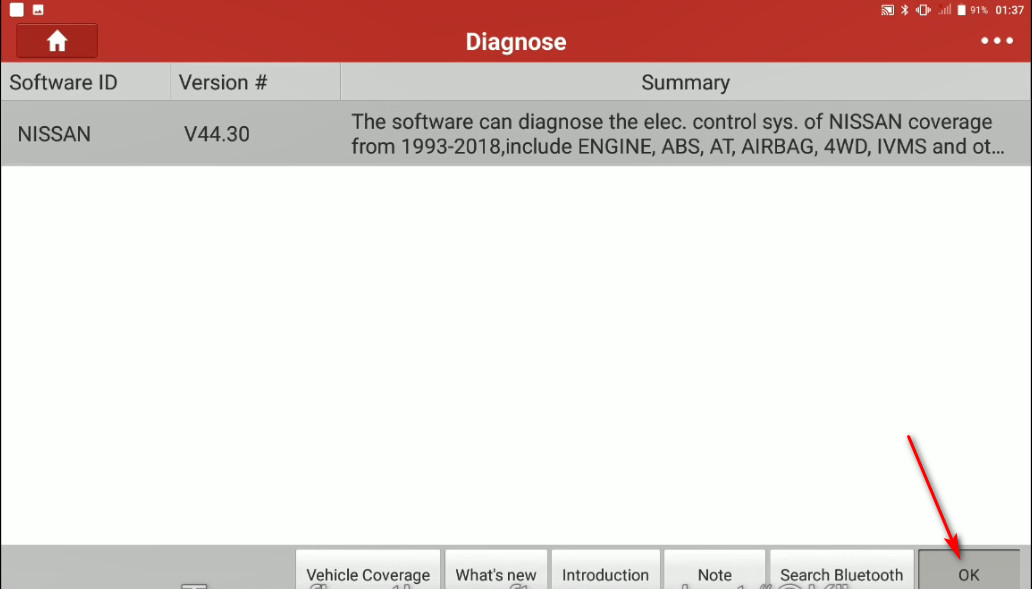
To confirm the software select [OK]
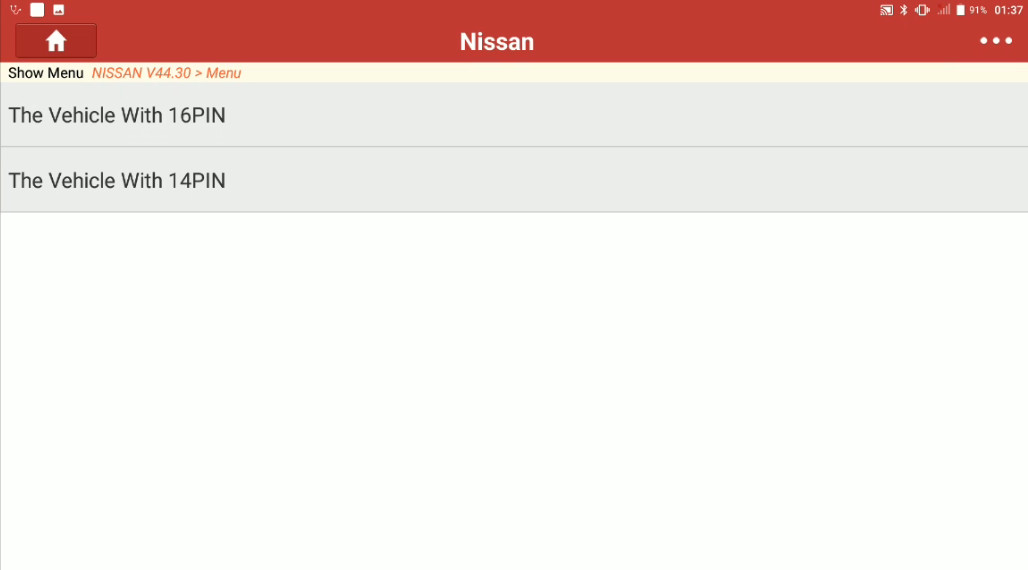
Select [The Vehicle With 16PIN]
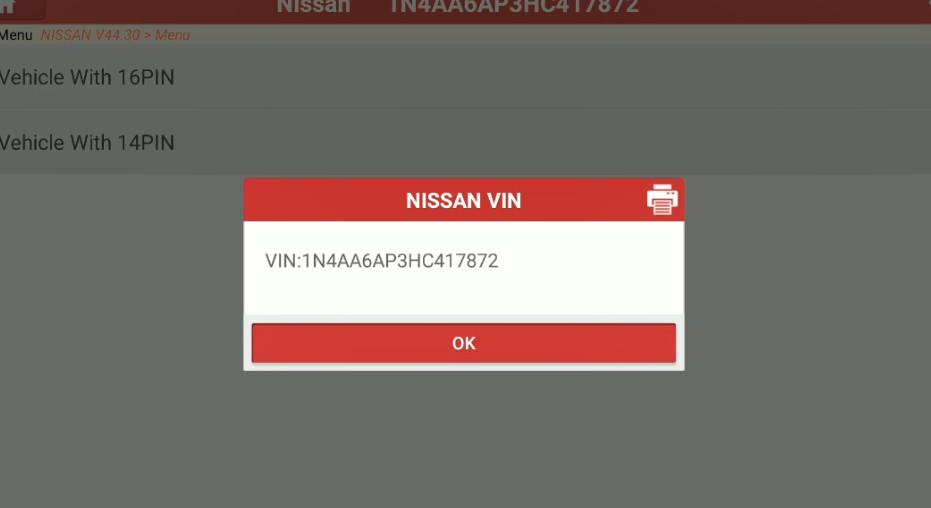
Then confirm VIN
Select [Automatically Selection (VIN)],then confirm vehicle information
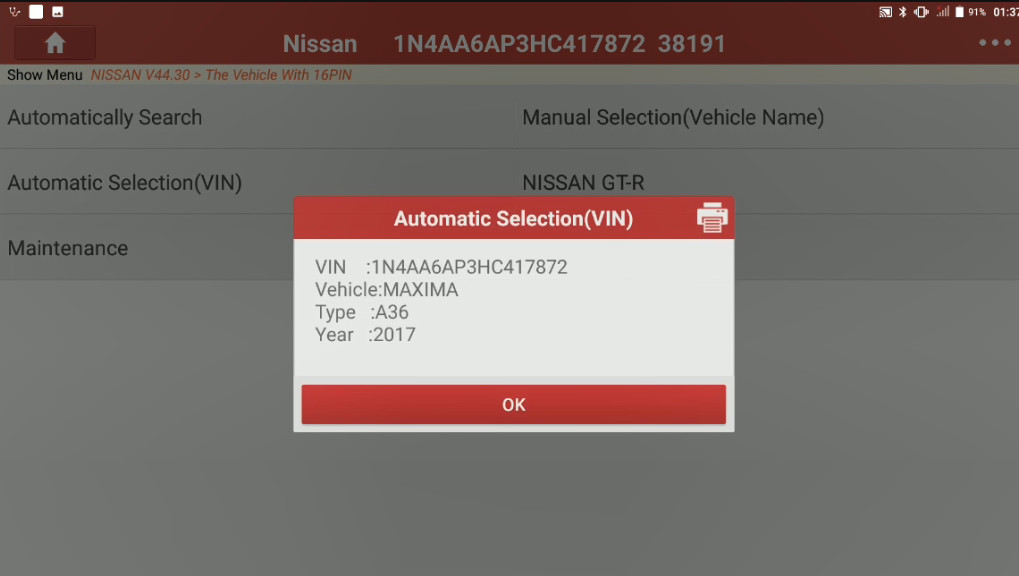
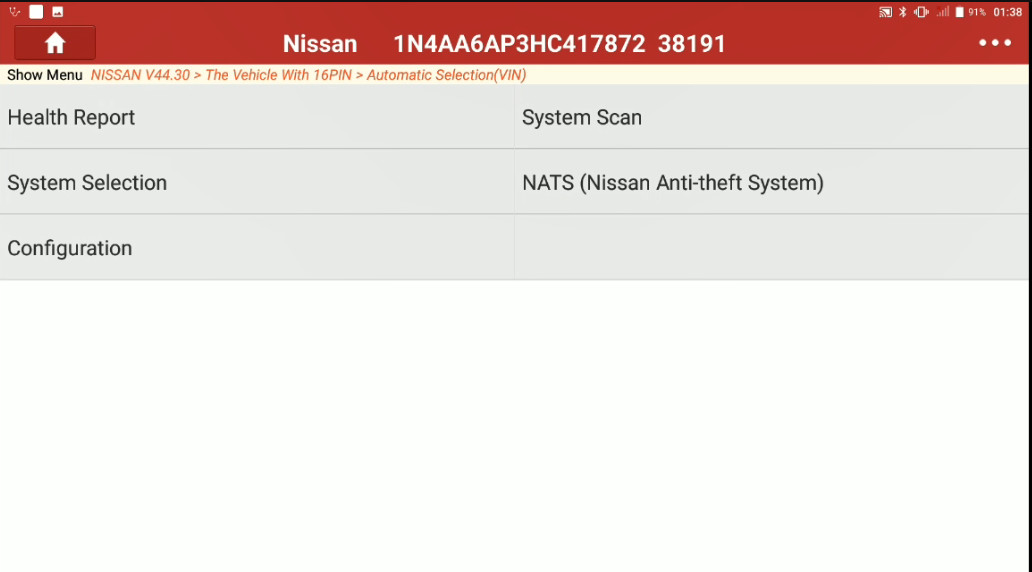
Select [System Selection]
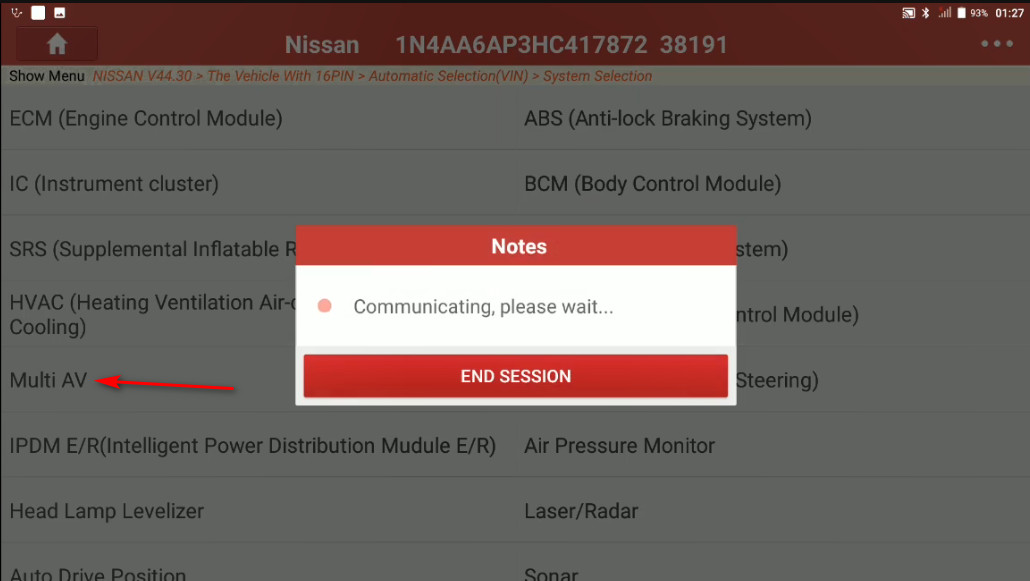
Select [Multi AV]
The it will show you with the system info,select [OK]
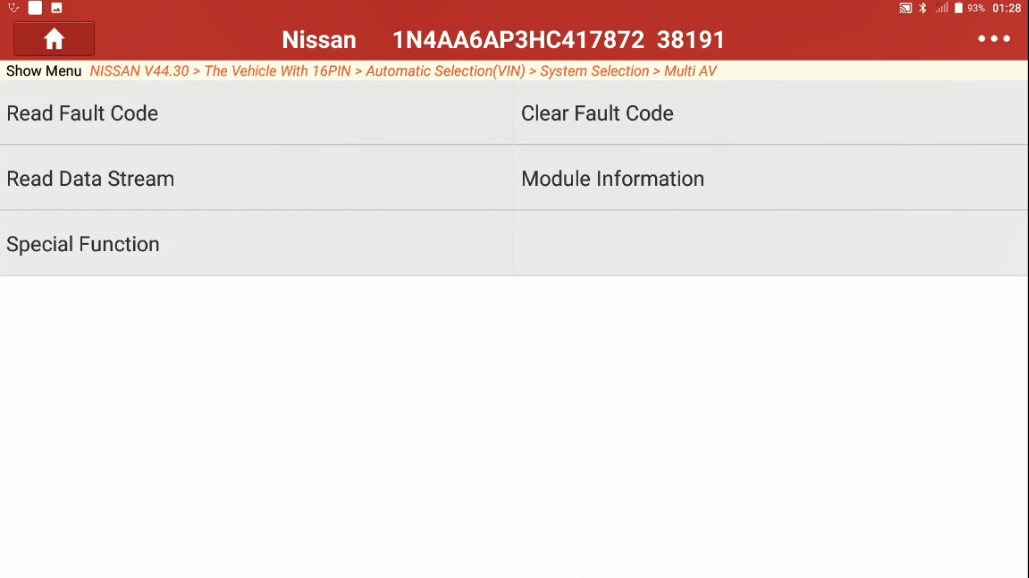
Then select [Special function]
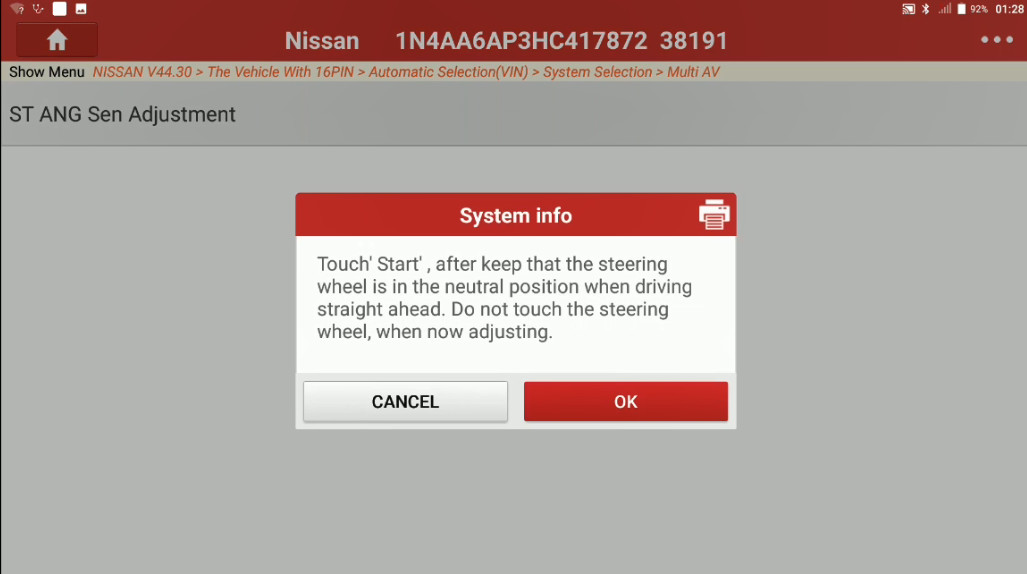
Select [ST ANG Sen Adjustment]
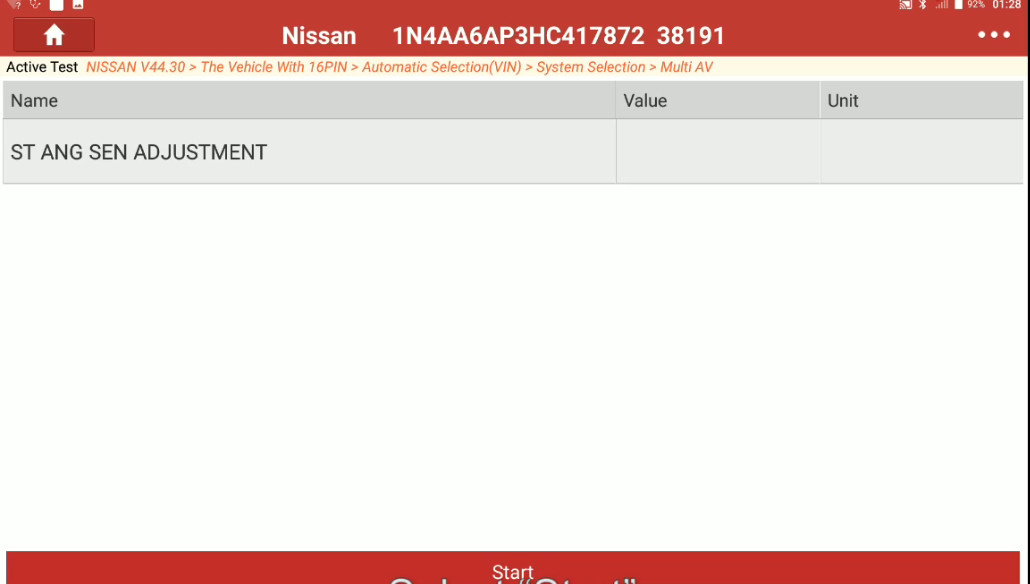
A system info screen will give you instructions,please follow it and select [OK]
Select [Start]
Once finished the value will change to "Adjustment Completeâ€.
Posted by: youobd2 at
01:58 AM
| No Comments
| Add Comment
Post contains 131 words, total size 6 kb.
January 23, 2020

Autel MaxiIM IM608is the most advanced and the unique all in one key programming and diagnostic tool that combines advanced key programming, all systems diagnostics, and advanced services in one Android based 10.1-inch touchscreen tablet. It is equipped with XP400 key programmer and MaxiFlash ECU programmer to provide complete coverage of IMMO and programming functions. Together with the ability to quickly diagnose all modules of the majority of the makes and models on the market, IM608 provides you with all special functions. It is the unprecedented key programming and diagnostic tool that you ever wanted
IM608 is a state of the art 10-inch Android-based touchscreen tablet combining the most advanced key programming and immobilizer capabilities with OE-level diagnostics and service functions. Equipped with XP400 key programmer and MaxiFlash JVCI ECU programmer, IM608 is a comprehensive immobilizer and key programming tool and ideal for auto technicians and locksmiths.It combines the most advanced key programming and immobilizer experience with advanced automotive diagnostics and service functions, a 10-inch Android-based, touch-screen tablet with the latest in art. Autel MaxiIM IM608, a comprehensive, ideal immobilizer and key programming tool for automobile technicians and locksmiths.


Autel MaxiIM IM608Features:
The IM608 is an OE-Level Diagnostic and Service Functions as MaxiSYS Pro with additional software and accessories for IMMO and key programming.
- Extraordinarily powerful Cortex A7+A15 six-core processor
- 10.1-inch LED capacitive touch screen with 1920×1200 resolution
- Internal reliable 64GB On-board Memory for better performance
- Built-in 8-megapixel rear camera with autofocus and flashlight
- 802.11 a/b/g/n/ac Wi-Fi to access your favorite web resources
- Open source Android Operating System for fast boot-up and multitasking
- Powerful combination of advanced key programming/all systems diagnostics/advanced maintenance services
- Professional key programming equipped with XP400 key programmer and MaxiFlash ECU programmer for complete Immo coverage
- Smart mode for guided and automated key learning
10. Expert mode for advanced key learning
11. Read PIN/CS (all key lost), generate key, key learning, remote learning
12. IMMO ECU reset/adaptation, refresh/coding
13. Read/write transponder data, ECU/MCU/EEPROM data (eg. 9S12 encryption chip), IC card, detect remote frequency
14. Powerful OE level diagnostics for more than 80 US, Asian and European makes and models
15. Complete capabilities for codes, live data, active test, ECU information, adaptation, matching, coding etc.
16. All special functions, EPB, DPF, SAS, Oil reset, BMS, TPMS sensor ID relearn, etc.
Autel MaxiIM IM608 Functions:
- Read & Clear Fault Codes | Short description & code provided (can clear faults & warning lights)
- Service Functions | Oil light / EPB / BMS / SAS / DAF etc
- Access Live Data | Data from the ECU/Modulesnsors displayed in real-time (Oxygen sensor-rich/lean etc)
- Actuation/Component Testing | Actuate (switch on/off) to diagnose functionality (relays, fans, locks etc)
- Coding Functions | Allows you to change vehicle parts that need to be "coded†(Injectors, ABS, starters etc)
- Flashing/ Reprogramming | Advanced updating/coding of ECU’s online through a J2534 pass-through flashing device
- Advanced Key Programming | IMMO functions, Transponder read/write/identify, MCU/EEPROM chip read/write

ADVANCED IMMO & KEY PROGRAMMING:
Connect the IM608 tablet to the vehicle (via the Bluetooth VCI or Main Cable) and to the XP400 (via USB cable) to access IMMO related functions, including Key Learning, Remote Control Learning, Remote Control Add, etc. The software provides two methods to access IMMO functions
- Smart Mode – for Guided and Automated Key Learning – step by step through a series of functions.
- Expert Mode – for Advanced Key Learning – select a specific function.
1). PIN / CS Reading (Full Lost)
2). Key Generation
3). Key Programming
4). Command Introduction
5). Backup / Repair IMMO Data
6). IMMO ECU Brain Reset / Adaptation
7). IMMO ECU Brain Reset / Coding
 . BENZ 3rd Generation IMMO Key Splicing, Full Lost, Key Programming
9). BMW FEM / BDC Key Programming and ECU Adaptation
10). BMW CAS4 / 3/2 Key Programming
11). VW / AUDI MQB Key Programming, 48 Transponder (96-bit) Key Splicing, Full Lost, A6 Full Lost and More …

XP400 KEY & CHIP PROGRAMMER:
Support PC
MCU / EEPROM Chips Read / Write
ECU Read / Write
MC9S12 Encryption Chip Read / Write
Key Read / Write
Mercedes Infrared Key Read / Write
Remote Frequency Detect
IC Card Read/Write

Autel MaxiIM IM608 vs. IM508 Comparison Chart:

Autel MaxiIM IM608VSMaxiIM IM508VS Auro OtoSys IM600 VS IM100

Posted by: youobd2 at
10:46 PM
| No Comments
| Add Comment
Post contains 724 words, total size 9 kb.

Caterpillar Comm Adapter III – diagnostic scanner interface is a cat group dealer workshop diagnostic tool built to work with Caterpillar heavy vehicles and Caterpillar engines. It is the latest generation of the cat Communication Adapter group and replaces the cat Comm Adapter II & the old 466-6258 and 317-7487 tool number.
Caterpillar Electronic Technician (Cat ET) is a service tool designed to run on a personal computer (PC) under Microsoft Windows. It will communicate with the Electronic Control Modules (ECMs) through a communication data link thus allowing you to diagnose existing and potential problems, configure the product and obtain data for analysis.
Caterpillar scan toolincludes:
CAT Comm Adapter III (part # 317-7485)
CD with the drivers
USB Cable (From device to your computer)
J1939/J1708 Cable (from device to your truck)
Hard Shell Case with foam inserts
Caterpillar ET 2019c

With the CAT Diagnostic Tool, you can:
View active and logged diagnostics
View events where irregularities occurred and were logged by the ECM
View the status of a group of parameters (temperatures, pressures, etc.) simultaneously
Record and log performance data
Graph a group of status parameters
View the current configuration of an ECM
Change ECM configurations
Perform diagnostic tests
Perform calibrations
Print reports and diagnostic results
For some machine and engine products, additional functionality has been included with the service tool program
Caterpillar electronic technician 2019Cis an updated version of the caterpillar dealer diagnostic software.
Cat works with the Caterpillar Communication Adapters family.
The recommended adapter is a Caterpillar Communication Adapter III Kit PN 538-5051 (Replaces 466-625
.
This diagnostic app allows you to: Change vehicle’s parameters Lock / Unlock parameters Diagnose and reconfigure Reading of error codes ECM Flash
Caterpillar ET 2019C(replaces CAT ET 2018b, 2019A,2019B) Electronic Technician Diagnostic Software

Brand:Caterpillar
Region:WorldWide
Language:English
Compatible OS:Windows 7 32 bit, Windows 7 64 bit, Windows 8/8.1 32 bit, Windows 8/8.1 64 bit, Windows 10 32 bit, Windows 10 64 bit
Publication date:10.2019 year
What’s New –2019C
Indication of Selected Communications Adapter
The service tool now displays the selected communications adapter when the service tool is disconnected. The adapter name is displayed in the status area at the bottom right of the service tool window.
End of Support for Windows 7
Microsoft is ending extended support for Windows 7 as of January 2020. The service tool will be ending support for Windows 7 as of the 2020A release.
What’s New – 2019B
Automatic Product Status Report (PSR) Upload
The service tool includes a new tool that automatically uploads Product Status Reports. The tool scans for newly generated Product Status Reports and uploads them when an internet connection is available. The default is that automatic report uploading is enabled. The Preferences dialog has an option to disable the tool.
What’s New -2019A
ECM Naming Changes
Certain ECMs connect to the service tool over two data links at the same time. The service tool shows a message popup when the ECM is only detected on one link. The service tool has been changed to add the text **INCOMPLETE** in the ECM name when the connection is incomplete. Service tool features that display a connection icon also use a new icon for an incomplete connection.
What’s New – 2018C
No significant new features or feature enhancements
What’s New – 2018B
CEOS Fleet Configuration File TOP
A CEOS (Customer Electronic Option Selection) Fleet Configuration File can be created/modified for an engine using the Service Tool. This is available in connected and disconnected mode.
What’s New – 2018A
Trainer Update – 988K XE Wheel Loader
The 988K XE Wheel Loader has been added to the Trainer application.
What’s New – 2017C
Preferences Option to Save a Product Status Report to PDF
The Preferences dialog for the Product Status Report has changed. The dialog contains a new checkbox to automatically save a Product Status Report as a PDF file when the report is created. The service tool will continue to automatically save Product Status Reports as an XML file.
What’s New – 2017B
Product Status Report Updates
The Product Status Report has been updated to include certain history features supported by the ECM, such as the after-treatment Regeneration History and the Service Test History.
Winflash Screen Update
The screen for the Winflash feature has been updated. A new Expand All button opens all sections of the screen to show all details for ECMs detected by WinFlash. A new Collapse All button hides all sections of the screen, except for header rows showing detected ECM names.
PC Requirements
Recommended Configurations
PC containing a 2.0 GHz dual-core processor
3GB RAM
3GB of the available hard disk drive
DVD-ROM drive (optionally)
15.4-inch XGA Screen (1280×1024 compatible)
Microsoft Windowsâ„¢ 7 Professional or Windows 8 Professional, Windows 10 Professional (Not tested with Home Edition) (Note: Windows 8 RT is not supported)
RS232 port with 16550AF UART or compatible (for use with Comm Adapter II)
USB 1.1 or 2.0 port (for use with Comm Adapter 3)
Ethernet RJ45 connector
Built-in pointing device or mouse
For security purposes, Microsoft Internet Explorer version 11 or newer or Microsoft Edge is recommended.
Note: The most recent version of Microsoft Internet Explorer may not be validated to work with the service tool.
Wi-Fi (for the Wireless Comm Adapter 3)
Minimum Configurations
PC containing a Pentium 2 GHz processor or greater
1GB RAM
500MB of an available hard disk drive
CD-ROM drive
Super VGA monitor or display (1024×76
Microsoft Windowsâ„¢ 7 Professional or Windows 8 Professional, Windows 10 Professional (Not tested with Home Edition) (Note: Windows 8 RT is not supported)
RS232 port with 16550AF UART or compatible (for use with Comm Adapter II)
USB 1.1 or 2.0 port (for use with Comm Adapter 3)
Ethernet RJ45 connector
Built-in pointing device or mouse
For security purposes, Microsoft Internet Explorer version 9 or newer is recommended. Note: The most recent version of MicrosoftÃ’ Internet Explorer may not be validated to work with the service tool.
Communication Hardware
Caterpillar Communication Adapter III Kit
Configuring Cat Electronic Technician to use the Communication Adapter 3
For Cat Electronic Technician to work with the Communication Adapter 3, the settings must be changed to select the Communication Adapter 3 as the Communication Interface Device:
Step 1 Start Cat Electronic Technician.
Step 2 Click the Stop Connect button when it appears.
Step 3 Select the utility menu.
Step 4 Choose "Preferences > Modify…â€.
Step 5 Select the Communications tab.
Step 6 Select Cat Comm Adapter 3 (RP1210) and click OK.
NOTE: Because a growing number of products require multiple data link service, the "Enable Dual Datalink Service†checkbox has been pre-selected.
Servicing ECMs on more than one data link requires this checkbox to be enabled.
Failure to do this will result in undetected ECMs and reduced functionality.
Original Factory Caterpillar ET3 Adapter III Compare With OEM Caterpillar ET Diagnostic Adpater III
- Original Factory CAT ET can use once pluged, no need install the USB drive, the software can automatic realize it for ET3 Adapter, and the machine can automatic weld the high quality Circuit board, quality will be more reliable.
- The OEM Caterpillar ET Diagnostic Adapter III need use USB Drive to install, and need choose the COM Port, and in the software ET also need choose ET2 then can be used.
The Details as follows:


Posted by: youobd2 at
10:38 PM
| No Comments
| Add Comment
Post contains 1222 words, total size 11 kb.
January 05, 2020
Product Description
1.BMW AT-200 support BMW ECU Data reading, writing and clone, like MSV90 MSD85 MSD87 N2055 B38 B48
2.Support BMW IMMO functions, read BMW ISN Code by OBD.
3.Original from CGDI, Free update online.
Here is the newest CGDI AT200 programmer update information,for update operation just click your device to update option to update the software online,not need download.
AT200 V1.6.1 Update (2019-11-19):
- Added MSV80 read ISN, write ISN, Backup Data and Restore Data
- Added MSD80/D81/D85/D87/MSV90 write ISN
- Added the engine type of the TC1766:
Alfa Romeo, Audi, BMW, Citroen, Dacia, Dodge, Ford, Hyundai, Indian, Kia, Lada, Lancia, Nissan, Mini, Opel, Peugeot, Polaris, Renault,Saab, Sea Doo, Seat, Skoda, Subaru, Suzuki, Toyota, UAZ, Vauxhall, Volkswagen (VW)
| Car model | Engine | Image |
| TC1766 | ||
| Audi A1(8X) | 1400 TFSI CAVG(185) | VAG_BOSCH_MED17.5.5_TC1766 |
| Audi A1(8X) | 1400 TFSI CAXA(122) | VAG_BOSCH_MED17.5.5_TC1766 |
| Audi A1(8X) | 1400 TFSI CNVA(122) | VAG_BOSCH_MED17.5.5_TC1766 |
| Audi A1(8X) | 1400 TFSI CTHG(185) | VAG_BOSCH_MED17.5.5_TC1766 |
| Audi A3(8P) | 1400 TFSI CAXC(125) | VAG_BOSCH_MED17.5.5_TC1766 |
| Audi A3(8P) | 1400 TFSI CMSA(125) | VAG_BOSCH_MED17.5.5_TC1766 |
| Citroen C3(A51) | 1400 VTi 5FS (EP6C)(120) | PSA_BOSCH_MEV17.4_TC1766 |
| Citroen C3(A51) | 1400 VTi 8FS(95) | PSA_BOSCH_MEV17.4_TC1766 |
| Citroen C4(B71) | 1600 VTI –(155) | PSA_BOSCH_MED17.4_TC1766 |
| Citroen C4(B71) | 1600 VTi 5FS (EP6C)(120) | PSA_BOSCH_MEV17.4_TC1766 |
| Citroen C4(B71) | 1400 VTi 8FS(95) | PSA_BOSCH_MEV17.4_TC1766 |
| Citroen C5(X7) | 1600 VTI –(156) | PSA_BOSCH_MED17.4_TC1766 |
| Citroen DS3(A55) | 1600 THP 5FU (EP6DTX)(200) | PSA_BOSCH_MED17.4_TC1766 |
| Mini Cooper(R55) | 1600 –(120) | BMW_BOSCH_MED17.2_TC1766 |
| Mini Cooper(R56) | 1600 –(120) | BMW_BOSCH_MED17.2_TC1766 |
| Mini Cooper(R57) | 1600 –(120) | BMW_BOSCH_MED17.2_TC1766 |
| Mini Cooper S(R55) | 1600 Turbo –(174) | BMW_BOSCH_MED17.2_TC1766 |
| Mini Cooper S(R56) | 1600 Turbo –(174) | BMW_BOSCH_MED17.2_TC1766 |
| Mini Cooper S(R57) | 1600 Turbo –(174) | BMW_BOSCH_MED17.2_TC1766 |
| Mini Cooper S(R55) | 1600 Turbo JCW –(192) | BMW_BOSCH_MED17.2_TC1766 |
| Mini Cooper S(R56) | 1600 Turbo JCW –(192) | BMW_BOSCH_MED17.2_TC1766 |
| Mini Cooper S(R56) | 1600 Turbo JCW –(211) | BMW_BOSCH_MED17.2_TC1766 |
| Mini Cooper S(R57) | 1600 Turbo JCW –(192) | BMW_BOSCH_MED17.2_TC1766 |
| Mini One(R55) | 1400 –(75) | BMW_BOSCH_MED17.2_TC1766 |
| Mini One(R55) | 1400 –(95) | BMW_BOSCH_MED17.2_TC1766 |
| Mini One(R56) | 1400 –(75) | BMW_BOSCH_MED17.2_TC1766 |
| Mini One(R56) | 1400 –(95) | BMW_BOSCH_MED17.2_TC1766 |
| Mini One(R57) | 1400 –(75) | BMW_BOSCH_MED17.2_TC1766 |
| Mini One(R57) | 1400 –(95) | BMW_BOSCH_MED17.2_TC1766 |
| Peugeot 207(A7) | 1600 THP –(174) | PSA_BOSCH_MED17.4_TC1766 |
| Peugeot 207(A7) | 1400 VTi 8FS(95) | PSA_BOSCH_MEV17.4_TC1766 |
| Peugeot 207(A7) | 1600 5FS (EP6C)(120) | PSA_BOSCH_MEV17.4_TC1766 |
| Peugeot 3008(T
|
1600 THP –(155) | PSA_BOSCH_MED17.4_TC1766 |
| Peugeot 308(T7) | 1600 THP –(140) | PSA_BOSCH_MED17.4_TC1766 |
| Peugeot 308(T7) | 1400 8FS(95) | PSA_BOSCH_MEV17.4_TC1766 |
| Peugeot RCZ(T75) | 1600 THP 5FT (EP6CDT)(155) | PSA_BOSCH_MED17.4_TC1766 |
| Peugeot RCZ(T75) | 1600 THP 5FT (EP6CDTX)(200) | PSA_BOSCH_MED17.4_TC1766 |
| Seat Alhambra(710) | 1400 TSI CAVA(150) | VAG_BOSCH_MED17.5.5_TC1766 |
| Seat Alhambra(710) | 1400 TSI –(150) | VAG_BOSCH_MED17.5.5_TC1766 |
| Seat Ibiza(6J) | 1400 TSI –(180) | VAG_BOSCH_MED17.5.5_TC1766 |
| Seat Ibiza(6J) | 1400 TSI Cupra CAVE(180) | VAG_BOSCH_MED17.5.5_TC1766 |
| Seat Ibiza(6J) | 1400 TSI CAVF(150) | VAG_BOSCH_MED17.5.5_TC1766 |
| Seat Leon(1P) | 2000 16v TFSI Cupra BWA(200) | VAG_BOSCH_MED17.5.5_TC1766 |
| Seat Leon(1P) | 1400 TSI CAXC(125) | VAG_BOSCH_MED17.5.5_TC1766 |
| Seat Toledo(KG) | 1400 TSI CAXA(122) | VAG_BOSCH_MED17.5.5_TC1766 |
| Skoda Fabia(5J) | 1400 TSI RS CAVE(180) | VAG_BOSCH_MED17.5.5_TC1766 |
| Skoda Fabia(5J) | 1400 TSI RS –(177) | VAG_BOSCH_MED17.5.5_TC1766 |
| Skoda Octavia(1Z) | 1400 TSI –(122) | VAG_BOSCH_MED17.5.20 |
| Skoda Octavia(1Z) | 1400 TSI CAXA(122) | VAG_BOSCH_MED17.5.5_TC1766 |
| Skoda Rapid(NH) | 1400 TSI CAXA(122) | VAG_BOSCH_MED17.5.5_TC1766 |
| Skoda Superb(3T) | 1400 TSI –(125) | VAG_BOSCH_MED17.5.5_TC1766 |
| Skoda Yeti(5L7) | 1400 TSI CAXA(122) | VAG_BOSCH_MED17.5.5_TC1766 |
| Volkswagen (VW) Beetle(5C1 / 5C7) | 1400 TSI CAVD(160) | VAG_BOSCH_MED17.5.5_TC1766 |
| Volkswagen (VW) Beetle(5C1 / 5C7) | 1400 TSI –(15
|
VAG_BOSCH_MED17.5.5_TC1766 |
| Volkswagen (VW) Eos(1F7) | 1400 TSI CAVD(160) | VAG_BOSCH_MED17.5.5_TC1766 |
| Volkswagen (VW) Eos(1F
|
1400 TSI CAVD(160) | VAG_BOSCH_MED17.5.5_TC1766 |
| Volkswagen (VW) Golf(VI) | 1400 TSI CAVD(160) | VAG_BOSCH_MED17.5.5_TC1766 |
| Volkswagen (VW) Golf(VI) | 1400 TSI CAXA(122) | VAG_BOSCH_MED17.5.5_TC1766 |
| Volkswagen (VW) Golf Plus(VI) | 1400 TSI CAVD(160) | VAG_BOSCH_MED17.5.5_TC1766 |
| Volkswagen (VW) Golf Plus(VI) | 1400 TSI CAXA(122) | VAG_BOSCH_MED17.5.5_TC1766 |
| Volkswagen (VW) Jetta(V) | 1400 TSI CAXA(122) | VAG_BOSCH_MED17.5.20,VAG_BOSCH_MED17.5.5_TC1766 |
| Volkswagen (VW) Jetta(V) | 1400 TSI CAVD(160) | VAG_BOSCH_MED17.5.5_TC1766 |
| Volkswagen (VW) Jetta(VI) | 1400 TSI CAVD(160) | VAG_BOSCH_MED17.5.5_TC1766 |
| Volkswagen (VW) Jetta(VI) | 1400 TSI CAXA(122) | VAG_BOSCH_MED17.5.5_TC1766 |
| Volkswagen (VW) Jetta(VII) | 1400 TSI CAXA(122) | VAG_BOSCH_MED17.5.5_TC1766 |
| Volkswagen (VW) Passat(B6) | 1400 TSI CAXA(122) | VAG_BOSCH_MED17.5.5_TC1766 |
| Volkswagen (VW) Passat(B7) | 1400 TSI –(120) | VAG_BOSCH_MED17.5.5_TC1766 |
| Volkswagen (VW) Polo(V) | 1400 TSI GTI –(177) | VAG_BOSCH_MED17.5.5_TC1766 |
| Volkswagen (VW) Scirocco(III) | 1400 TSI CAVD(160) | VAG_BOSCH_MED17.5.5_TC1766 |
| Volkswagen (VW) Scirocco(III) | 1400 TSI –(15
|
VAG_BOSCH_MED17.5.5_TC1766 |
| Volkswagen (VW) Tiguan(5N2) | 1400 TSI CAVA(150) | VAG_BOSCH_MED17.5.5_TC1766 |
| Volkswagen (VW) Tiguan(5N1) | 1400 TSI CAVD(160) | VAG_BOSCH_MED17.5.5_TC1766 |
| Volkswagen (VW) Tiguan(5N1) | 1400 TSI CAXA(122) | VAG_BOSCH_MED17.5.5_TC1766 |
| Alfa Romeo 159(939) | 1750 TBI 939.B1.000(200) | FAL_BOSCH_MED17.3.1 |
| Alfa Romeo Brera(939) | 1750 TBI 939.B1.000(200) | FAL_BOSCH_MED17.3.1 |
| Alfa Romeo Giulietta(940) | 1750 TBI 940.A1.000(235) | FAL_BOSCH_MED17.3.1 |
| Alfa Romeo Spider(939) | 1750 TBI 939.B1.000(200) | FAL_BOSCH_MED17.3.1 |
| Audi A3(8P) | 1800 TFSI BYT(160) | VAG_BOSCH_MED17.5 |
| Audi A3(8P) | 2000 16v TFSI CAWB(200) | VAG_BOSCH_MED17.5 |
| Audi A3(8P) | 2000 16v TFSI CCZA(200) | VAG_BOSCH_MED17.5 |
| Audi A3(8P) | 1800 TFSI CDAA(160) | VAG_BOSCH_MED17.5 |
| Audi A3(8P) | 1400 TFSI S-Tronic CAXC(125) | VAG_BOSCH_MED17.5.20 |
| Audi A4(B
|
1800 TFSI CABA(120) | VAG_BOSCH_MED17.5 |
| Audi A4(B
|
1800 TFSI CABB(160) | VAG_BOSCH_MED17.5 |
| Audi A4(B
|
1800 TFSI CDHA(120) | VAG_BOSCH_MED17.5 |
| Audi A4(B
|
1800 TFSI CDHB(160) | VAG_BOSCH_MED17.5 |
| Audi A4(B
|
1800 TFSI quattro CDHB(160) | VAG_BOSCH_MED17.5 |
| Audi A4(B
|
2000 TFSI CDNB(180) | VAG_BOSCH_MED17.5 |
| Audi A4(B
|
2000 TFSI CDNC(211) | VAG_BOSCH_MED17.5 |
| Audi A5(8F / 8T) | 1800 TFSI CABD(170) | VAG_BOSCH_MED17.5 |
| Audi A5(8F / 8T) | 1800 TFSI CDHB(160) | VAG_BOSCH_MED17.5 |
| Audi A5(8F / 8T) | 2000 TFSI CDNB(180) | VAG_BOSCH_MED17.5 |
| Audi A5(8F / 8T) | 2000 TFSI CDNC(211) | VAG_BOSCH_MED17.5 |
| Audi A6(C7) | 2000 TFSI CDNB(180) | VAG_BOSCH_MED17.5 |
| Audi A6L(C7) | 2000 T CDNB(180) | VAG_BOSCH_MED17.5 |
| Audi Q3(8U) | 2000 16v TSI CGMA(200) | VAG_BOSCH_MED17.5 |
| Audi Q5(8RB) | 2000 TFSI quattro CDNB(180) | VAG_BOSCH_MED17.5 |
| Audi Q5(8RB) | 2000 TFSI quattro CDNC(211) | VAG_BOSCH_MED17.5 |
| Audi Q5(8RB) | 2000 TFSI quattro CDNC(211) | VAG_BOSCH_MED17.5 |
| Audi TT(8J) | 2000 TFSI quattro CCZA(200) | VAG_BOSCH_MED17.5 |
| Audi TT(8J) | 1800 TFSI CDAA(160) | VAG_BOSCH_MED17.5 |
| Audi TT(8J) | 1800 TFSI –(160) | VAG_BOSCH_MED17.5 |
| Audi TT(8J) | 2000 16v TFSI –(211) | VAG_BOSCH_MED17.5 |
| BMW 1 Series(E81) | 116d 2000 N47D20(115) | BMW_BOSCH_EDC17C06 |
| BMW 1 Series(E87) | 116d 2000 N47D20(115) | BMW_BOSCH_EDC17C06 |
| BMW 1 Series(E81) | 118d N47D20U0(143) | BMW_BOSCH_EDC17C06 |
| BMW 1 Series(E82) | 118d N47D20U0(143) | BMW_BOSCH_EDC17C06 |
| BMW 1 Series(E87) | 118d N47D20U0(143) | BMW_BOSCH_EDC17C06 |
| BMW 1 Series(E8
|
118d N47D20U0(143) | BMW_BOSCH_EDC17C06 |
| BMW 1 Series(E81) | 120d N47D20O0(177) | BMW_BOSCH_EDC17CP02 |
| BMW 1 Series(E82) | 120d N47D20O0(177) | BMW_BOSCH_EDC17CP02 |
| BMW 1 Series(E87) | 120d N47D20O0(177) | BMW_BOSCH_EDC17CP02 |
| BMW 1 Series(E8
|
120d N47D20O0(177) | BMW_BOSCH_EDC17CP02 |
| BMW 1 Series(E81) | 123d N47D20T0(204) | BMW_BOSCH_EDC17CP02 |
| BMW 1 Series(E82) | 123d N47D20T0(204) | BMW_BOSCH_EDC17CP02 |
| BMW 1 Series(E87) | 123d N47D20T0(204) | BMW_BOSCH_EDC17CP02 |
| BMW 1 Series(E8
|
123d N47D20T0(204) | BMW_BOSCH_EDC17CP02 |
| BMW 3 Series(E90) | 316d 2000 N47D20(115) | BMW_BOSCH_EDC17C06 |
| BMW 3 Series(E91) | 316d 2000 N47D20(115) | BMW_BOSCH_EDC17C06 |
| BMW 3 Series(E90) | 318d 2000 N47D20(143) | BMW_BOSCH_EDC17C06 |
| BMW 3 Series(E91) | 318d 2000 N47D20(143) | BMW_BOSCH_EDC17C06 |
| BMW 3 Series(E90) | 320d xDrive N47D20C(163) | BMW_BOSCH_EDC17CP02 |
| BMW 3 Series(E91) | 320d xDrive N47D20C(163) | BMW_BOSCH_EDC17CP02 |
| BMW 3 Series(E92) | 320d xDrive N47D20C(177) | BMW_BOSCH_EDC17CP02 |
| BMW 3 Series(E93) | 320d N47D20O0(177) | BMW_BOSCH_EDC17CP02 |
| BMW 3 Series(E90) | 320d xDrive N47D20O0(177) | BMW_BOSCH_EDC17CP02 |
| BMW 3 Series(E91) | 320d xDrive N47D20O0(177) | BMW_BOSCH_EDC17CP02 |
| BMW 3 Series(E92) | 320d xDrive N47D20O0(177) | BMW_BOSCH_EDC17CP02 |
| BMW 3 Series(E93) | 320d xDrive N47D20O0(177) | BMW_BOSCH_EDC17CP02 |
| BMW 5 Series(E60) | 520d N47D20(177) | BMW_BOSCH_EDC17C06 |
| BMW 5 Series(E61) | 520d N47D20(177) | BMW_BOSCH_EDC17C06 |
| BMW 5 Series(E60) | 520d N47D20(163) | BMW_BOSCH_EDC17CP02 |
| BMW X1 Series(E84) | 18d sDrive N47D20(143) | BMW_BOSCH_EDC17C06 |
| BMW X1 Series(E84) | 18d xDrive N47D20(143) | BMW_BOSCH_EDC17C06 |
| BMW X1 Series(E84) | 20d sDrive N47D20(177) | BMW_BOSCH_EDC17CP02 |
| BMW X1 Series(E84) | 20d xDrive N47D20(177) | BMW_BOSCH_EDC17CP02 |
| BMW X1 Series(E84) | 23d xDrive N47D20(177) | BMW_BOSCH_EDC17CP02 |
| BMW X3 Series(E83) | 18d sDrive N47D20(143) | BMW_BOSCH_EDC17C06 |
| BMW X3 Series(E83) | 18d xDrive N47D20(143) | BMW_BOSCH_EDC17C06 |
| BMW X3 Series(E83) | 20d N47D20(177) | BMW_BOSCH_EDC17CP02 |
| BMW X3 Series(E83) | 20d xDrive N47D20(177) | BMW_BOSCH_EDC17CP02 |
| Dacia -all models– | — -all engines() | ALL_BOSCH_EDC17CP19 |
| Dodge Attitude(II) | 1600 G4FC(126) | KIA_BOSCH_ME17.9.11 |
| Dodge Attitude(II) | 1400 –(109) | KIA_BOSCH_ME17.9.11 |
| Ford Focus(DA3 / DB3) | 1600 –(109) | FOMOCO_BOSCH_ME17.8.5 |
| Ford Focus(DY) | 2000 16V Ti-VCT –(13
|
FOMOCO_BOSCH_ME17.8.5 |
| Ford Ka(JD) | 1600 –(6
|
FOMOCO_BOSCH_ME17.8.5 |
| Hyundai Accent(RB) | 1600 CRDi blue D4FB(12
|
KIA_BOSCH_EDC17C08 |
| Hyundai Cerato– | 2000 Flex –(154) | KIA_BOSCH_ME17.9.11 |
| Hyundai Elantra(AD) | 1600 –() | KIA_BOSCH_ME17.9.11.1 |
| Hyundai Elantra(MD) | 1600 –() | KIA_BOSCH_ME17.9.11.1 |
| Hyundai Elantra(UD) | 1600 –() | KIA_BOSCH_ME17.9.11.1 |
| Hyundai Tucson(iX) | 1700 CRDi D4FD(116) | KIA_BOSCH_EDC17C08 |
| Hyundai Veloster– | 1600 MPI G4FC(116) | KIA_BOSCH_ME17.9.11 |
| Hyundai Veloster– | 1600 MPI G4FC(130) | KIA_BOSCH_ME17.9.11 |
| Hyundai Veloster– | 1600 –() | KIA_BOSCH_ME17.9.11.1 |
| Hyundai i30(I) | 1600 MPI G4FC(120) | KIA_BOSCH_ME17.9.11 |
| Hyundai i30(I) | 1400 –(101) | KIA_BOSCH_ME17.9.11 |
| Hyundai i30(I) | 1600 CRDi D4FB(110) | KIA_BOSCH_EDC17C08 |
| Hyundai i30(I) | 1600 CRDi D4FB(12
|
KIA_BOSCH_EDC17C08 |
| Hyundai i30(I) | 1600 CRDi D4FB(90) | KIA_BOSCH_EDC17C08 |
| Hyundai i40(I) | 1600 CRDi D4FB(90) | KIA_BOSCH_EDC17C08 |
| Hyundai i40(I) | 1700 CRDi D4FD(116) | KIA_BOSCH_EDC17C08 |
| Hyundai i40(I) | 1700 CRDi D4FD(136) | KIA_BOSCH_EDC17C08 |
| Hyundai ix35(I) | 1700 CRDi D4FD(116) | KIA_BOSCH_EDC17C08 |
| Hyundai ix35(I) | 2000 CRDi D4HA(136) | KIA_BOSCH_EDC17C08 |
| Hyundai ix35(I) | 2000 CRDi 4×4 D4HA(136) | KIA_BOSCH_EDC17C08 |
| Indian Chief– | 1800 –(73) | ALL_BOSCH_ME17.9.74 |
| Indian Chieftain– | 1800 –(73) | ALL_BOSCH_ME17.9.74 |
| Indian Scout– | 1100 –(85) | ALL_BOSCH_ME17.9.74 |
| Kia Carens(III) | 1600 CRDi D4FB(116) | KIA_BOSCH_EDC17C08 |
| Kia Carens(III) | 1600 CRDi D4FB(12
|
KIA_BOSCH_EDC17C08 |
| Kia Carens(IV) | 1700 CRDi D4FD(116) | KIA_BOSCH_EDC17C08 |
| Kia Carens(IV) | 1700 CRDi D4FD(136) | KIA_BOSCH_EDC17C08 |
| Kia Carnival(II) | 2200 16v CRDI D4HB(150) | KIA_BOSCH_EDC17C08 |
| Kia Carnival(II) | 2200 16v CRDI D4HB(194) | KIA_BOSCH_EDC17C08 |
| Kia Cee’d(I) | 1400 CVVT –(107) | KIA_BOSCH_ME17.9.11 |
| Kia Cee’d(JD) | 1600 –() | KIA_BOSCH_ME17.9.11.1 |
| Kia Cee’d(I) | 1600 CRDi D4FB(116) | KIA_BOSCH_EDC17C08 |
| Kia Cee’d(I) | 1600 CRDi D4FB(12
|
KIA_BOSCH_EDC17C08 |
| Kia Cee’d(I) | 1600 CRDi D4FB(90) | KIA_BOSCH_EDC17C08 |
| Kia Forte– | 1600 MPI G4FC(123) | KIA_BOSCH_ME17.9.11 |
| Kia Forte(I) | 1600 CRDi D4FB(12
|
KIA_BOSCH_EDC17C08 |
| Kia K3– | 1600 MPI G4FC(12
|
KIA_BOSCH_ME17.9.11 |
| Kia Magentis(II) | 2000 CRDi D4HA(136) | KIA_BOSCH_EDC17C08 |
| Kia Optima(TF) | 1700 CRDi D4FD(136) | KIA_BOSCH_EDC17C08 |
| Kia Sorento(XM) | 2000 CRDi D4HA(136) | KIA_BOSCH_EDC17C08 |
| Kia Sorento(XM) | 2000 CRDi 4×4 D4HA(136) | KIA_BOSCH_EDC17C08 |
| Kia Sorento(XM) | 2199 D4HB(200) | KIA_BOSCH_EDC17C08 |
| Kia Sorento(XM) | 2200 16v CRDI 4×4 D4HB(197) | KIA_BOSCH_EDC17C08 |
| Kia Soul(AM) | 1600 –() | KIA_BOSCH_ME17.9.11.1 |
| Kia Soul(PS) | 1600 –() | KIA_BOSCH_ME17.9.11.1 |
| Kia Soul(I) | 1600 CRDi D4FB(116) | KIA_BOSCH_EDC17C08 |
| Kia Soul(I) | 1600 CRDi D4FB(12
|
KIA_BOSCH_EDC17C08 |
| Kia Sportage(SL) | 1700 CRDi D4FD(116) | KIA_BOSCH_EDC17C08 |
| Kia Sportage(SL) | 1700 CRDi D4FD(136) | KIA_BOSCH_EDC17C08 |
| Kia Sportage(SL) | 2000 CRDi D4HA(136) | KIA_BOSCH_EDC17C08 |
| Kia Sportage(SL) | 2000 CRDi D4HA(184) | KIA_BOSCH_EDC17C08 |
| Kia Sportage(SL) | 2000 CRDi 4×4 D4HA(136) | KIA_BOSCH_EDC17C08 |
| Kia Sportage(SL) | 2000 CRDi 4×4 D4HA(184) | KIA_BOSCH_EDC17C08 |
| Kia Venga(I) | 1600 CRDi D4FB(116) | KIA_BOSCH_EDC17C08 |
| Kia Venga(I) | 1600 CRDi D4FB(12
|
KIA_BOSCH_EDC17C08 |
| Lada Niva– | 1700 –(79) | ALL_BOSCH_ME17.9.7 |
| Lancia Delta(844) | 1800 Di Turbo-Jet 939.B1.000(200) | FAL_BOSCH_MED17.3.1 |
| Nissan NV400(I) | 2300 dCI FWD M9T670(101) | RENAULT_BOSCH_EDC17C11 |
| Nissan NV400(I) | 2300 dCI FWD M9T670(125) | RENAULT_BOSCH_EDC17C11 |
| Nissan NV400(I) | 2300 dCI FWD M9T670(146) | RENAULT_BOSCH_EDC17C11 |
| Nissan NV400(I) | 2300 dCI RWD M9T69(101) | RENAULT_BOSCH_EDC17C11 |
| Nissan NV400(I) | 2300 dCI RWD M9T69(125) | RENAULT_BOSCH_EDC17C11 |
| Nissan NV400(I) | 2300 dCI RWD M9T69(146) | RENAULT_BOSCH_EDC17C11 |
| Nissan Pathfinder(III) | 2300 dCI M9T6(146) | RENAULT_BOSCH_EDC17C11 |
| Nissan Primastar(I) | 2000 dCi M9R630(114) | RENAULT_BOSCH_EDC17C11 |
| Opel Agila(B) | 1200 K12B(69) | GM_BOSCH_ME17.9.5 |
| Opel Astra(J) | 1300 CDTI A13DTE(95) | GM_BOSCH_EDC17C18 |
| Opel Astra(J) | 2000 CDTI A20DTH(160) | GM_BOSCH_EDC17C18 |
| Opel Corsa(D) | 1300 CDTI A13DTC(75) | GM_BOSCH_EDC17C18 |
| Opel Corsa(D) | 1300 CDTI A13DTE(95) | GM_BOSCH_EDC17C18 |
| Opel Corsa(D) | 1300 CDTI Z13DTE(95) | GM_BOSCH_EDC17C18 |
| Opel Insignia(I) | 2000 CDTI A20DT(110) | GM_BOSCH_EDC17C18 |
| Opel Insignia(I) | 2000 CDTI A20DT(131) | GM_BOSCH_EDC17C18 |
| Opel Insignia(I) | 2000 CDTI A20DTH(160) | GM_BOSCH_EDC17C18 |
| Opel Insignia(I) | 2000 CDTI 4×4 A20DTH(160) | GM_BOSCH_EDC17C18 |
| Opel Meriva(B) | 1300 CDTI A13DTE(95) | GM_BOSCH_EDC17C18 |
| Opel Movano(B) | 2300 CDTI FWD M9T670(101) | RENAULT_BOSCH_EDC17C11 |
| Opel Movano(B) | 2300 CDTI FWD M9T670(125) | RENAULT_BOSCH_EDC17C11 |
| Opel Movano(B) | 2300 CDTI FWD M9T670(146) | RENAULT_BOSCH_EDC17C11 |
| Opel Movano(B) | 2300 CDTI RWD M9T69(101) | RENAULT_BOSCH_EDC17C11 |
| Opel Movano(B) | 2300 CDTI RWD M9T69(125) | RENAULT_BOSCH_EDC17C11 |
| Opel Movano(B) | 2300 CDTI RWD M9T69(146) | RENAULT_BOSCH_EDC17C11 |
| Opel Vivaro(A) | 2000 dCi M9R630(114) | RENAULT_BOSCH_EDC17C11 |
| Opel Vivaro(A) | 2000 dCi M9R630(90) | RENAULT_BOSCH_EDC17C11 |
| Polaris ACE(I) | SP 900 –(60) | ALL_BOSCH_ME17.9.74 |
| Polaris RZR(I) | 1000 TURBO EPS –(144) | ALL_BOSCH_ME17.9.74 |
| Polaris RZR(I) | 900 EPS –(75) | ALL_BOSCH_ME17.9.74 |
| Polaris RZR(I) | RAZOR RZR XP 900 –(93) | ALL_BOSCH_ME17.9.74 |
| Polaris RZR(I) | XP High Lifter Edition –(110) | ALL_BOSCH_ME17.9.74 |
| Polaris Ranger(I) | RZR XP 1000 –(107) | ALL_BOSCH_ME17.9.74 |
| Polaris Ranger(I) | XP 900 –(60) | ALL_BOSCH_ME17.9.74 |
| Renault Master(III) | 2300 dCI M9T670(101) | RENAULT_BOSCH_EDC17C11 |
| Renault Master(III) | 2300 dCI M9T672(101) | RENAULT_BOSCH_EDC17C11 |
| Renault Master(III) | 2300 dCI M9T676(101) | RENAULT_BOSCH_EDC17C11 |
| Renault Master(III) | 2300 dCI M9T678(146) | RENAULT_BOSCH_EDC17C11 |
| Renault Master(III) | 2300 dCI M9T69(125) | RENAULT_BOSCH_EDC17C11 |
| Renault Master(III) | 2300 dCI M9T694(146) | RENAULT_BOSCH_EDC17C11 |
| Renault Megane(III) | 2000 dCi –(150) | ALL_BOSCH_EDC17CP19 |
| Renault Scenic(III) | 2000 dCi –(14
|
ALL_BOSCH_EDC17CP19 |
| Renault Trafic(II) | 2000 dCi M9R630(114) | RENAULT_BOSCH_EDC17C11 |
| Renault Trafic(II) | 2000 dCi M9R630(90) | RENAULT_BOSCH_EDC17C11 |
| Saab 9-5(650) | 2000 TID4 –(160) | ALL_BOSCH_EDC17CP19 |
| Sea Doo Gti– | 1500 Rotax(130) | OTHER_BOSCH_ME17.8.5 |
| Sea Doo Rx-t– | 1500 RS Rotax(260) | OTHER_BOSCH_ME17.8.5 |
| Sea Doo Rxp-x– | 1500 RS Rotax(215) | OTHER_BOSCH_ME17.8.5 |
| Sea Doo Rxp-x– | 1500 RS Rotax(255) | OTHER_BOSCH_ME17.8.5 |
| Sea Doo Rxt-is– | 1500 Rotax(255) | OTHER_BOSCH_ME17.8.5 |
| Seat Altea(5P) | 1800 TSI BYT(160) | VAG_BOSCH_MED17.5 |
| Seat Altea(5P) | 1800 TSI BZB(160) | VAG_BOSCH_MED17.5 |
| Seat Altea(5P) | 1400 TSI CAXC(125) | VAG_BOSCH_MED17.5.20 |
| Seat Exeo(3R2) | 1800 TFSI CDHA(120) | VAG_BOSCH_MED17.5 |
| Seat Exeo(3R2) | 1800 TFSI CDHB(160) | VAG_BOSCH_MED17.5 |
| Seat Ibiza(6J) | 1900 TDI BLS(105) | VAG_BOSCH_EDC17U01 |
| Seat Ibiza(6J) | 1400 TDI BMS(80) | VAG_BOSCH_EDC17U01 |
| Seat Ibiza(6L) | 1400 TDI BMS(80) | VAG_BOSCH_EDC17U01 |
| Seat Ibiza(6L) | 1900 TDI BMT(101) | VAG_BOSCH_EDC17U01 |
| Seat Ibiza(6J) | 1900 TDI BXJ(90) | VAG_BOSCH_EDC17U01 |
| Seat Leon(1P) | — BWA(211) | VAG_BOSCH_MED17.5 |
| Seat Leon(1P) | 1800 TSI BYT(160) | VAG_BOSCH_MED17.5 |
| Seat Leon(1P) | 1800 TSI BZB(160) | VAG_BOSCH_MED17.5 |
| Seat Leon(1P) | 2000 TSI CCZB(211) | VAG_BOSCH_MED17.5 |
| Skoda Fabia(5J) | 1900 TDI BLS(105) | VAG_BOSCH_EDC17U01 |
| Skoda Octavia(1Z) | 2000 TSI RS CCZA(200) | VAG_BOSCH_MED17.5 |
| Skoda Octavia(1Z) | 1800 TSI CDAA(160) | VAG_BOSCH_MED17.5 |
| Skoda Octavia(1Z) | 1800 TSI CDAB(152) | VAG_BOSCH_MED17.5 |
| Skoda Octavia(1Z) | 1400 Turbo CFBA(131) | VAG_BOSCH_MED17.5.20 |
| Skoda Roomster(5J) | 1900 TDI BLS(105) | VAG_BOSCH_EDC17U01 |
| Skoda Roomster(5J) | 1400 TDI BMS(80) | VAG_BOSCH_EDC17U01 |
| Skoda Superb(3T) | 2000 TSI CCZA(200) | VAG_BOSCH_MED17.5 |
| Skoda Superb(3T) | 1800 TSI CDAB(152) | VAG_BOSCH_MED17.5 |
| Skoda Superb(3T) | 2000 16v TSI CGMA(200) | VAG_BOSCH_MED17.5 |
| Skoda Superb(3T) | 1400 TSI CAXC(125) | VAG_BOSCH_MED17.5.20 |
| Skoda Superb(3T) | 1400 Turbo CFBA(131) | VAG_BOSCH_MED17.5.20 |
| Skoda Yeti(5L7) | 1800 TSI CDAB(152) | VAG_BOSCH_MED17.5 |
| Subaru Trezia(NCP120) | 1400 1NDTV(90) | Toyota_BOSCH_EDC17CP07,Toyota_BOSCH_EDC17CP37 |
| Suzuki Splash(A5B) | 1200 K12B(69) | GM_BOSCH_ME17.9.5 |
| Toyota Auris(E150) | 1400 D-4D 1NDTV(90) | Toyota_BOSCH_EDC17CP07 |
| Toyota Auris(E150) | 1400 D-4D 1NDTV(90) | Toyota_BOSCH_EDC17CP37 |
| Toyota Auris(E180) | 1400 D-4D 1NDTV(90) | Toyota_BOSCH_EDC17CP37 |
| Toyota IQ(NUJ10) | 1400 D-4D 1NDTV(90) | Toyota_BOSCH_EDC17CP07 |
| Toyota Ractis– | 1400 D-4D 1NDTV(90) | Toyota_BOSCH_EDC17CP07 |
| Toyota Urban Cruiser(NLP110) | 1400 D-4D 1NDTV(90) | Toyota_BOSCH_EDC17CP07 |
| Toyota Urban Cruiser(NLP115) | 1400 D-4D 1NDTV(90) | Toyota_BOSCH_EDC17CP07 |
| Toyota Verso S(NLP121) | 1400 D-4D 1NDTV(90) | Toyota_BOSCH_EDC17CP07 |
| Toyota Yaris(XP130) | 1400 D-4D 1NDTV(90) | Toyota_BOSCH_EDC17CP07 |
| Toyota Yaris(XP150) | 1400 D-4D 1NDTV(90) | Toyota_BOSCH_EDC17CP37 |
| Toyota Yaris Verso(III) | 1400 D-4D 1NDTV(75) | Toyota_BOSCH_EDC17CP07 |
| UAZ Hunter– | 2700 16v –(12
|
ALL_BOSCH_ME17.9.7 |
| Vauxhall Agila(B) | 1200 K12B(69) | GM_BOSCH_ME17.9.5 |
| Vauxhall Astra(J) | 1300 CDTI A13DTE(95) | GM_BOSCH_EDC17C18 |
| Vauxhall Astra(J) | 2000 CDTI A20DTH(160) | GM_BOSCH_EDC17C18 |
| Vauxhall Corsa(D) | 1300 CDTI A13DTC(75) | GM_BOSCH_EDC17C18 |
| Vauxhall Corsa(D) | 1300 CDTI A13DTE(95) | GM_BOSCH_EDC17C18 |
| Vauxhall Corsa(D) | 1300 CDTI Z13DTE(95) | GM_BOSCH_EDC17C18 |
| Vauxhall Insignia(I) | 2000 CDTI A20DT(110) | GM_BOSCH_EDC17C18 |
| Vauxhall Insignia(I) | 2000 CDTI A20DT(131) | GM_BOSCH_EDC17C18 |
| Vauxhall Insignia(I) | 2000 CDTI A20DTH(160) | GM_BOSCH_EDC17C18 |
| Vauxhall Insignia(I) | 2000 CDTI 4×4 A20DTH(160) | GM_BOSCH_EDC17C18 |
| Vauxhall Meriva(B) | 1300 CDTI A13DTE(95) | GM_BOSCH_EDC17C18 |
| Vauxhall Movano(B) | 2300 CDTI FWD M9T670(101) | RENAULT_BOSCH_EDC17C11 |
| Vauxhall Movano(B) | 2300 CDTI FWD M9T670(125) | RENAULT_BOSCH_EDC17C11 |
| Vauxhall Movano(B) | 2300 CDTI FWD M9T670(146) | RENAULT_BOSCH_EDC17C11 |
| Vauxhall Movano(B) | 2300 CDTI RWD M9T69(101) | RENAULT_BOSCH_EDC17C11 |
| Vauxhall Movano(B) | 2300 CDTI RWD M9T69(125) | RENAULT_BOSCH_EDC17C11 |
| Vauxhall Movano(B) | 2300 CDTI RWD M9T69(146) | RENAULT_BOSCH_EDC17C11 |
| Vauxhall Vivaro(A) | 2000 dCi M9R630(114) | RENAULT_BOSCH_EDC17C11 |
| Vauxhall Vivaro(A) | 2000 dCi M9R630(90) | RENAULT_BOSCH_EDC17C11 |
| Volkswagen (VW) Bora(V) | 2500 20v CBUA(152) | VAG_BOSCH_MED17.5 |
| Volkswagen (VW) Bora(VI) | 2500 20v CBUA(152) | VAG_BOSCH_MED17.5 |
| Volkswagen (VW) Bora(V) | 2500 20v EA855(150) | VAG_BOSCH_MED17.5 |
| Volkswagen (VW) Bora(VI) | 2500 20v EA855(150) | VAG_BOSCH_MED17.5 |
| Volkswagen (VW) Bora(V) | 1400 Turbo CFBA(131) | VAG_BOSCH_MED17.5.20 |
| Volkswagen (VW) Bora(VII) | 1600 CLS(105) | VAG_BOSCH_MED17.5.20 |
| Volkswagen (VW) Caravelle(T5) | 2000 16v Turbo CJK(204) | VAG_BOSCH_MED17.5 |
| Volkswagen (VW) Derby– | 1400 TDI –(80) | VAG_BOSCH_EDC17U01 |
| Volkswagen (VW) Eos(1F7) | 2000 TSI CAWB(200) | VAG_BOSCH_MED17.5 |
| Volkswagen (VW) Eos(1F7) | 2000 TSI CCZA(200) | VAG_BOSCH_MED17.5 |
| Volkswagen (VW) Eos(1F
|
2000 TSI CCZA(200) | VAG_BOSCH_MED17.5 |
| Volkswagen (VW) Eos(1F7) | 2000 TSI CCZB(211) | VAG_BOSCH_MED17.5 |
| Volkswagen (VW) Eos(1F
|
2000 TSI CCZB(211) | VAG_BOSCH_MED17.5 |
| Volkswagen (VW) Eos(1F7) | 1400 TSI CAXA(122) | VAG_BOSCH_MED17.5.20 |
| Volkswagen (VW) Eos(1F
|
1400 TSI CAXA(122) | VAG_BOSCH_MED17.5.20 |
| Volkswagen (VW) Fox(I) | 1400 TDI –(74) | VAG_BOSCH_EDC17U01 |
| Volkswagen (VW) Golf(V) | 2000 16v TFSI CAWB(200) | VAG_BOSCH_MED17.5 |
| Volkswagen (VW) Golf(VI) | 2000 GTI CCZB(211) | VAG_BOSCH_MED17.5 |
| Volkswagen (VW) Golf(VI) | 1800 TSI CDAA(160) | VAG_BOSCH_MED17.5 |
| Volkswagen (VW) Golf(VII) | 2000 16v Turbo CGMA(200) | VAG_BOSCH_MED17.5 |
| Volkswagen (VW) Golf(V) | 1400 TSI BLG(170) | VAG_BOSCH_MED17.5.20 |
| Volkswagen (VW) Golf(VI) | 1400 Turbo CFBA(131) | VAG_BOSCH_MED17.5.20 |
| Volkswagen (VW) Golf(VI) | 1400 TSI –(170) | VAG_BOSCH_MED17.5.20 |
| Volkswagen (VW) Jetta(V) | 2000 16v TFSI CAWB(211) | VAG_BOSCH_MED17.5 |
| Volkswagen (VW) Jetta(VI) | 1800 GLI CDAA(211) | VAG_BOSCH_MED17.5 |
| Volkswagen (VW) Jetta(V) | 2500 20v EA855(142) | VAG_BOSCH_MED17.5 |
| Volkswagen (VW) Jetta(VI) | 2500 20v EA855(142) | VAG_BOSCH_MED17.5 |
| Volkswagen (VW) Lavida(I) | 1400 Turbo CFBA(131) | VAG_BOSCH_MED17.5.20 |
| Volkswagen (VW) Magotan(B9) | 2000 16v Turbo CGMA(200) | VAG_BOSCH_MED17.5 |
| Volkswagen (VW) Magotan(B6) | 1400 Turbo CFBA(131) | VAG_BOSCH_MED17.5.20 |
| Volkswagen (VW) Passat(B6) | 2000 16v TSI CAWB(200) | VAG_BOSCH_MED17.5 |
| Volkswagen (VW) Passat(B7) | 2000 16v TSI CCZB(211) | VAG_BOSCH_MED17.5 |
| Volkswagen (VW) Passat(B7) | 1400 Turbo CFBA(131) | VAG_BOSCH_MED17.5.20 |
| Volkswagen (VW) Passat CC(B7) | 2000 16v TSI CAWB(200) | VAG_BOSCH_MED17.5 |
| Volkswagen (VW) Polo(IV) | 1400 TDI –(80) | VAG_BOSCH_EDC17U01 |
| Volkswagen (VW) Polo(V) | 1900 TDI –(101) | VAG_BOSCH_EDC17U01 |
| Volkswagen (VW) Polo(V) | 1400 Turbo CFBA(131) | VAG_BOSCH_MED17.5.20 |
| Volkswagen (VW) Polo(V) | 1400 GTI EA111(131) | VAG_BOSCH_MED17.5.20 |
| Volkswagen (VW) Sagitar(I) | 1400 Turbo CFBA(131) | VAG_BOSCH_MED17.5.20 |
| Volkswagen (VW) Scirocco(III) | 2000 16v TSI CAWB(200) | VAG_BOSCH_MED17.5 |
| Volkswagen (VW) Scirocco(III) | 1400 TSI CAXA(122) | VAG_BOSCH_MED17.5 |
| Volkswagen (VW) Scirocco(III) | 2000 16v TSI CCZB(211) | VAG_BOSCH_MED17.5 |
| Volkswagen (VW) Tiguan(5N1) | 2000 TSI CAWB(200) | VAG_BOSCH_MED17.5 |
| Volkswagen (VW) Tiguan(5N1) | 2000 TSI 4Motion CCZA(200) | VAG_BOSCH_MED17.5 |
| Volkswagen (VW) Tiguan(5N2) | 2000 TSI CCZB(211) | VAG_BOSCH_MED17.5 |
| Volkswagen (VW) Tiguan(5N2) | 1400 Turbo CFBA(131) | VAG_BOSCH_MED17.5.20 |
| Volkswagen (VW) Touran(1T3) | 1400 Turbo CFBA(131) | VAG_BOSCH_MED17.5.20 |
| Volkswagen (VW) Vento(A6) | 1400 TDI –(80) | VAG_BOSCH_EDC17U01 |
| Volkswagen (VW) Voyage– | 1000 –(72) | VAG_BOSCH_MED17.5.20 |
Posted by: youobd2 at
08:27 AM
| No Comments
| Add Comment
Post contains 2480 words, total size 46 kb.
December 05, 2019
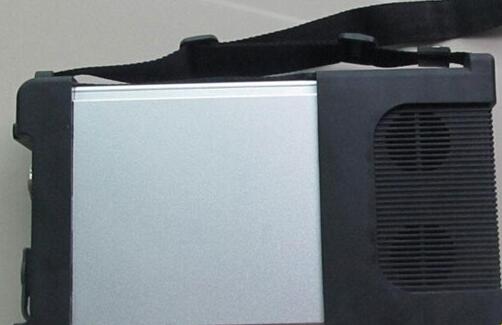
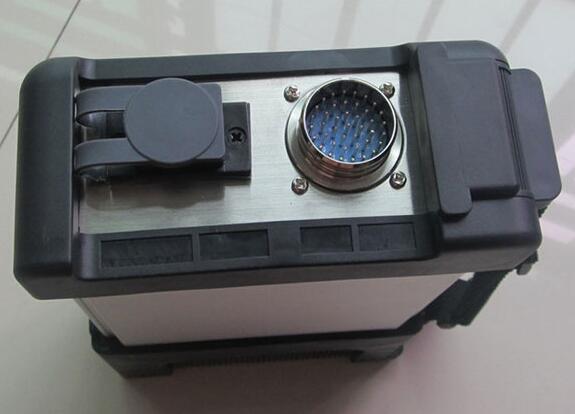
The new Benz diagnostic toolMB SD Connect C5clone is verified working great. Here are customer feedback to Benz C5 SD Connect (not originalXentry Connect C5).
1.
"MB Sprinter year 2006 and 2014 works, both the diagnosis
All the personal cars also works, no problemâ€
2.
"All the trucks including euro6 also works, no problem.
Bus Tourismo euro5 year 2010-2012 test works, BUT year 2014 euro6 does NOT work, it says that the license is invalid. Both sd c4 and sd c5, we have tested both on the same cars, to be sure.â€
3.
SD Connect C5 this one customer has test, works good, in function it no difference with SD C4, but performance it is better. So you can buyMB SD C5 if you want buy new MUX. SD C5 use the same software as MB SD Connect C4.
SD Connect C5 with necessary cables and Dell D630 laptop:
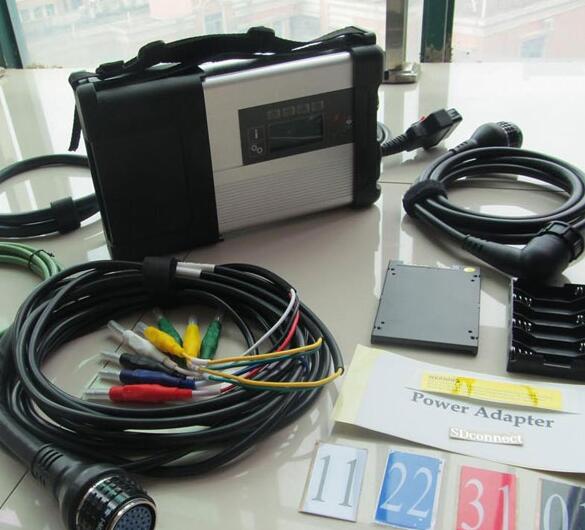
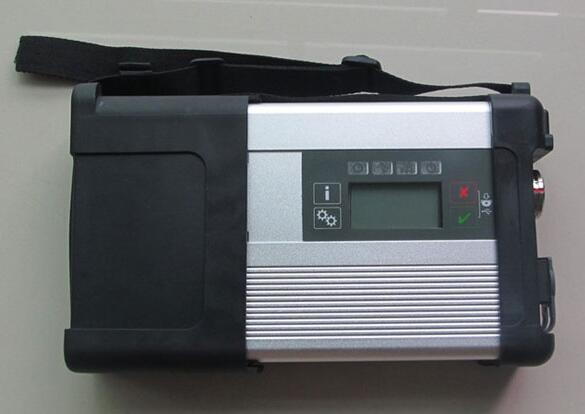

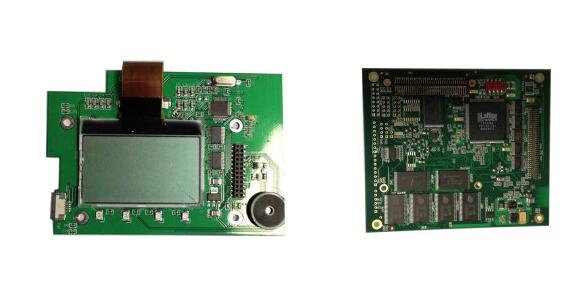
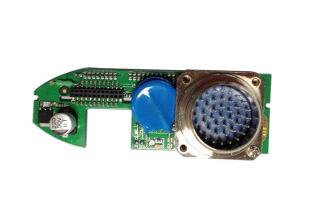
C5 PCBs looks good, almost the same asMB Star C4. It’s okayâ€

"I have used 2019.9 software. I am ready to order the new 2019.9V software. It is said that the 2016.07 DAS/Xentry has improved a lot. New software in SSD runs faster and much more stable on Windows 7 or Windows 8 instead of Windows XP system. Also, new WIS and EPC parts catalog offers more full information for more models.
Well, my friend with 2019.12 version saying earlier Daimler AG needs the user name and password to login, but in this version, no need that.â€
Posted by: youobd2 at
04:22 AM
| No Comments
| Add Comment
Post contains 254 words, total size 4 kb.
November 23, 2019
Are you searching the answer about whetherCGDI Prog BMWcan code for 2016 BMW Mini cooper or not? Here share the test report about this car model from CG Company. Hope it helps you!
Preparation:
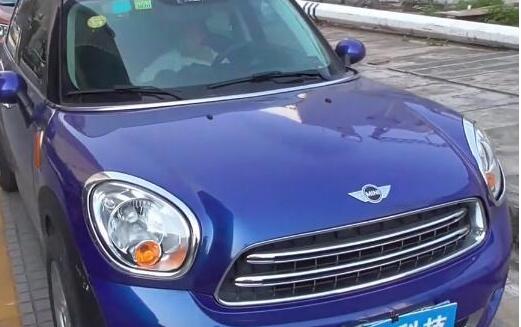
Car: 2016 BMW Mini Cooper KOMBI
Model: E series R60 (CAS3+ N16)
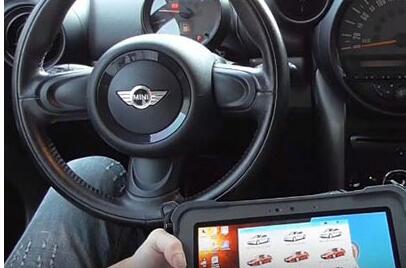
Device: CGDI Prog BMW key programmer
Test:
Connect CGDI BMW device to the vehicle with OBD wire harness
Open the car ACC button
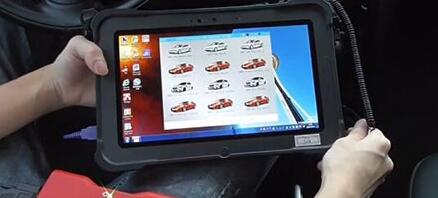
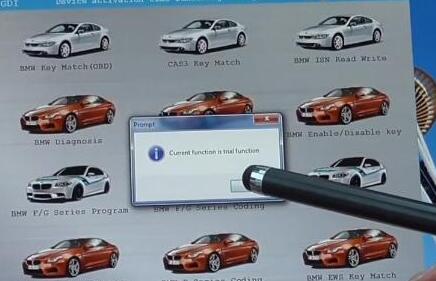
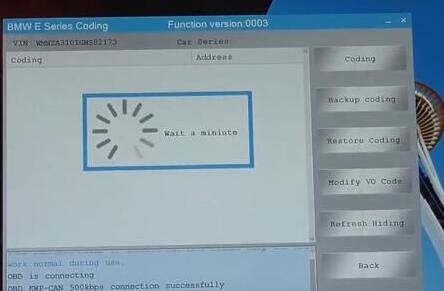
Enter CGDI software to select "BMW E Series Codingâ€

Important!
When you use this function, must make sure the network connection well
Wait a moment, and a message will appear with "Current function is trial functionâ€, click "OKâ€
OBD is connecting…

Reading data…
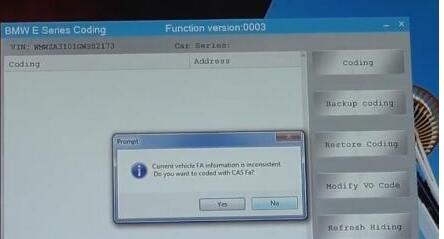
"Current vehicle FA information is inconsistent. Do you want to code with CAS Fa?â€
Click "Yesâ€
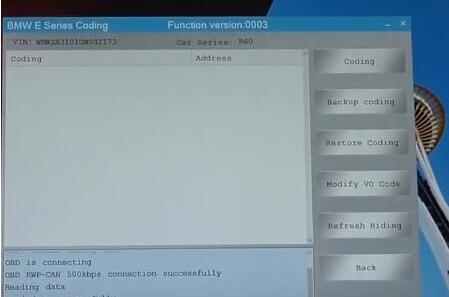
Read data successfully
The vehicle available communication module has been marked black. Please select the appropriate module to set the code
Click "OKâ€

All the modules of the car have been read successfully
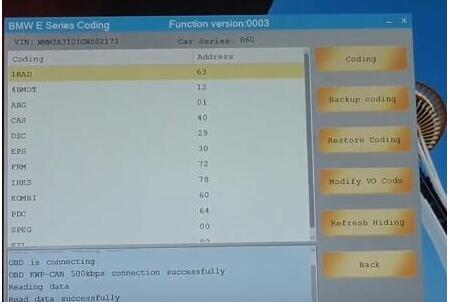
When the meter mileage is adjusted other languages or red dots will be displayed, so we need to code KOMBI to return to normal
Select "KOMBI†-> "Codingâ€
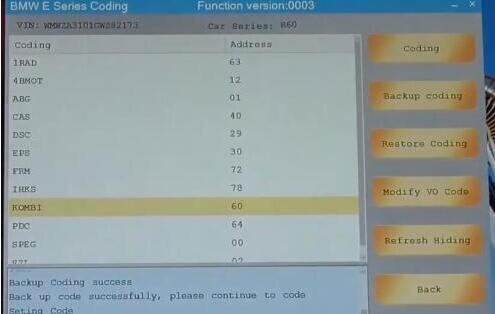
Click "Yes†when it prompts "Whether to backup data?â€
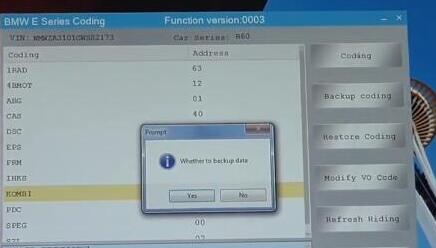
When coding, the meter and the central control will restart automatically
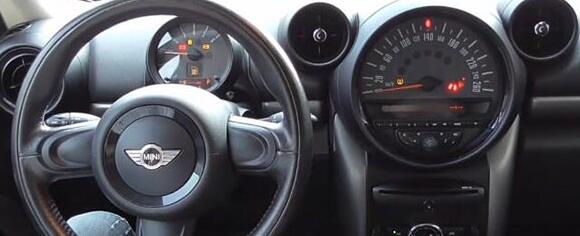
Finally, CGDI BMW key programmer coding KOMBI successfully!
Good luck!
Posted by: youobd2 at
04:16 AM
| No Comments
| Add Comment
Post contains 228 words, total size 5 kb.
November 05, 2019
Step1: Caterpillar Open Electronic Technician
Get CAT Caterpillar ET 2010A License Key 1
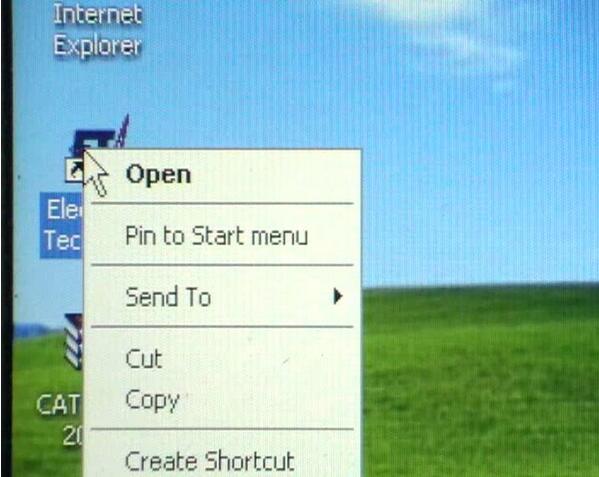
Step 2: Caterpillar Electronic Technican Asks for License
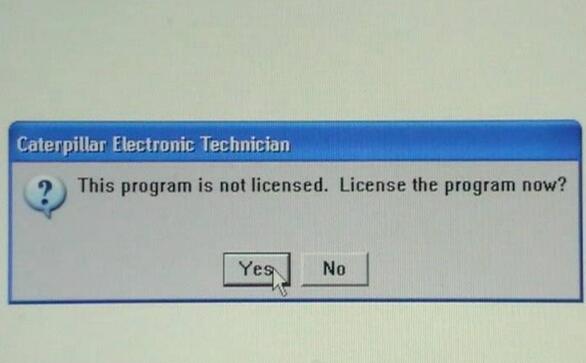
Step 3: Caterpillar ET 2010A Asks for Licensing
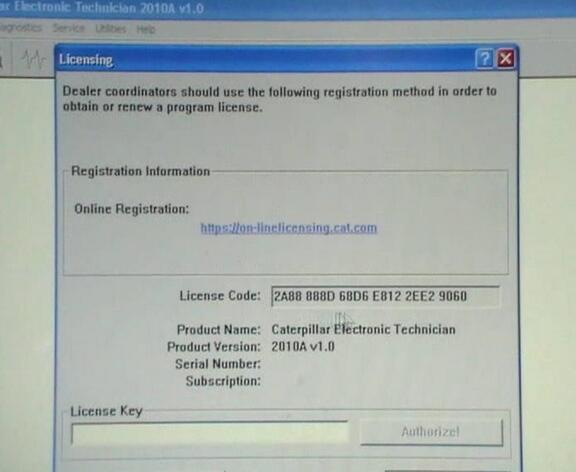
Step 4: Copy License Code

Step 5: Open CAT ET Key 2010A
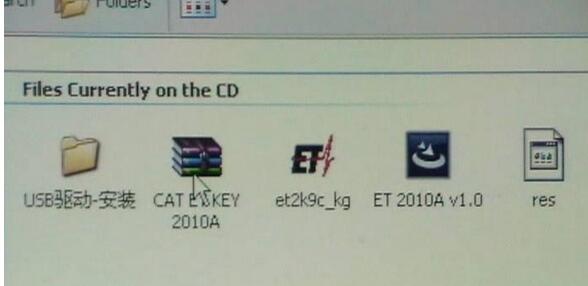
Step 6: Open †et2k9c.kgâ€

Step 7: Caterpillar ET 2010A Paste License Code
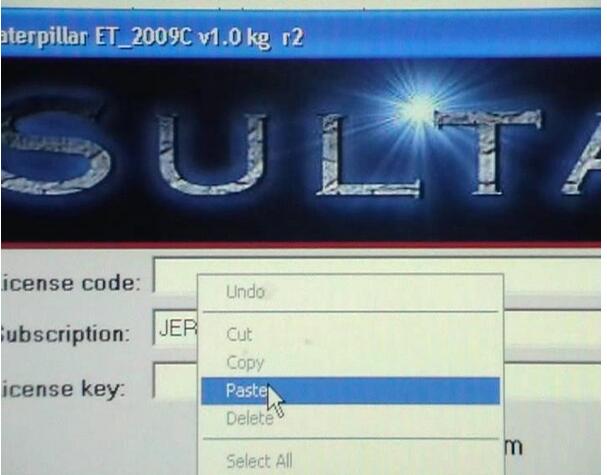
Step 8: Caterpillar ET 2010A Choose Subscription
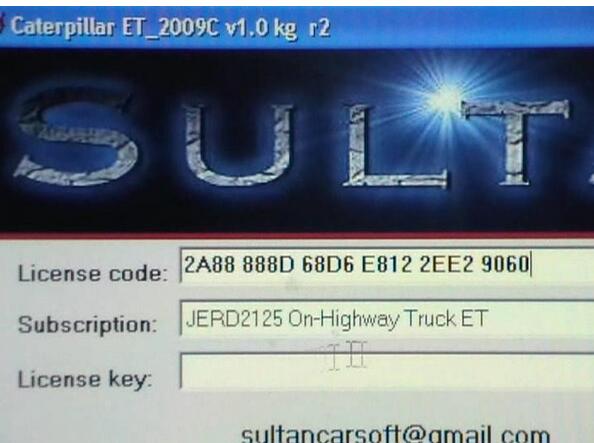
Step 9: Caterpillar ET 2010A Copy License Key
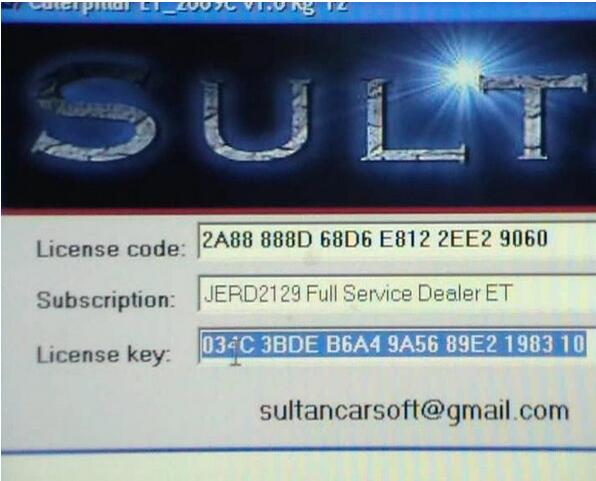
Step 10: Caterpillar ET 2010A Copy License Key
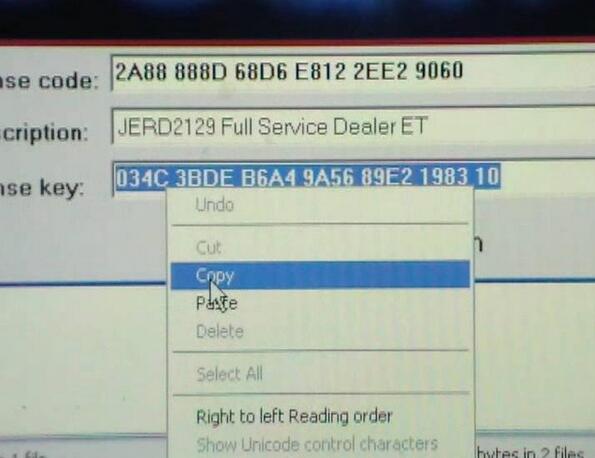
Step 11: Paste License Key in The Following Box
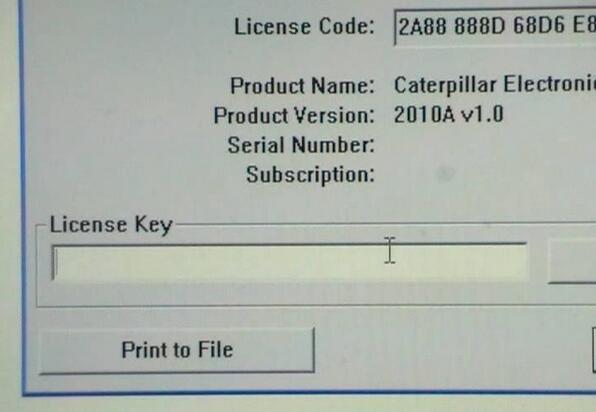
Step 12: Click Authorize
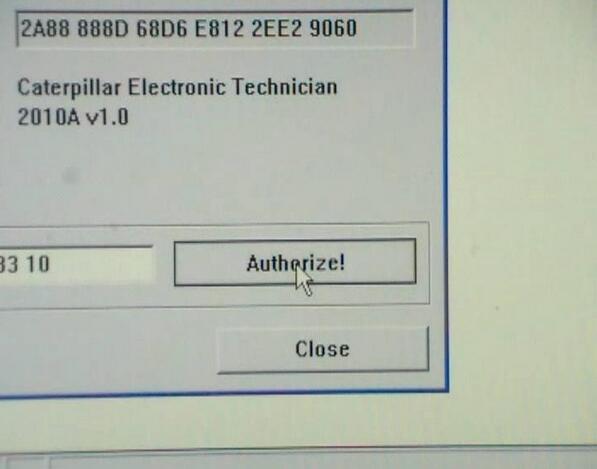
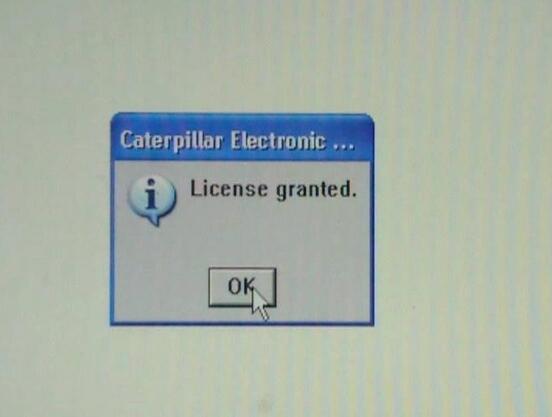
Step 13: Caterpillar ET 2010A Copy License Granted
Posted by: youobd2 at
10:38 AM
| No Comments
| Add Comment
Post contains 107 words, total size 5 kb.
October 22, 2019
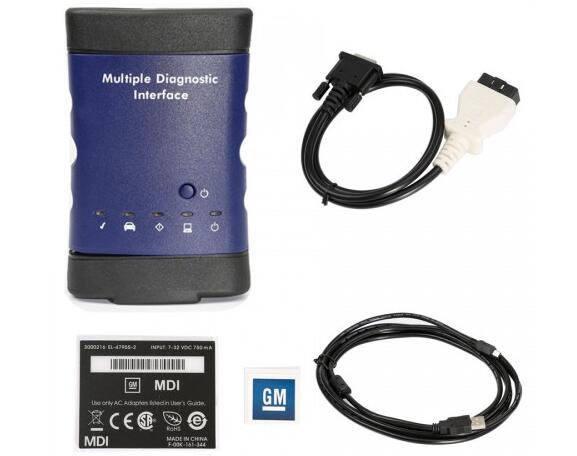
2019 GM MDI2 shares the same functions and vehicle coverage as GM MDI.GM MDI2 features in a light blue color shell and brand-new shape, GM MDI features in dark blue shell.
2019 GM MDI2 is optional with Wifi version and USB version (means wired network connection is not allowed)
GM MDI is only optional with Wifi version.
Image 1: 2019 GM MDI2 in light blue (WIFI or USB options)
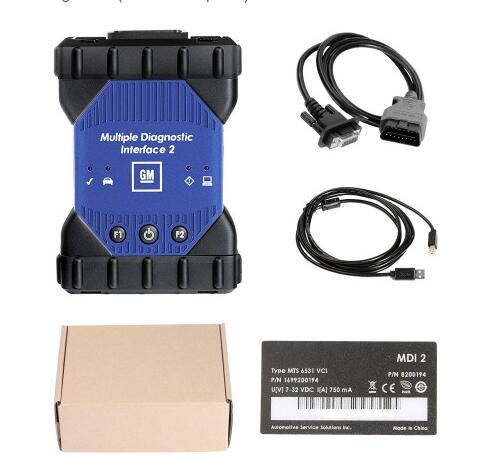
Image 2: GM MDI in dark blue.
Similarities:
1. Both GM MDI2 and MDI are compatible with GDS2 Tech2Win
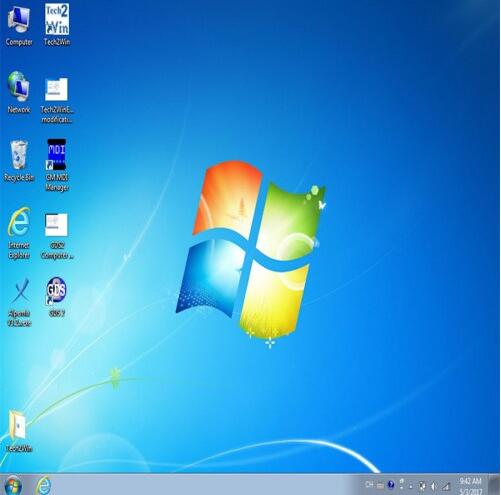
OS: WIN7 64bit
Computer: the year after 2008, 4GB RAM
Pros: gds2 software needs no activation
The method to use: Insert the HDD with GM MDI gds2 software into your computer; the software can be used directly with the GM MDI scanner.
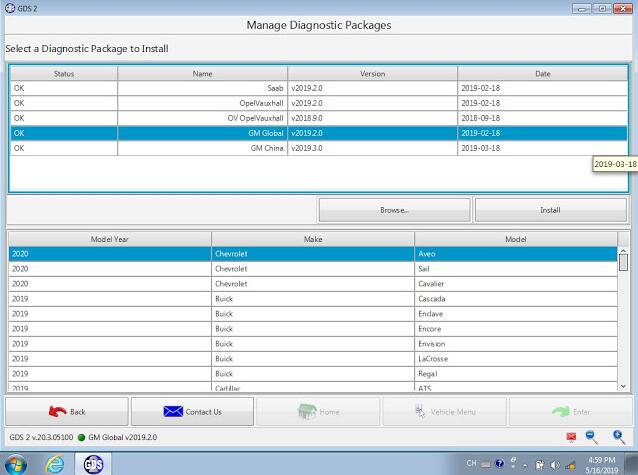
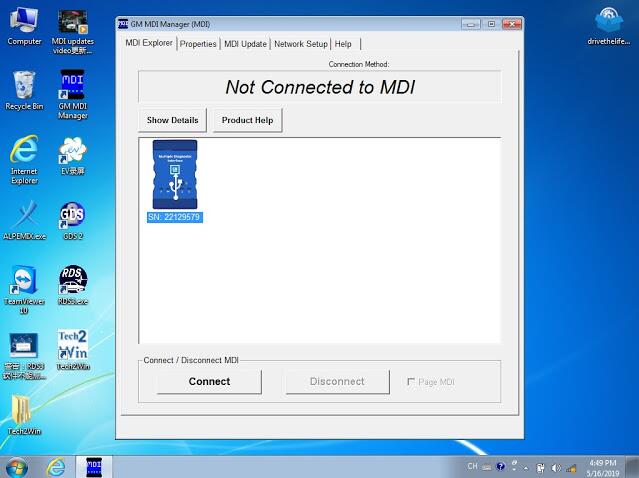
Tech2win is the program that works just like a Tech II, but the program running on a laptop for the MDI (clone MDI device which the Nano is).
GDS2 is the program for the C7, like the tech II and tech2win with midi is for the C6 instead.
On the VM GDS 2, you don’t need an account with GM to use it, short of needing to do SPS programming, which you will need a TDS SPS subscription instead ($40 for 2 years per car).
So the low down for most laptops,
Wants to be running in win 10 for TDS SPS programming.
Needs to be running a multi-core chip in win 7 or above to run VM player for VM GDS2.
Need to be running in Win 7 native (32 or 64 bit) to run Tech2win (will not work in a VM shell).
2. Both GM MDI2 and MDI have the same capabilities
Full dealer level diagnostics and programming for all Vauxhall /Opel 16 pin vehicles from 1996 to 2017.
1). Clone GM MDI Review
Compatibility:
Device works with GDS2 (Opel)
Device works with Tech2Win (Opel, Hammer)
The device does not work with SAAB via Tech2Win
GM MDI is working in Consult 3 plus
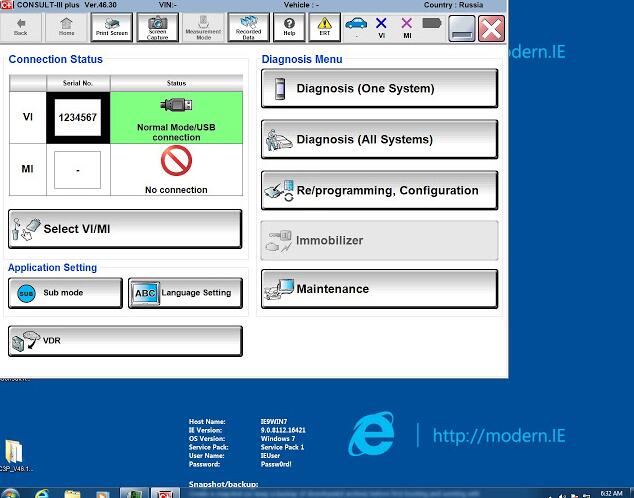
Cars tested- success & failure list:
1: SAAB 9-5, 2003, 3.0 TID- works
mine is a clone from China.
MDI Software 8.1.135.13
GT32
SAAB NAO V9.250
Simply pressed OK when Candy detected and all worked.
Tested on SAAB 9-5, 2003, 3.0 TID
2: 2014 model – works
SAAB NAO V9.250 is from 2014. Already tested.
The 2003 year too old – not interesting for me.
3: Saab 9-5, 2003, 3.0 – works
Tested by my own, works with Saab 9-5, 2003, 3.0
Online or offline issues:
1: online – good, offline – bad
GM MDI good, interface works online.
update mdi 100%.
offline too bad for new cars.
2: wifi card compatible
at now, Chinese clone GM MDI with the squ wifi card
3: wifi not working but works well with USB
I bought a cheap one and it only worked with USB. The wired network and wifi did not work. In fact, the card flash socket was missing from the board. Build quality was not to bad. I just use it to flash newer PCM/ecm’s.
Quoted: a man of his words to trust in:
I would not go by pictures posted on the web as vendors share the same photos but the MDI had a different ethernet connector and missing card flash socket. It was advertised as (without wifi). It does work fine on USB and for flashing PCM/ECM because at 480 Mbit/s it is almost 5 times faster than ethernet.
The MDI clone works fine with tech2win and also TIS2000. Used it for diags and PCM flashing with no problem (through USB port only)
2).Tech 2 Scan ToolTIS2000 VS VXDIAG Nano VS MDI in the installation
ON the VX nano, sometimes you can get Tech2win to run on win 10 (maybe if you have an AMD chip or not, but have not figured that one out yet), while on my i7 machine, Tech 2 win will not run in win 10 instead.
Tech2win is the program that works just like a Tech II, but the program running on a laptop for the MDI (clone MDI device which the Nano is).
GDS2 is the program for the C7, like the tech II and tech2win with midi is for the C6 instead.
On the VM GDS 2, you don’t need an account with GM to use it, short of needing to do SPS programming, which you will need a TDS SPS subscription instead ($40 for 2 years per car).
So the low down for most laptops,
Wants to be running in win 10 for TDS SPS programming.
Needs to be running a multi-core chip in win 7 or above to run VM player for VM GDS2.
Need to be running in Win 7 native (32 or 64 bit) to run Tech2win (will not work in a VM shell).
Tis2000 needs to run in WinXP or built the VM XP shell, so it can be native in XP or in a VM shell so long as you have a multicore processor.
So the way I do it, since Tech2win will not run native on my machine with an I7 process in win 10, I have a dual boot up in win 7 and win 10 both.
Win 10 is used to run pretty much everything I run, short of Tech2 win, which I use the win 7 64 boot up to run it.
So in the Win 7 dual boot up (small 40 gig partition off the drive), have tech2win to use the Nano as a Tech II, plus VM GMSI, and Tis2000 in a VM shell since I may need them as well for the VX nano running as a tech II when running in win 7.
In win 10 boot up,
VM GDS2 V17
TDS using internet explorer native with account
VM Tis2000 built on a full XP OS with account
VM GMSI
If you want to just run a single OS system, instead of a dual boot up machine since you can’t get Tech2 win to run in win10, then you can run pretty much run everything in win 7 (32 or 64 bit), so long as you have a CPU that has multicores. Hence you going to need to run at least VM player for the VM shells, and it takes as a multi-core processor to run VM player (or VM workstation).
Note, I have VM workstation, instead of just VM player, since I build other VM shells to run in windows as well.
So again, it really just depends on your machine, and if you Tech2win will run correctly on it or not.
Hence the problem is when you open Tech2win, you need to get three pop up screens once Tech2win start the program.
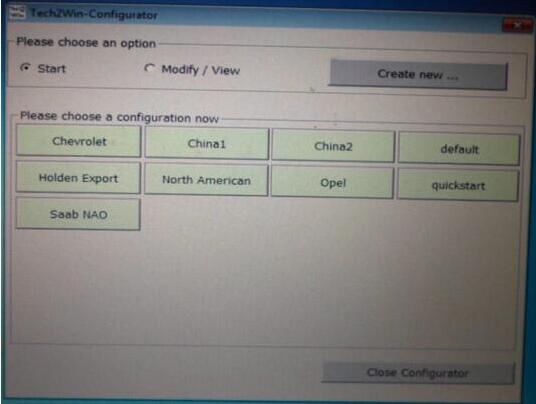
The first screen will ask you what country, and you select North America.
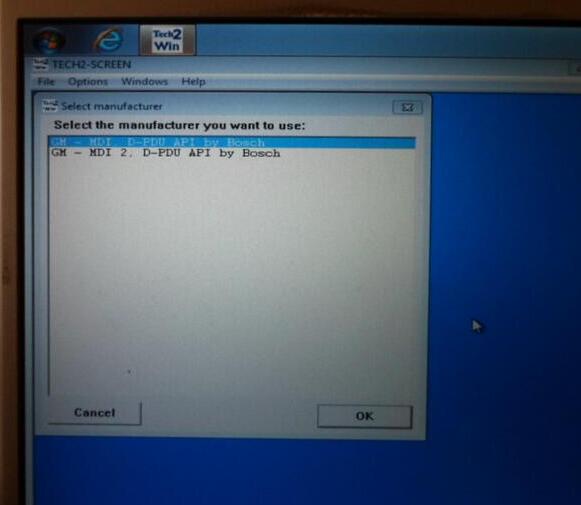
The second pop up will ask you if the device is an MDI 1 or MDI 2, and you select MDI 1.
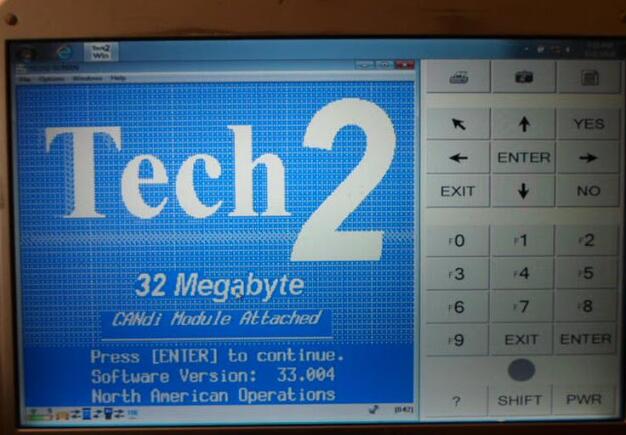
The third pop up screen will ask you if you want to select the USB device (the nano plugged into a USB port), you select it, then it will take you to the Tech2win start screen.

So if you open Tech2win, and you don’t get the three pop up screens but just goes directly to tech2win main start screen below instead, then Tech2win is not going to work on your machines win 10. Hence the problem is a glitch in midi and tech2 win interface to select the nano, to begin with (what the pop-up screens are), and if you can’t select the nano via the pop-up screens, tech2win will not connect to the nano in the first place.
Again don’t know if this is an AMD verse Intel CPU problem in win 10, but the only laptops that I have seen run Tech2win in windows 10, just happened to be laptops running an AMD CPU instead. And yes, have tried to skin the cat many way with added drivers and compatibility modes, and it’s driver/code line that Win 10 does not have for the Intel CPU (but seems to to have for the AMD CPU that is a carry over from the win 7 days to make the AMD chip work with win 10 instead).
Please enjoy.
Posted by: youobd2 at
09:25 AM
| Comments (1)
| Add Comment
Post contains 1385 words, total size 11 kb.
September 28, 2019
Change Security Alarm Setting for Nissan Sentra 2014:
Connect Launch X431Throttle to Nissan Sentra OBD port,the enter menu to select "Nissanâ€.

Check Nissan diagnosis software version and function list,select "OKâ€

Select "The Vehicle With 16PINâ€

Confirm VIN and select "OKâ€

Select "Automatically Searchâ€

Confirm VIN,Model,Year and select "OKâ€

Select "System Selectionâ€

Select "BCM(Body Control Module)â€

System information,select "OKâ€

Select "Security Alarm SETâ€

It will prompt you "Change Security Alarm Settingâ€,select "OKâ€

The current setting can be changed "On†or "Offâ€

Once completed,select the back button

Done!
Posted by: youobd2 at
12:50 PM
| Comments (1)
| Add Comment
Post contains 102 words, total size 6 kb.
September 17, 2019
I bought the MB SD C4+Dell D630 Laptop pre-installed bundle, when I test it have the problem SD Connect C4 cannot power on when connected with Tourismo bus, I contacted there customer service at obdii365.com, and here is the solution provided by their engineer.
I will explain my problem in detail:
†I have tried 2 different mb sd connect c4 on Tourismo buses and sd connect does not power on.In the meantime those MB SD Connect C4 works normally to any other MB Truck and car.also on Tourismo have check Mb Star C3 and works normally.â€
You should check:
bus with OBD
pin 4 + 5
both must be connected and ground
In SDConnect "-†is 5 pin only. There is 4 contact not used in 16pin OBD connector.
"i’m getting an communication error when connecting xentry to a tourismo.â€

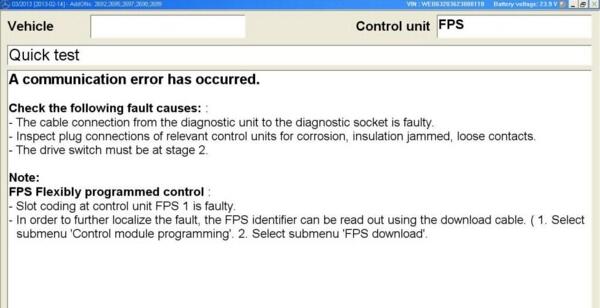

A Communication error has occurred when access FPS system
Solution:
– turn OFF/ON BUS ground switch (our remove battery – cable). FPS1 wake up and MB Star diagnostic recognized FPS1/VIN code.
or
– enter the DAS ATEGO truck come and place manually and then it will work perfect
†Another problem is : "Currently the speed limit is set to 100 km/h. I’m trying to set it to higher value (with MB SD C4 DAS using modified EOL files). On the menu it tells me that I can, because there are higher values (105 km/h. 112 km/h, etc). But when I try to set the speed limit to higher than 100 km/h it doesn’t allow me to do it (can’t save the changes). When I try to set it below 100 km/h everything goes fine.â€
I done the Access special settings , and it working perfect now!
Posted by: youobd2 at
02:13 PM
| Comments (1)
| Add Comment
Post contains 296 words, total size 3 kb.
August 31, 2019
Tech1A: This was the factory scanner for all GM dealers from 1983 to 1995. It is still available, but in limited quantities. The Tech1A can be a solution for restoration speciality shops working on older GM products such as Corvettes or for the private car collector.

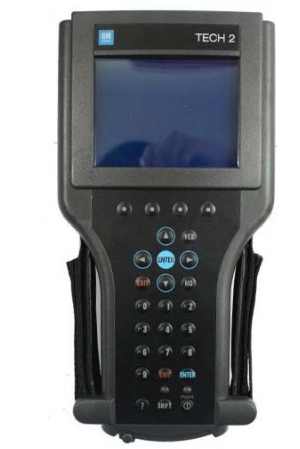
GM Tech 2: This is the GM factory scan tool used in all GM dealers since 1996. Model coverage includes all makes and models of GM vehicles including passenger cars, trucks and vans. Model year coverage is from 1992 to 2013. For GM vehicles prior to 1992 you will need a Tech1A or a MasterTech listed below to achieve OEM level functionality.
The Tech 2 will allow your shop to be to ‘dealer level’ capable on all covered GM cars. Scan, pull codes, graph data and have all bi-directional controls available for all vehicle systems including Powertrain, Body, Chassis and Network. This tool will also allow you to re-program controllers with the optional TIS-2-Web program. Click here for brochure on Tech-2 packages and options. Call obd2tool.com to order.
GM MDI and GM MDI 2: This newest release GM factory scan tool begins it’s coverage in model year 2010. MDI when combined with the Global Diagnostic System 2 (GDS2) software application allows servicing of GM’s new Global Architecure Platform (Global A) vehicles. Model coverage currently includes 2010-2013 Buick LaCrosse, 2010-2013 Cadillac SRX, 2010-2013 Chevrolet Camaro, 2010-2013 Equinox, 2011-2013 Chevrolet Volt, 2011-2013 Chevrolet Cruze, 2010-2013 GMC Terrain and 2011 Buick Regal. By model year 2014 virtually all GM vehicles are serviced by using the MDI/GDS application. For all other 2010-2013 GM vehicles you will need either a GM Tech-2 or the optional ‘Tech-2 Emulator’ program to achieve OEM level functionality. The ‘Tech-2 Emulator’ uses the MDI interface device as the communications interface between pc and vehicle.
TheGM MDIwhen coupled up with the software application ‘GDS-2′ allows your shop to be ‘dealer level’ capable on all the above listed GM cars. Scan, pull codes, graph data and have all bi-directional controls available for all vehicle systems including Powertrain, Body, Chassis and Network. This tool will also allow you to re-program controllers as long as you have internet access on the laptop your MDI/GDS application is installed on.
The entire MDI/GDS-2 package can be ordered from OEMTools preloaded on a new Dell or Panasonic laptop with all needed reference materials and links pre-installed and ready to operate the day it arrives. This complete package also includes a 1 year subscription for model year updates to the MDI/GDS application. Tech-2 Emulator with TIS re-programming can also be configured on the same laptop for the most complete GM OEM level of tooling. Call obd2tool.com to order or click here for quotation request form.
GM MDI:
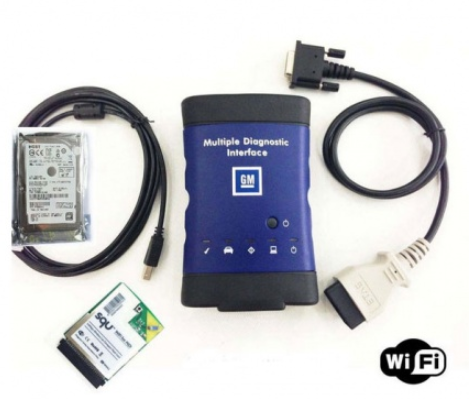
GM MDI 2:

Posted by: youobd2 at
08:12 AM
| Comments (1)
| Add Comment
Post contains 469 words, total size 4 kb.
August 20, 2019
V2019 Super DSP3 vs. SPIII DSP3 Odometer Correction Tool
Support MQB platform model:
V2019 DSP III adds following odometer correction models:
MASERATI / QUARTOPORTE-95160 DIAG by OBD2
MASERATI / GHIBLI-95160 DIAG by OBD2
MASERATI / LEVANTE-95320 DIAG by OBD2
ODOMETER:
VW/GOLF SPORTSVAN 06.2014- NEC35XX DIAG by OBD2
VW/GOLF MK7 06.2014- NEC35XX DIAG by OBD2
VW/PASSAT B8 06.2014- NEC35XX DIAG by OBD2
VW/POLO 06.2014- NEC35XX DIAG by OBD2
VW/TIGUAN 06.2014- NEC35XX DIAG by OBD2
VW/TOURAN 06.2014- NEC35XX DIAG by OBD2
AUDI/A3 06.2014- NEC35XX DIAG by OBD2
AUDI/Q2 06.2014- NEC35XX DIAG by OBD2
SKODA/FABIA 06.2014- NEC35XX DIAG by OBD2
SKODA/RAPID 06.2014- NEC35XX DIAG by OBD2
SKODA/OCTAVIA 06.2014- NEC35XX DIAG by OBD2
SKODA/SUPERB 06.2014- NEC35XX DIAG by OBD2
SEAT/IBIZA 06.2014- NEC35XX DIAG by OBD2
SEAT/TOLEDO 06.2014- NEC35XX DIAG by OBD2
SEAT/LEON 06.2014- NEC35XX DIAG by OBD2
ATTENTION:The above new updates are for car models with platform MQBAB-(Continental/VDO) from 6/2014.
DSP3 DSP3 +(model supported by DSPIII) fully supports Audi/VW/Skoda/SEAT/Bentley/Benz/Land Rover/Jaguar/Volvo/ Porsche 2010-2017 models, as follows:


Posted by: youobd2 at
10:18 AM
| Comments (1)
| Add Comment
Post contains 181 words, total size 4 kb.
August 01, 2019
1. How to use Lonsdor K518ISE to program key with the IMMO data?
Step 1. Connect Lonsdor K518ISE and computer using one USB cable, open "My Computerâ€, click on the portable device "K518â€.
Step 2.Click on "Memory Deviceâ€.
Step 3.Rick click to open the folder "Customfileâ€, copy the VAG 4th IMMO data or MQB IMMO data, paste it into this folder.
Step 4.Enter K518 function menu, select "Immobilizerâ€, then †4th IMMOâ€.
Step 5.Select "4th engineering modeâ€.
Step 6.Select "Generate dealer keyâ€.
Step 7.Select "Yes†to ensure the immo data(bin file) is putinto the customfile folder of k518.
2. How to use VAG OBD Helper Cable to get IMMO Data via OBD-obd2tool.com:
VAG OBD helpercan help online read out the VAG 4th IMMO data, so that you can go on using the key programmer ((i.e:VVDI2,AVDI, APPRO,Lonsdor K518etc) to program key whatever adding new key or when all keys lost.
Incl. NEC24C32, NEC24C64, NEC35XX, Johnson MQB, A4, Q5 BCM
Posted by: youobd2 at
12:14 PM
| Comments (1)
| Add Comment
Post contains 173 words, total size 1 kb.
July 24, 2019
Confirmed:CGDI BMW adds "BMW diagnosis†to be able to program and code BMW E series; able to read/clear trouble codes for BMW E series, F series, G series.
How to update CGDI BMW diagnosis function for free:
As long as you have any of CG100 or CG Pro or CGDI MB, please provide the serial number for free trial.
For BMW diagnosis: CGDI BMW VS BMW ICOM
1.Easy to use. As long as you are qualified with corresponding vehicle maintenance knowledge, CGDI BMW does not have high requirements for the user’s professional skills and English level.
2.Cheap. CGDI BMW is cheaper thanBMW ICOM(clone and original).
BMW ICOM clone & original are able to diagnose, program and code BMW E-series models at higher price (clone: about 400eur).
Besides, BMW ICOM has some requirements for the user’s operating skills during installation, therefore some users will choose a hard disk with pre-installed software and be charged.
3.Menu-driven & automatic operation instead of manual operation, which save much time.
How does CGDI BMW diagnose BMW 3 series E93 successfully?
1.Select "BMW diagnosisâ€.
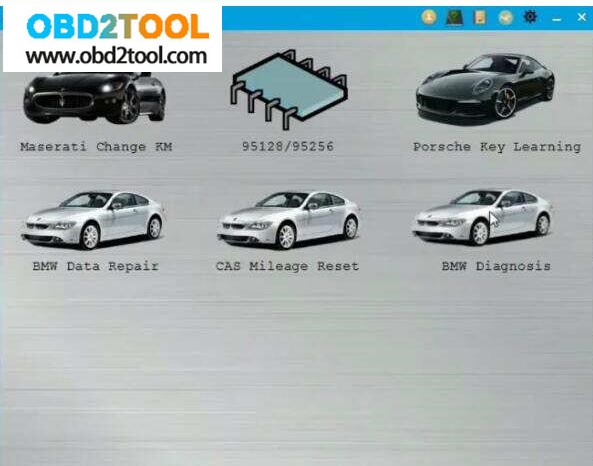
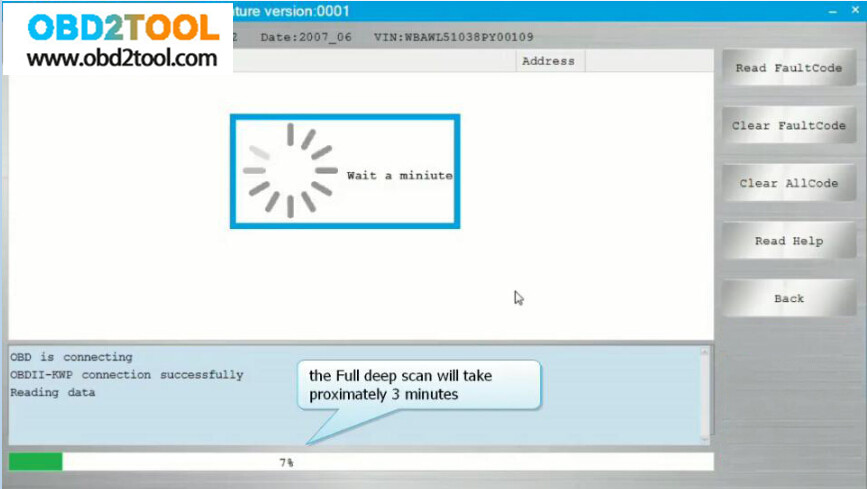
2.It pops up "Whether to scan vehicle quicklyâ€.
Press "Yes†and CGDI BMW will scan the BMW in 30 seconds.
Press "No†and CGDI BMW will scan the BMW all systems and take about 3 minutes.
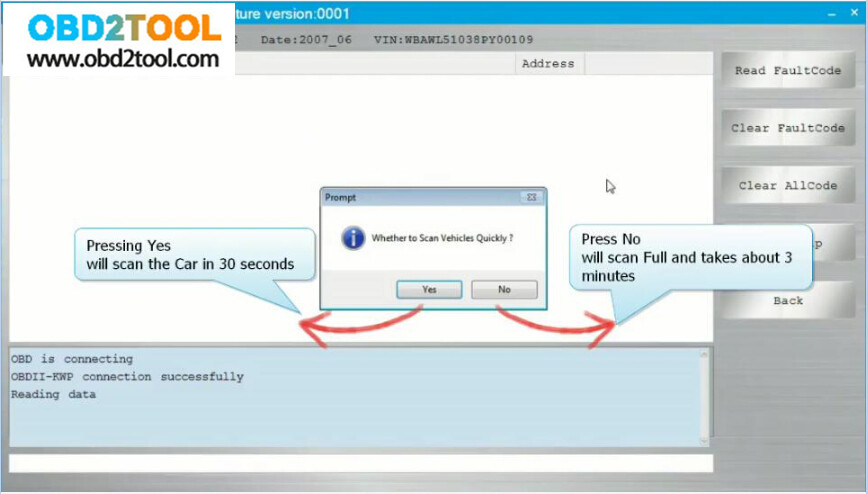
3.After selecting "Noâ€.

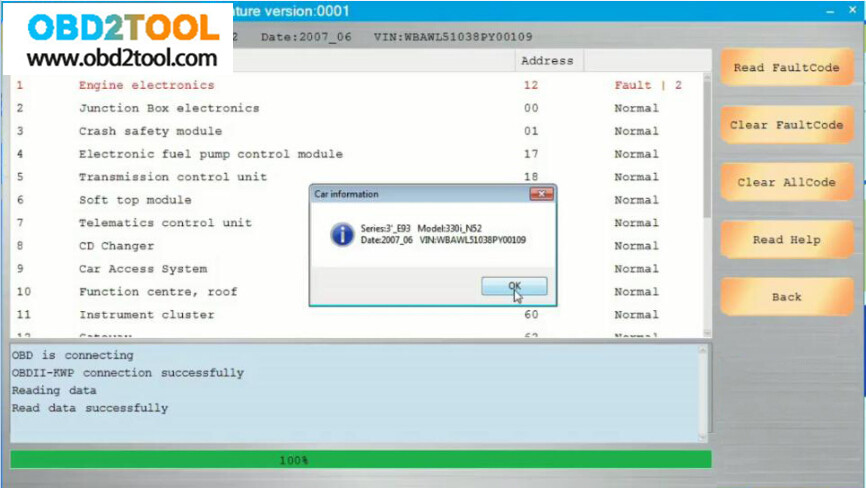
4.It pops up the BMW information.
Have diagnosis options :
Read fault codes, clear fault codes, Clear all codes, Help, back.
It is menu-driven operation, easy to use.
At the left corner, you will see the working status.
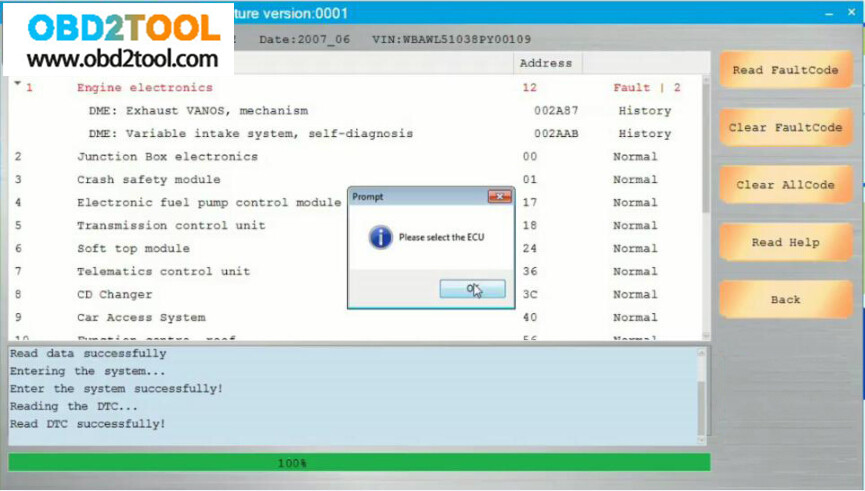
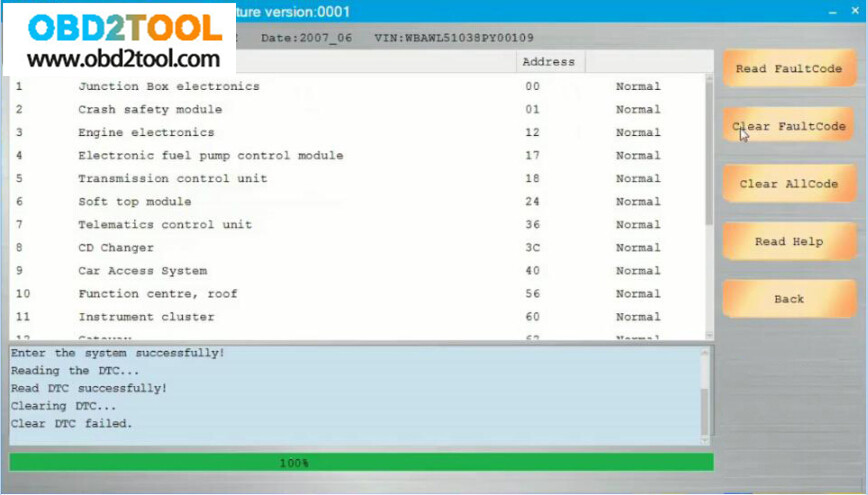
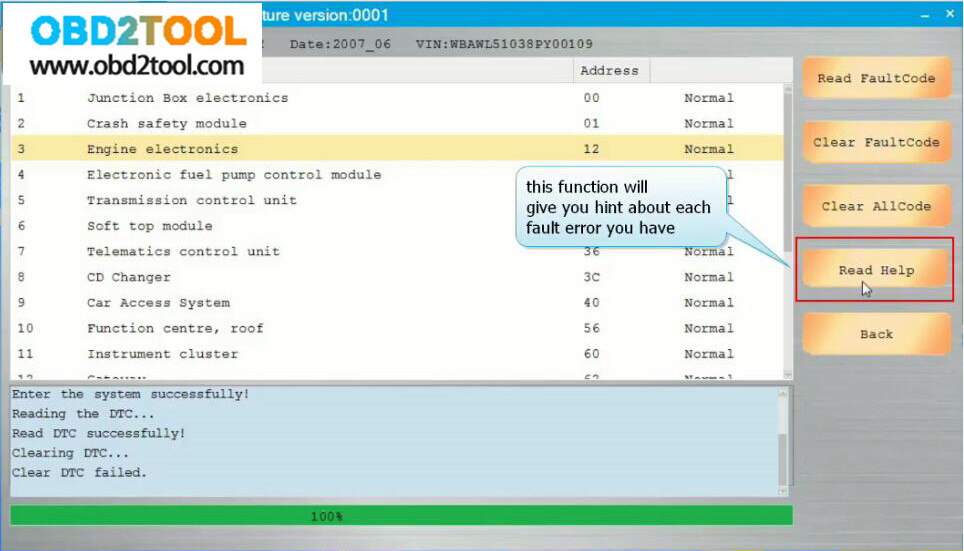
5.Back to select "BMW diagnosisâ€, then "scan vehicle quicklyâ€.
And you will see all trouble codes are cleared, and all are normal.
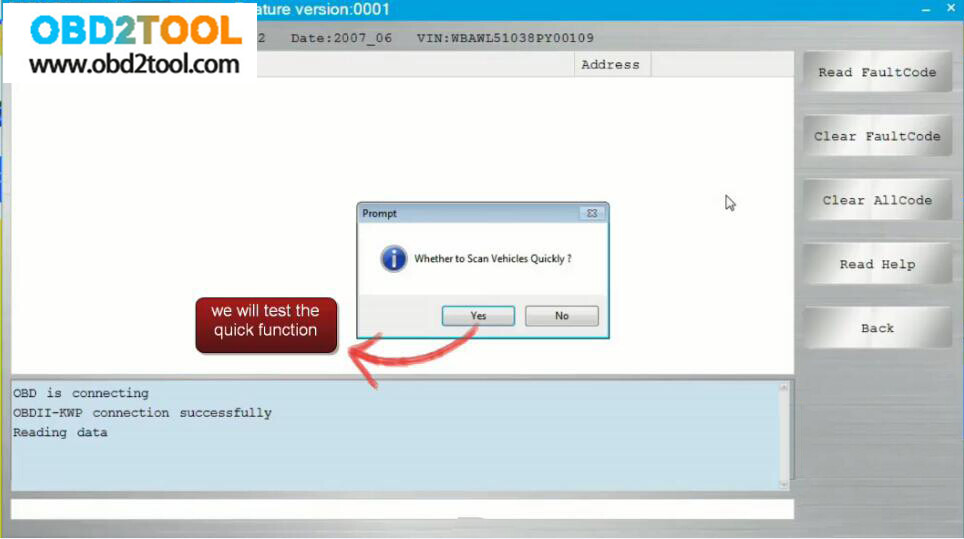
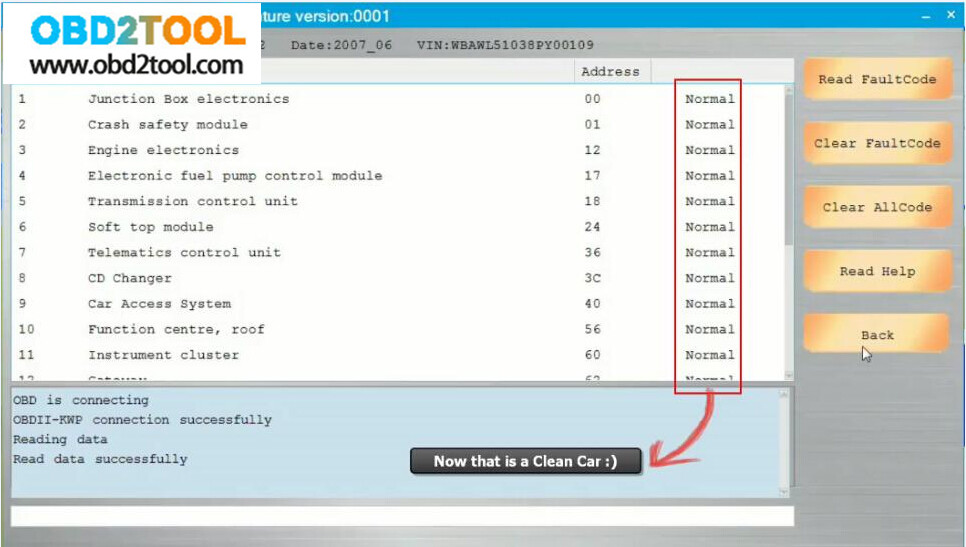
Don’t you think it is easy to use CGDI BMW Prog for diagnosis?
Posted by: youobd2 at
08:11 AM
| Comments (1)
| Add Comment
Post contains 300 words, total size 6 kb.
Confirmed:CGDI BMW adds "BMW diagnosis†to be able to program and code BMW E series; able to read/clear trouble codes for BMW E series, F series, G series.
How to update CGDI BMW diagnosis function for free:
As long as you have any of CG100 or CG Pro or CGDI MB, please provide the serial number for free trial.
For BMW diagnosis: CGDI BMW VS BMW ICOM
1.Easy to use. As long as you are qualified with corresponding vehicle maintenance knowledge, CGDI BMW does not have high requirements for the user’s professional skills and English level.
2.Cheap. CGDI BMW is cheaper than BMW ICOM (clone and original).
BMW ICOM clone & original are able to diagnose, program and code BMW E-series models at higher price (clone: about 400eur).
Besides, BMW ICOM has some requirements for the user’s operating skills during installation, therefore some users will choose a hard disk with pre-installed software and be charged.
3.Menu-driven & automatic operation instead of manual operation, which save much time.
How does CGDI BMW diagnose BMW 3 series E93 successfully?
1.Select "BMW diagnosisâ€.
2.It pops up "Whether to scan vehicle quicklyâ€.
Press "Yes†and CGDI BMW will scan the BMW in 30 seconds.
Press "No†and CGDI BMW will scan the BMW all systems and take about 3 minutes.
3.After selecting "Noâ€.
4.It pops up the BMW information.
Have diagnosis options :
Read fault codes, clear fault codes, Clear all codes, Help, back.
It is menu-driven operation, easy to use.
At the left corner, you will see the working status.
5.Back to select "BMW diagnosisâ€, then "scan vehicle quicklyâ€.
And you will see all trouble codes are cleared, and all are normal.
Don’t you think it is easy to use CGDI BMW Prog for diagnosis?
Posted by: youobd2 at
08:00 AM
| No Comments
| Add Comment
Post contains 302 words, total size 6 kb.
July 23, 2019
Honda Accord V6 2007 have lost all keys. Possible to use Honda HDS to program new keys?
Answer:
Yes. You can make new keys to Accord with HDS if you have a decent HIM diagnostic tool.
Here is the test report: HIM HDS working for Accord 2007 all keys lost
Connect Honda HIM interface to your vehicle by OBD.
Run the Honda HDS software and enter "System Selection Menuâ€
Select "IMMOBIâ€
Note: Not all system may be available on this vehicle.
Refer to the Service Manual for further information
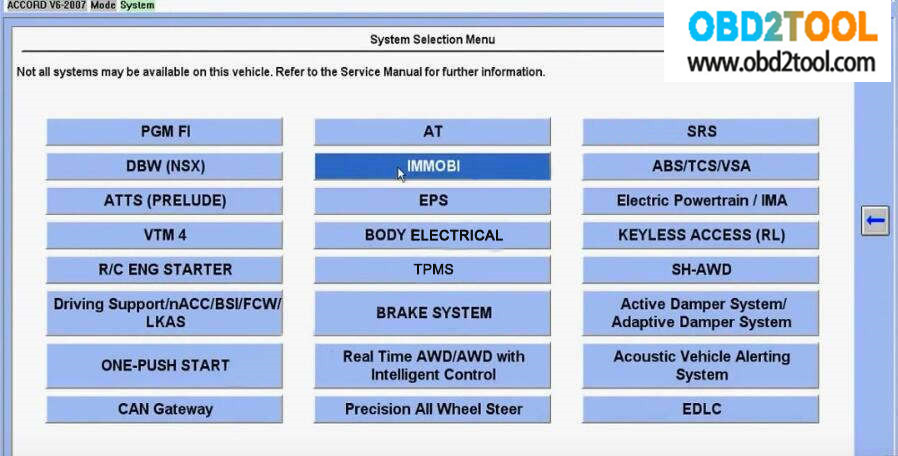
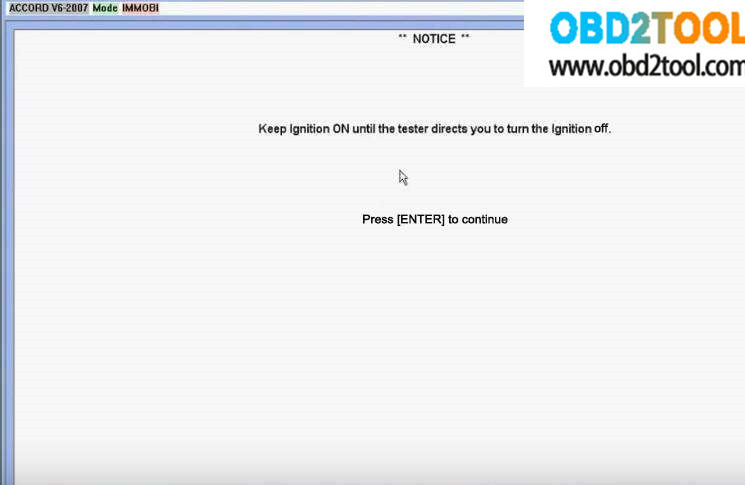
Keep ignition ON until the tester directs you to turn the ignition off.
Press [Enter] to continue
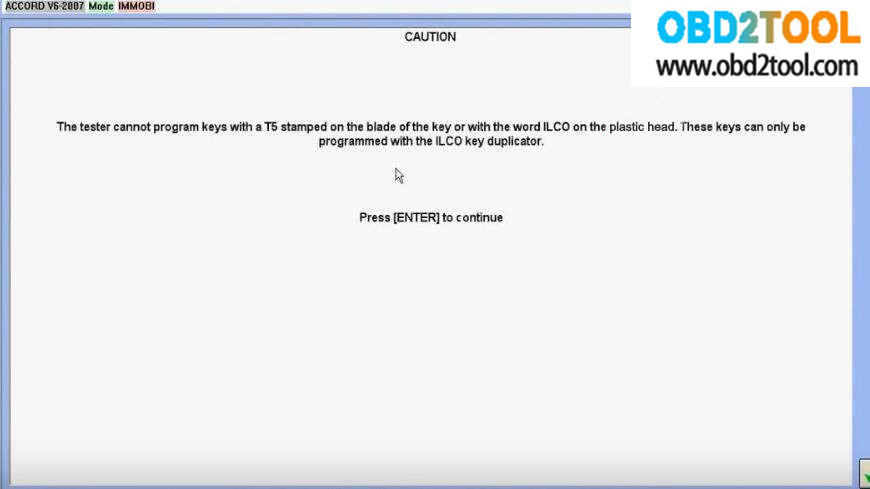
The tester cannot program keys with T5 stamped on the blade of the key or with the word ILCO on the plastic head.
The keys can only be programmed with the ILCO key duplicator.
Press[Enter] to continue
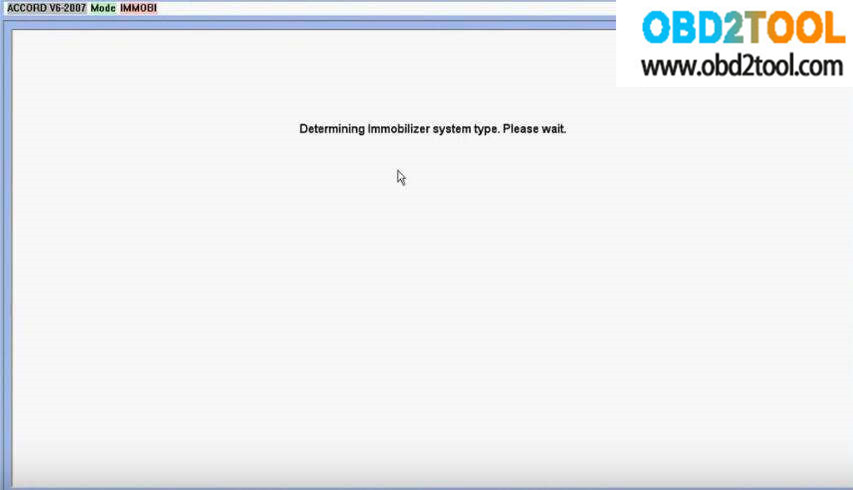
Determining immobilizer system type. Please wait.
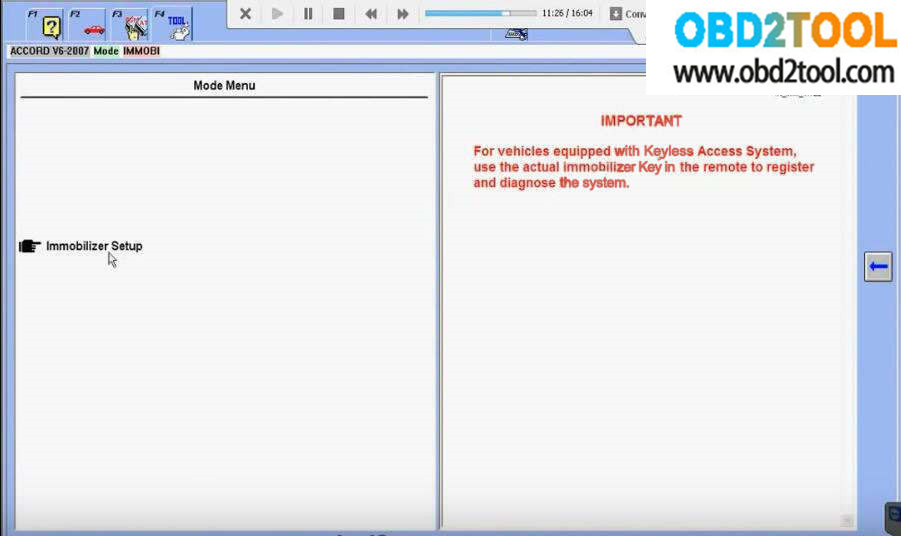
Select "Immobilizer Setupâ€
IMPORTANT:
For vehicle equipped with keyless Access System, use the actual immobilizer key in the remote to register and diagnose the system
Then you will see there are 5 options as below picture:
Before programming new keys, you would better to check the number of key.
Select "System Check, Number of Keys and Status Log â€Ã †Number Of Keysâ€
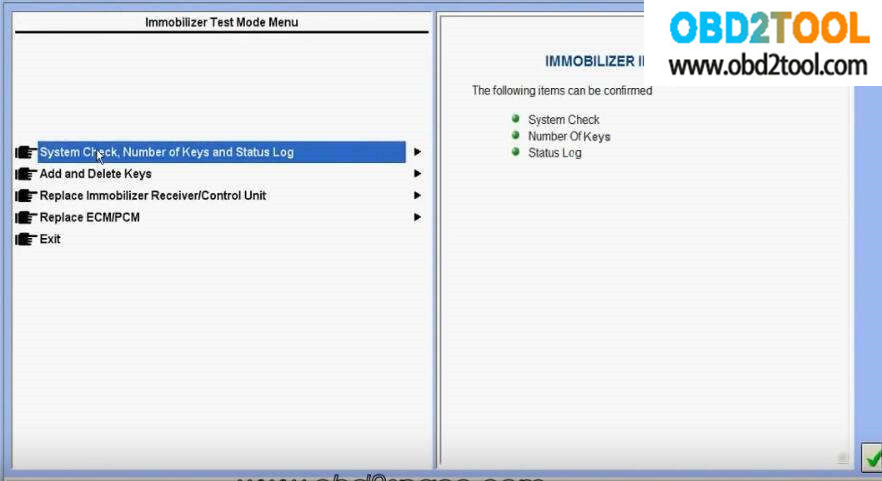
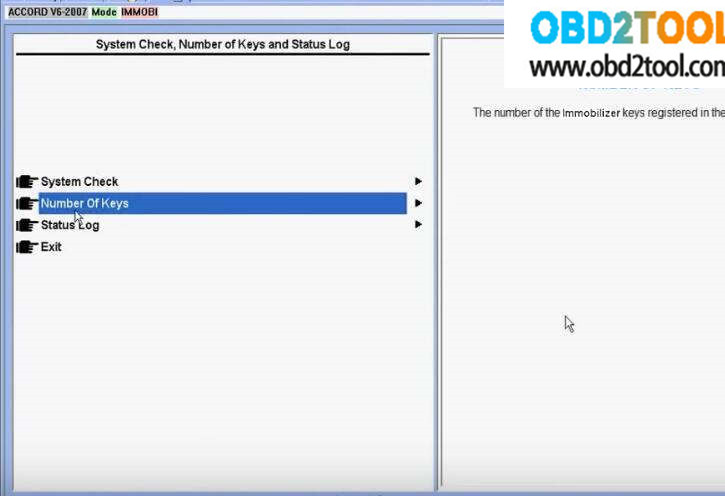
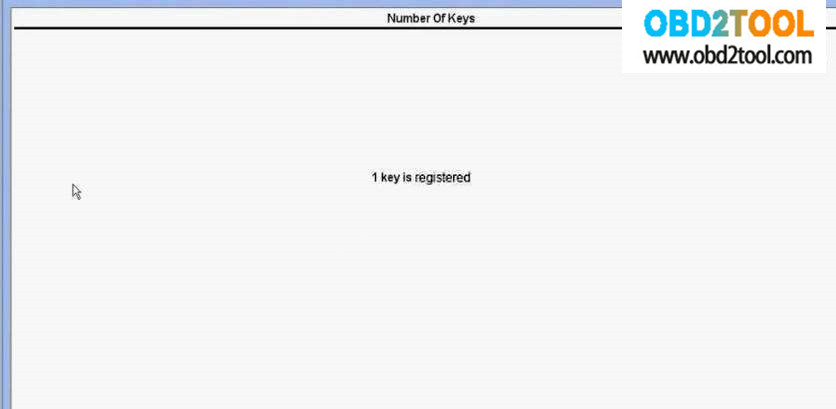
It show there is 1 key registered
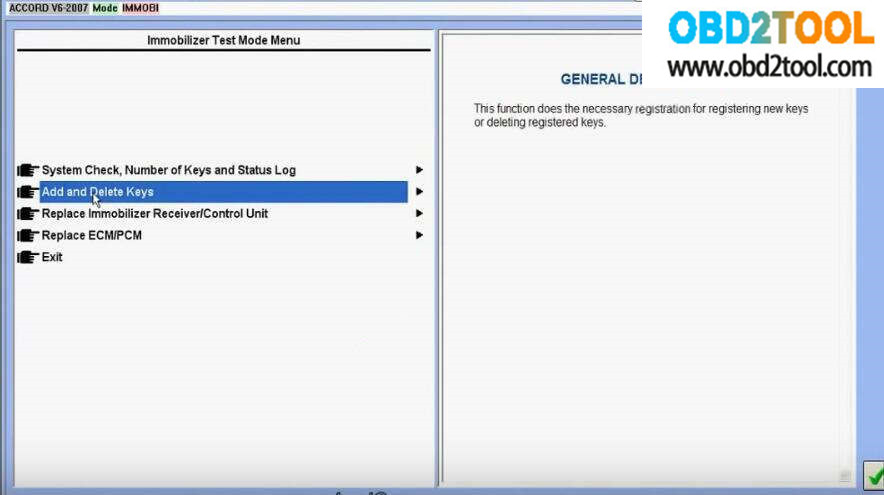
Then Exit the selection and select "Add and Delete Keysâ€
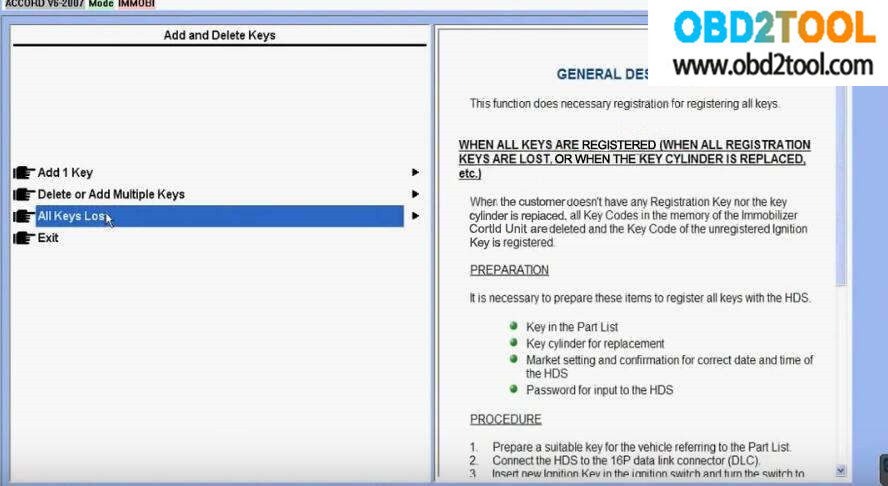
This function does the necessary registration for registering new keys or deleting registered keys
Select "All Key Lostâ€
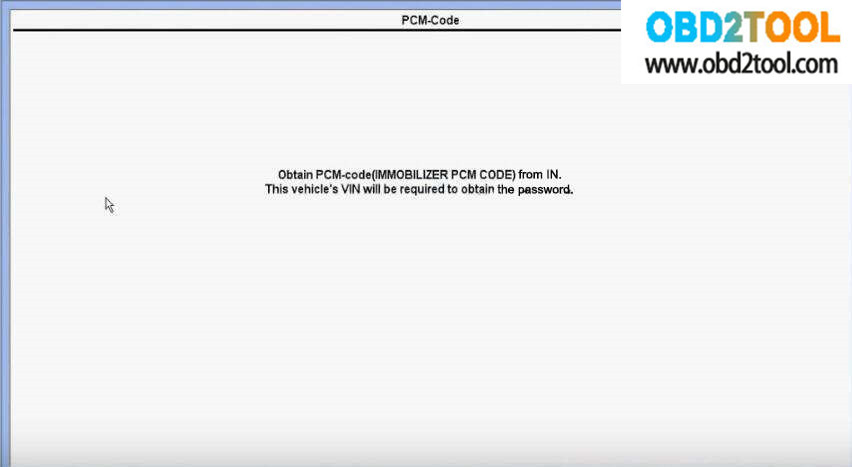
It prompt "Obtain PCM-code(IMMOBILIZER PCM CODE) for In
This vehicle’s VIN will be required to obtain the passwordâ€
Look here: methods to get immo pin code:
1.Inquire dealer to get immo pin code via VIN
2.Disassemble immo box or smart box to read out the pin code by programmer
3.Read out immo pin code by auto key programmer
Read out PIN Code from immo/smart box.
The pin code is stored in the chip located in ECU,immo box,smart box or BCM box,it depend on the vehicle models.You need to remove chip from PCB,then use programmer to read out the pin code,the accuracy up to 99%.This method require you have skillful operations:disassembling,welding,reading out pin code.
Read out PIN code by auto key programmer:
Many devices can calculate the pin code by their programmer,you just need to plug the programmer into OBD socket to get pin code,then programming keys.
Try to disassemble chip to read out pin code when you find the device can not support.
In summary, when you get incorrect PIN code by VIN calculating:
1.Check difference between the appearance VIN and immo system VIN.
If you they are different,the immo system VIN is more reliable.
2.Make sure vehicle models is corresponding to the immo system.(many freshman select incorrect models)
3.Immo system have been locked due to much time incorrect pin code enter(wait for hours or next day,try it again!)
Inquire PIN Code by Dealer or Three-part via VIN.
Because the VIN(Vehicle Identify Number) of each car is unique identification. It will cost you $20~100 depend on your vehicle models, the accuracy rate is more than 95%.The advantage is that you do not need to disassemble any parts on the vehicle.After getting the PIN code, you are available to program keys directly.
Personally, if the problem can be solved by paying a little,you would better to, it will save you much time.
But sometimes, your customers unwilling to spend extra money or you got the incorrect PIN code by VIN, so you need to try other methods.
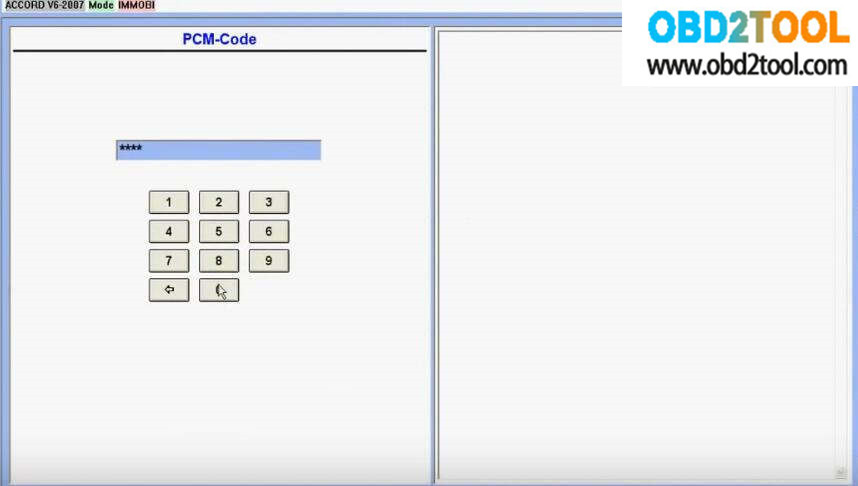
Enter PCM-Code
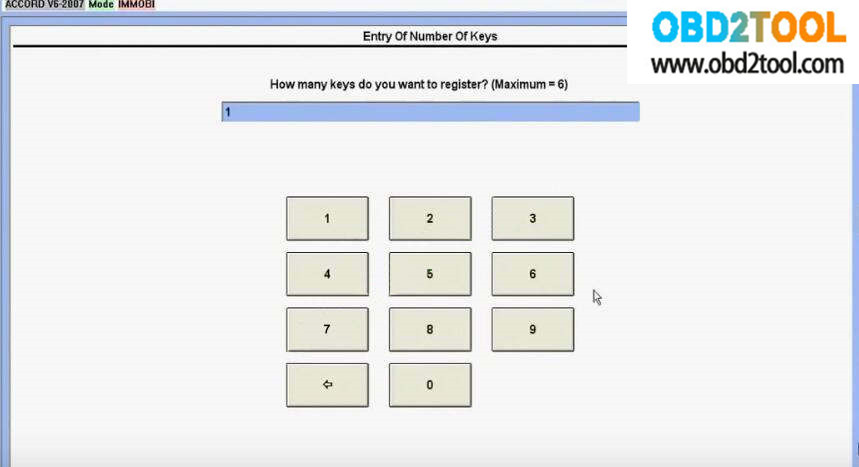
After input the PCM code, it prompt you to enter the key number you want to register.
Here enter "1â€
Then follow the Honda HDS guides:
Turn the ignition switch off
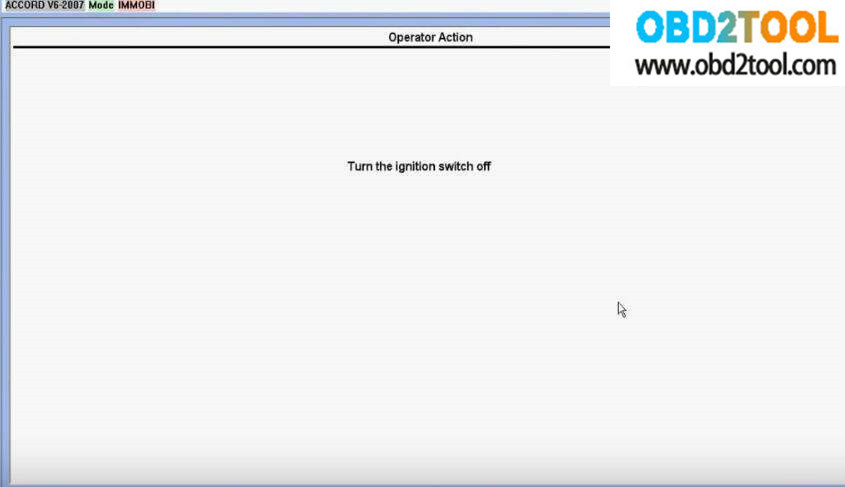
Then turn the ignition switch on
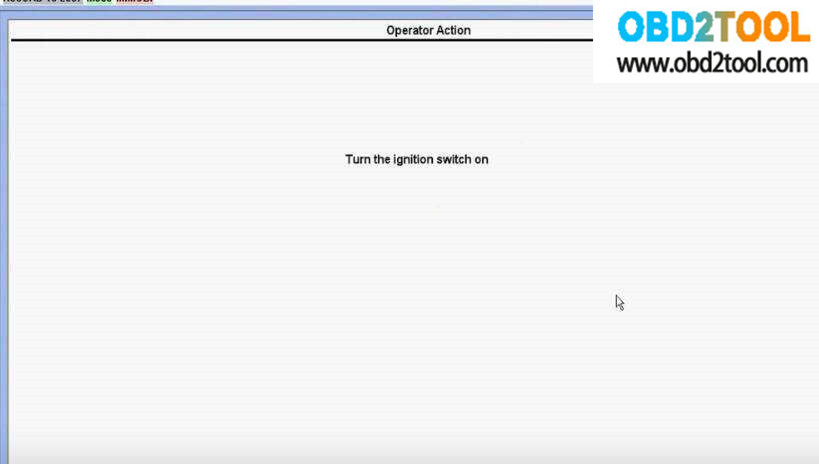
Turn the ignition switch off within 16 seconds
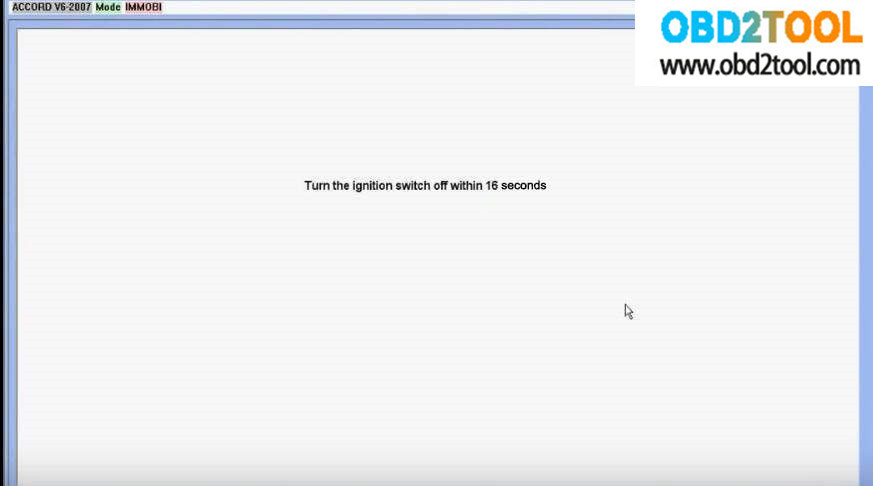
Turn the ignition switch to on within 20 seconds, without changing the key
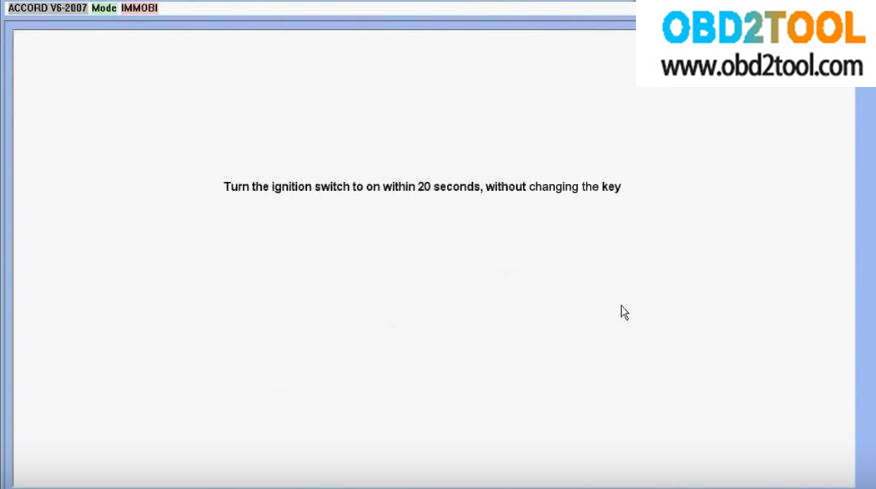
Turn the ignition switch off
Then turn the ignition switch on
It prompt that "Is the immobilizer indicator light turned off?â€
Click "Yes†to continue
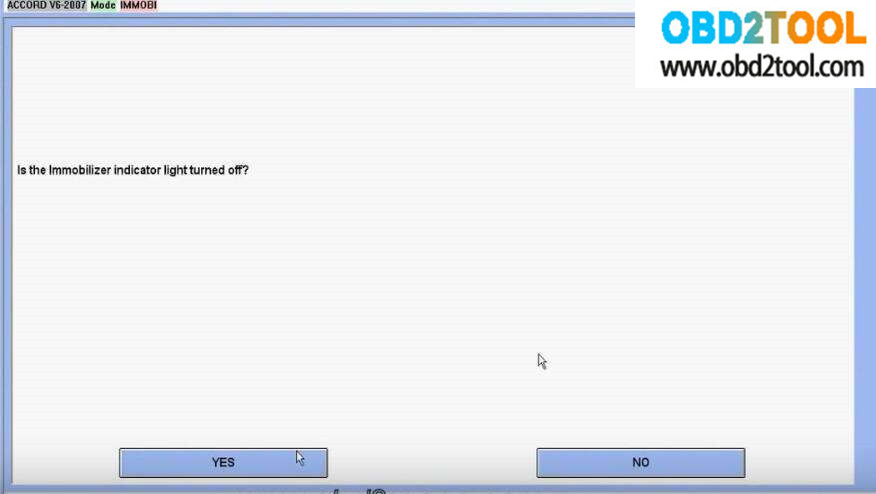
Turn the ignition switch off
Turn the ignition switch on
Turn the ignition switch off
Turn the ignition switch on again
The registration of keys has been completed.
Turn the ignition switch off
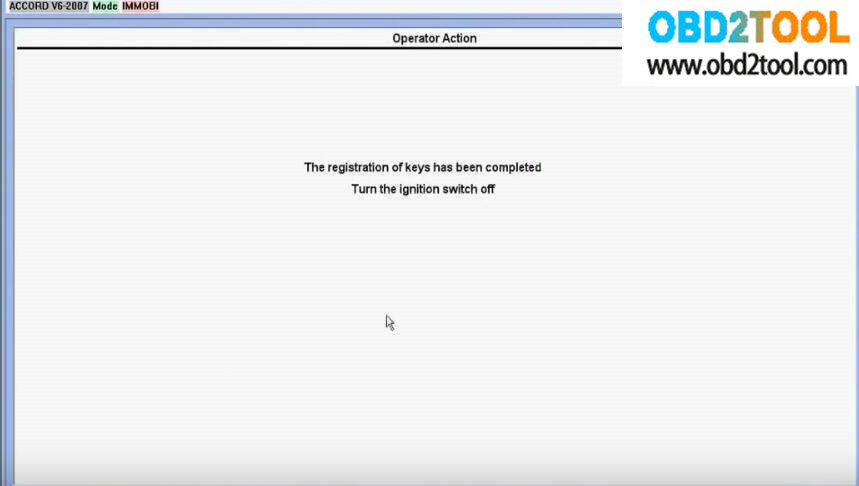
Check All Keys to ensure each will start the engine
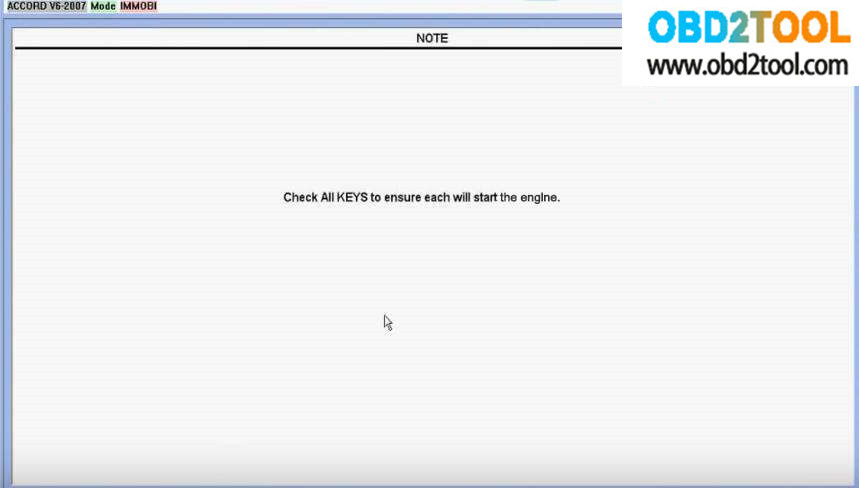
Done!
Posted by: youobd2 at
01:53 PM
| Comments (1)
| Add Comment
Post contains 722 words, total size 12 kb.
July 04, 2019
How to Connect CAT ET Software from your Laptop to ECM?
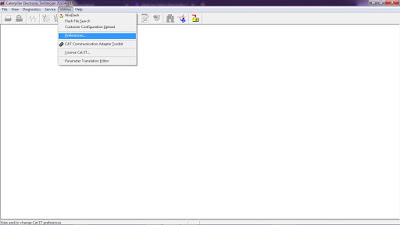
-Open Caterpillar ET Software, it will automatically connect to ECM, Click "Stop Connectâ€.
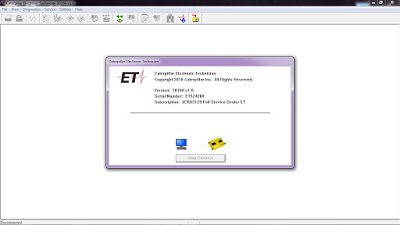
-Click on Menu: "Utilities – Preferencesâ€.
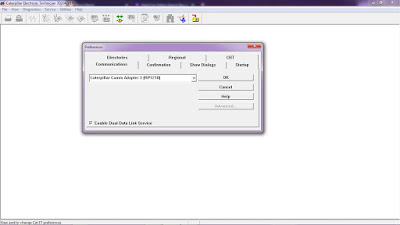
-If using Caterpillar Comm Adapter 3, and Mark on "Enable Dual Data Link Serviceâ€.
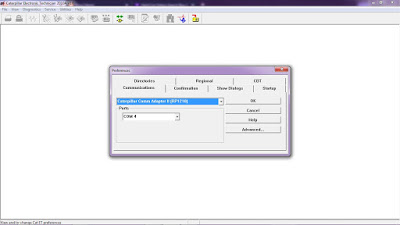
-If using Caterpillar Comm Adapter II, and setting "Ports†(example: COM4) as your COM port at Device Manager.
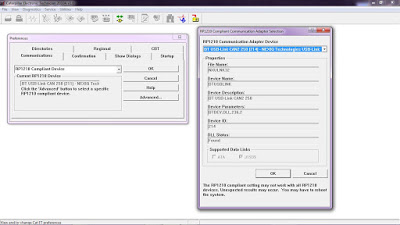
-If using NEXIQ USB-Link, Choose "RP1210 Compliant Deviceâ€, also Click Advanced button to select a specific RP1210.
#Driver Download:
-NEXIQ USB Link
-Caterpillar Comm Adapter 3– V2.0
Posted by: youobd2 at
09:55 AM
| Comments (1)
| Add Comment
Post contains 100 words, total size 3 kb.
June 29, 2019
Porsche Piwis3 Developer Mode:
The Developer Mode in Piwis 3 is not available when you update the shell, coz you lose the menu diagnostics configuration to switch between regular and developer mode,
Problem solved if you copy the old file com.porsche.piwis.Shell.exe.config
Here is how to update the shell config. and get the diagnostic configuration boxes back, on the system tab.
After a successful update from 37.250.20 you will loose the two above mentioned boxes from the System tab.
If you did not loose them, then the [PIDT] diagnostic software did not update completely.
So it’s a good thing to loose it !
Go to C:\PiwisApps\Shel\ and carefuly edit with notepad this file –> com.porsche.piwis.Shell.exe.config
after the update the PIDT section shows up in green, after U edit it it will be blue.
First picture shows, red underlined, 2 places, beginning and the end of the green section, what to remove.
On top [Line 568 on mine] U delete these four symbols !–< on the bottom [line 603 on mine] U delete these 3 symbols –>
Then U save the config file.
Restart the PC and your Diagnostic config box for 991,981,970 and Diagnostic config for other models RE-APPEAR.
rm996 has the solution how get the developer functionality back up and running, !!! PM him.
[Similar solution for the lost with the Update Wiring Diagrams ]
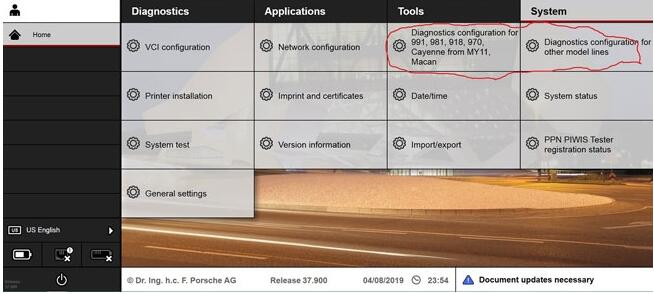
Another tip might help you also.
It’s how to enable Developer Mode for Piwis 3
Developer mode is a special Piwis program that allow a lot of advanced coding normally reserved only to Factory.
With this function you will have a tool that can do more than software of official Porsche Dealer.
For example, you can reprogram all ECUs completely offline.
How to use Piwis Developer Mode:
Install winrar and winhex on your computer.
-1-locate the file c:\program files\porsche\PIDT_P_MIG_DLSS3\pidt\plugins\de.dsa.pidt.datatype.jar and copy it on your desktop in order to modify it.
Open it with winrar,in the wirar windows locate the file
\de\dsa\pidt\datatypes\utils\Helper$1.class and drag it on your destop , delete it from the archive after the copy, keep the winrar window open.
Open Helper$1.class on your desktop with winhex and goto offset E81, replace 9A by A7 and save.
Drag back the save file on the winrar windows still open and click OK.Close winrar
Copy the new file de.dsa.pidt.datatype.jar you just made in
c:\program files\porsche\PIDT_P_MIG_DLSS3\pidt\plugins, overwrite it.
copy the file aftersales.sig on your desktop and rename it development.sig.Copy this file back in the folder
Do exactly the same method given above with the folder c:\program files\porsche\PIDT_P_MIG_DLSS3 with its own files.
To transform it in developer :
Settings
Diagnostic configuration
981-991, mode, operating mode, E= development, P= production, V= aftersales (Car Diagnostic Toolpiwis)
Other models line, mode, operating mode, E= development, P= production, V= aftersales ( regular piwis)
This method to switch between regular and developer works only with my backup and will not work anymore after
an update.
Images:

Maybe this helps Folks some.
Posted by: youobd2 at
12:45 PM
| No Comments
| Add Comment
Post contains 477 words, total size 5 kb.
This is the instruction on how to install Workshop Information System V2015.10 for 2015.09 mercedes star diagnostic mb sd connect c4 multiplexer.
Free download MB WIS ASRA 10/2015 FULL Torrent:
https://www.dropbox.com/s/bwotrms6vi7o3vg/WIS_1015.zip?dl=0
Version: 3.11.12.0
Language: Multilingual
Crack: None
Description: Mercedes-Benz WIS / ASRA Information Base repair of cars and trucks, Mercedes-Benz buses for the European and American markets.
Extras. Info.: This is a full release, suitable for installation "from scratch.â€
WIS installation instruction:
Install Admin Tool
Select start
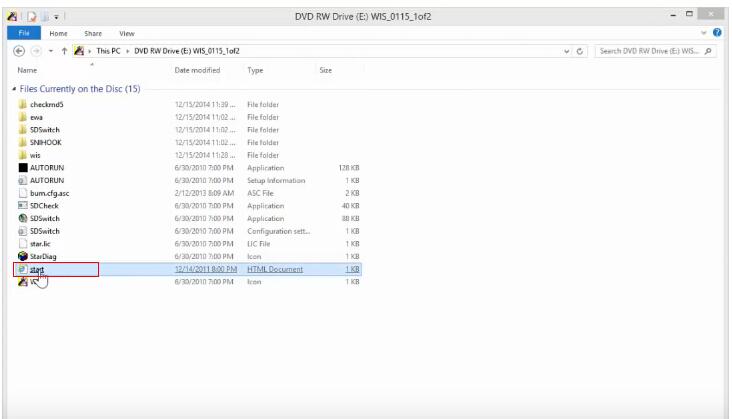 (1)
(1)
Internet Explorer prompt: select Yes.
Select Start registration.
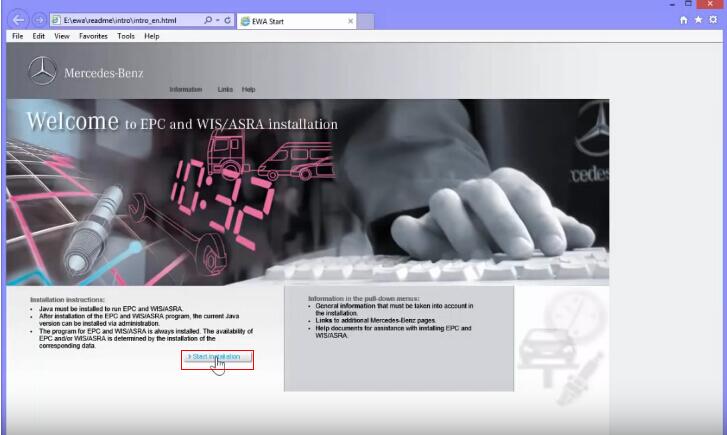
Select Run at the bottom prompt.
Select Run at the bottom prompt.
Installing …
Select a language and click OK.
Click Next.
Click Next.
Installing EWA…
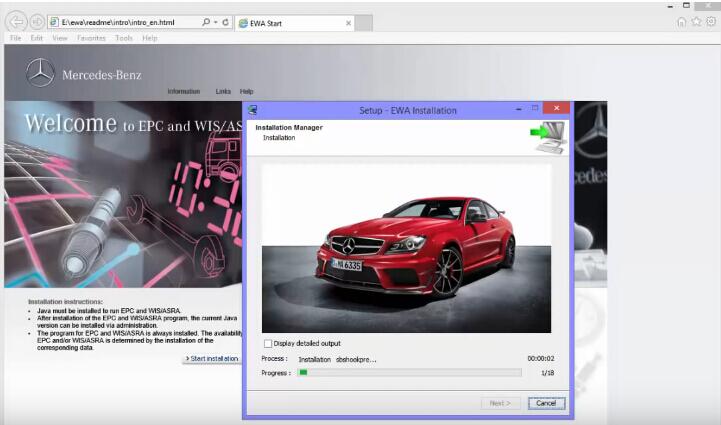
Click Next.
Finished installing EWA Admin Tool, and click Finish.
Check WIS Startkey
Select Startkey and copy NAC address to ID in HP-EVA Keygen interface.
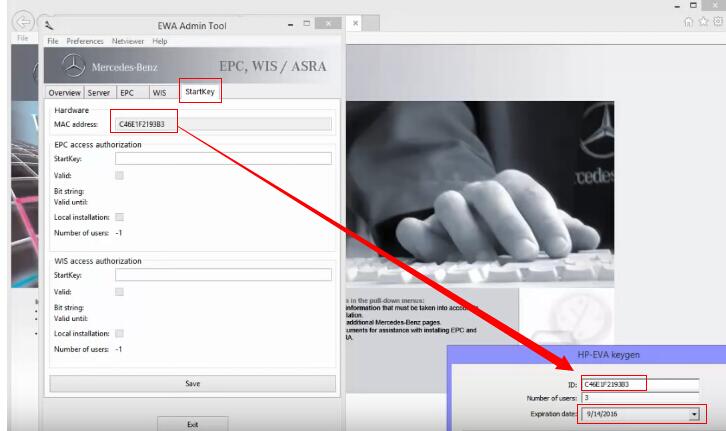
Set the Expiration dates.
Copy EPCnet to its Startkey, and WISnet to its Startkey.
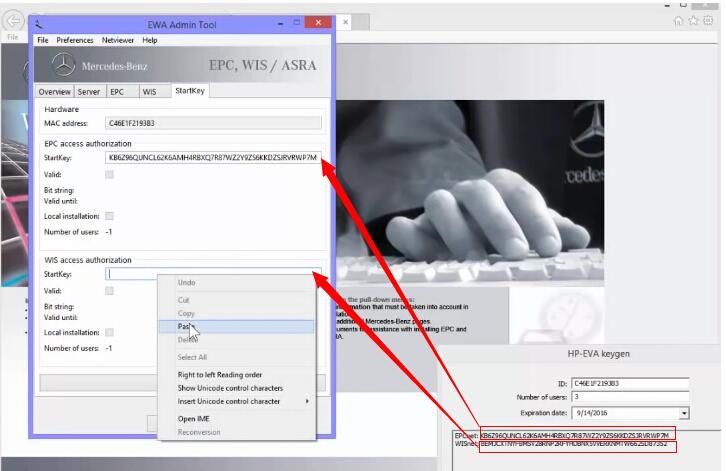
Close HP-EVA Keygen interface.
Click Save in EWA Admin Tool.
Startkey successfully saved. Click Exit.
Install WIS database
Select WIS and click Install WIS database.
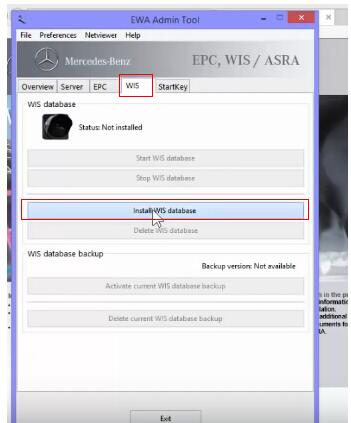
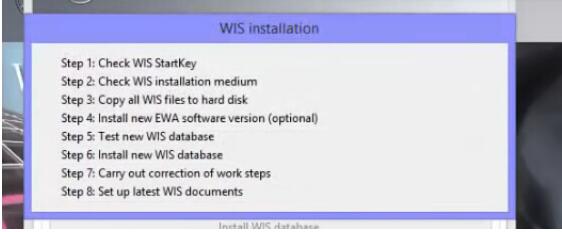
Prompt: WIS installation
1 check WIS Startkey
2 check WIS information medium
3 copy all WIS files to hard disk
4 install new EWA software version (optional)
5 test new WIS database
6 install new WIS database
7 carry out correction of work steps
8 set up latest WIS documents
Installing WIS database…
Click Continue.
Click Continue.
Click Confirm.
Click Continue.
Click Continue.
Click Continue.
WIS database installation completes.
Click Exit.
Select Yes to exit Admin Tool.
Set up EWA
Select Favorites>>EWA net>>EWA net.
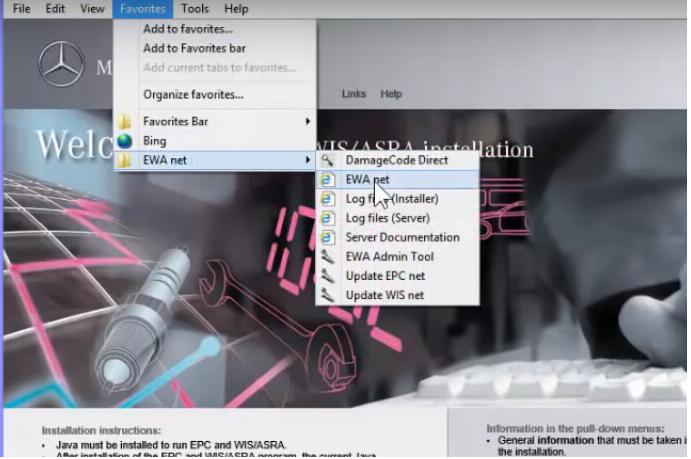
Enter User and Password (admin, admin) to Log in.
Change password and click OK.
Select Workshop.
Workshop: 123
Country: U.S.A.(705)
Click Save.
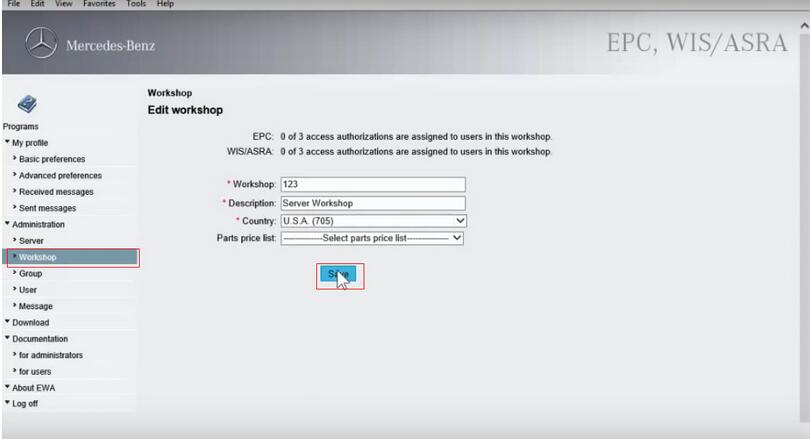
Select Group>>Administrator group.
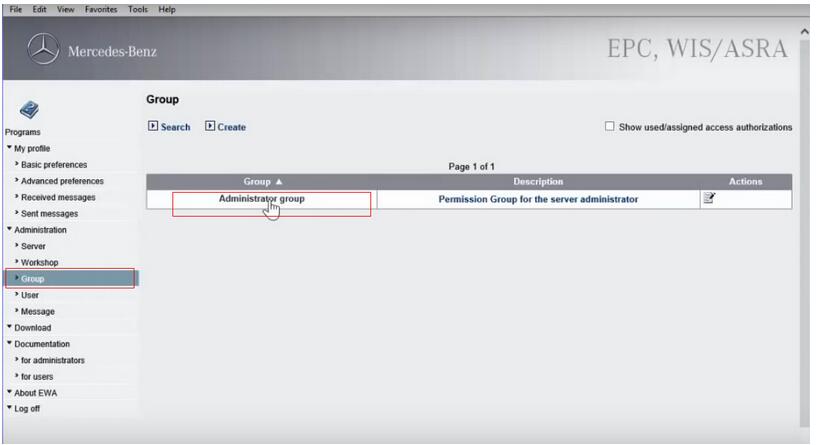
Select EPC access authorization: As workshop access authorization
Select WIS/ASRA access authorization: As workshop access authorization
Click Save.
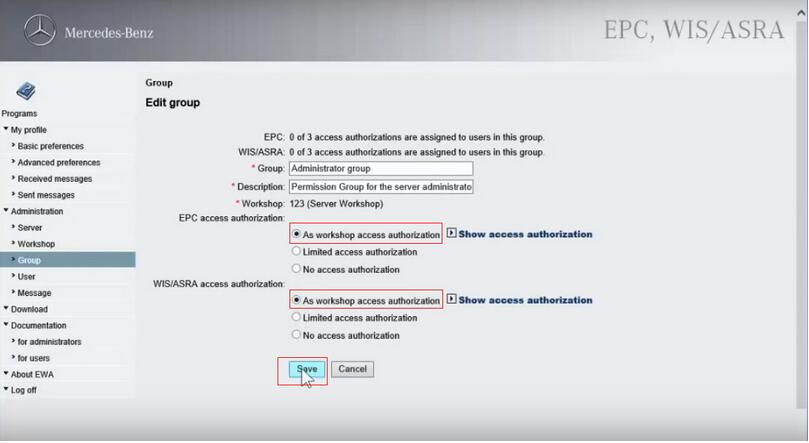
Click OK.
Run EWA
Again, select Favorites>>EWA net>>EWA net.
Log in with new password.
Click WIS/ASRA.

Close the interface of " WIS/ASRA-what’s new…â€
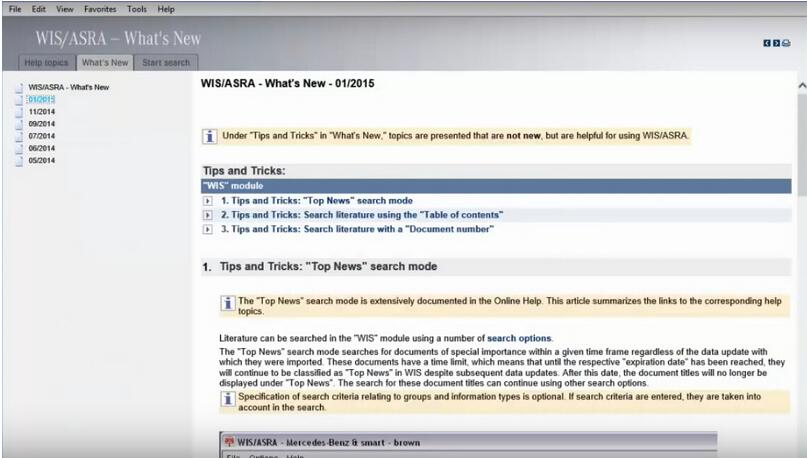
WIS diagnostic interface…
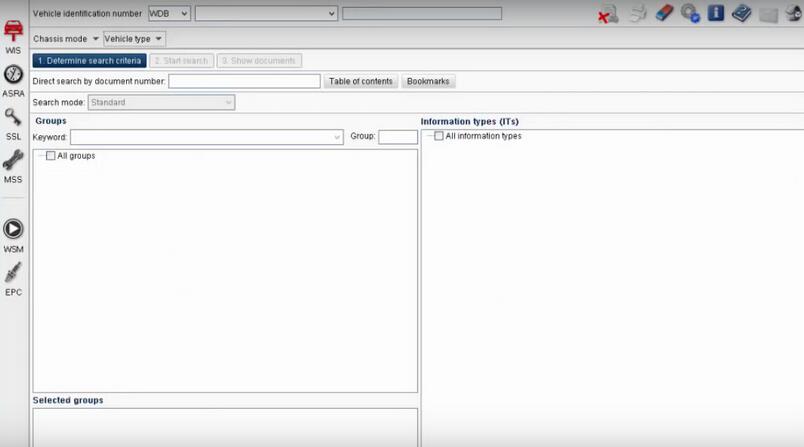
(note: Mercedes software 2019.07 forMB SD C4atobd2toolcomes with pre-installed WIS, no need to install yourself)
Posted by: youobd2 at
11:11 AM
| No Comments
| Add Comment
Post contains 353 words, total size 7 kb.
42 queries taking 0.1695 seconds, 172 records returned.
Powered by Minx 1.1.6c-pink.


