



March 18, 2020
Mercedes SD C4 is professional diagnostic and programming tool for Mercedes Benz cars and trucks. When you received the C4/C5 multiplexer, you may would like to connect it with wireless for works.OBD2TOOL here provide full steps to set the wifi connection for you.
Mercedes SD C4 Overview:
Software Version: 2020.03
Hardware Version: OS: 2.3 CSD: 2.11
Support Wireless / Lan Cable Connection.
Work for Benz Car & 24V Trucks.
Multi-Languages: English, Bulgarian, Danish, Greek, Spanish, French, Italian, Korean, Polish, Romanian, Serbo-Croatian, Turkish, Czech, German, Finish, Hungarian, Japanese, Dutch, Portuguese, Russian, Swedish, Chinese.
Mercedes SD C4Wifi Connection Setting Steps
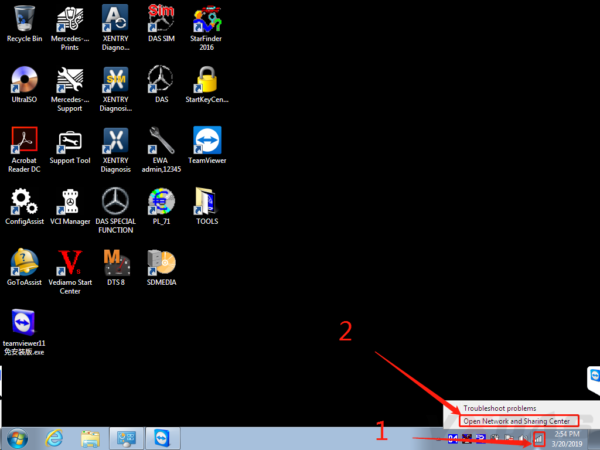
#1 Firstly, right click on the network icon, choose "Open Network and Sharing Centerâ€, as the picture shows below:
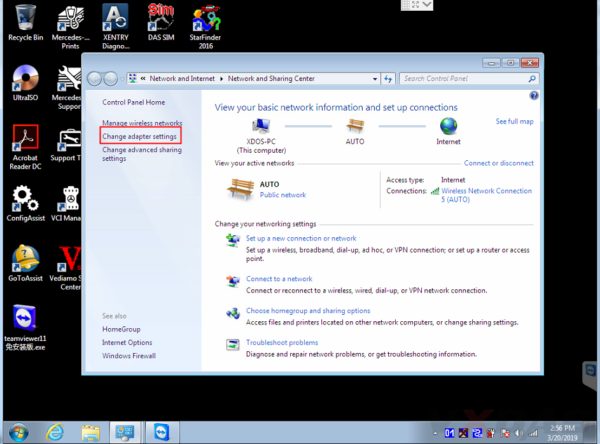
#2 Then choose "Change adapter settingsâ€.
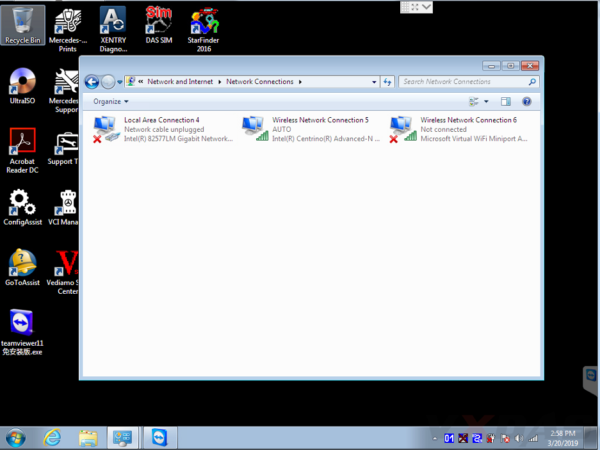
Now it enters this place.
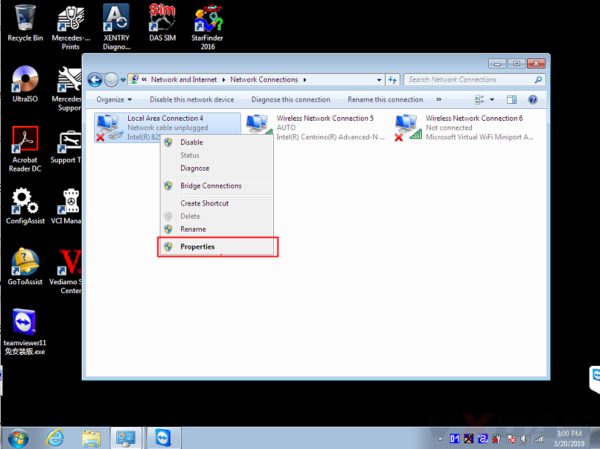
#3 Set wired IP address.
Right click "Local Area Connectionâ€, then click "Propertiesâ€.
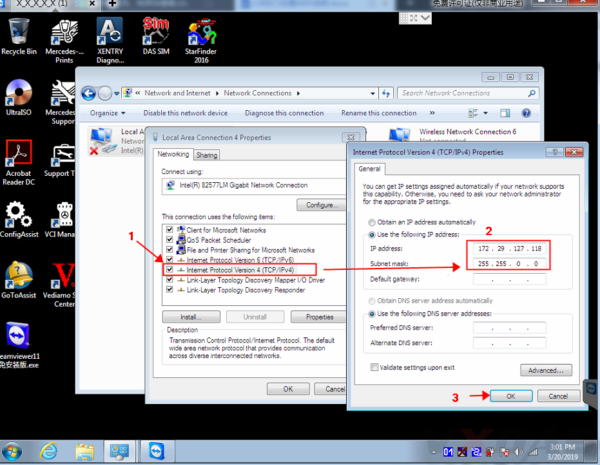
IP address: 172.29.127.118
Subnet mask: 255.255.0.0
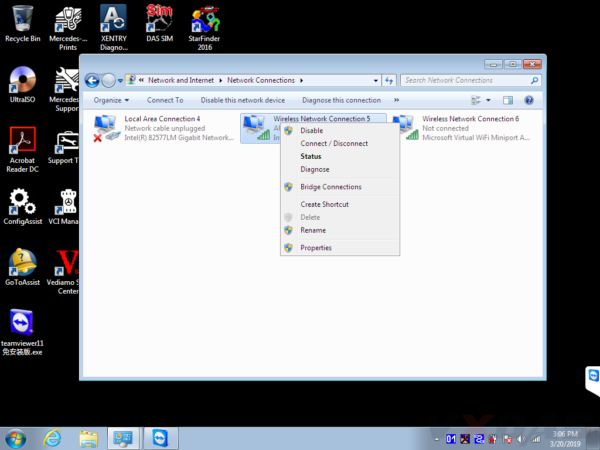
#4 Set wireless IP address. Right click "Wireless Network Connection†then click "Propertiesâ€.
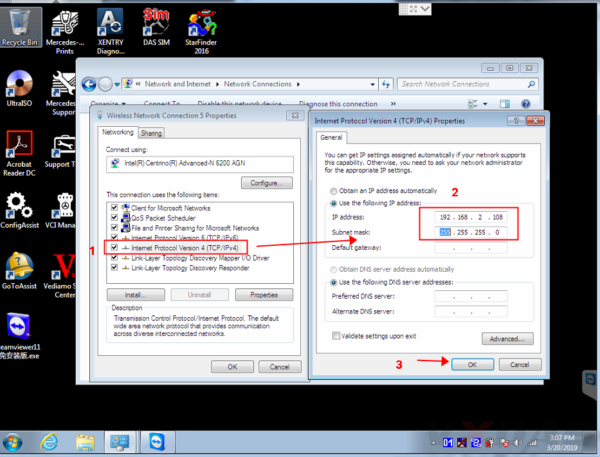
IP address: 192.168.2.108
Subnet mask: 255.255.255.0
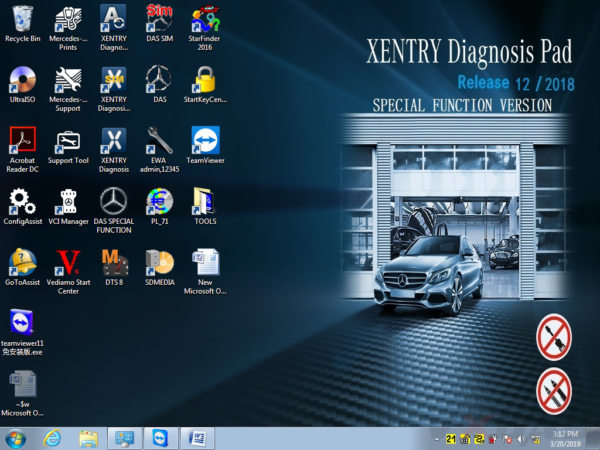
#5 Now you can set C4/C5 multiplexer Wifi connection password, first connect C4/C5 multiplexer to the car (ignition on), then connect lan cable to C4/C5 multiplexer and laptop.

Right click the icon in the bottom right corner.
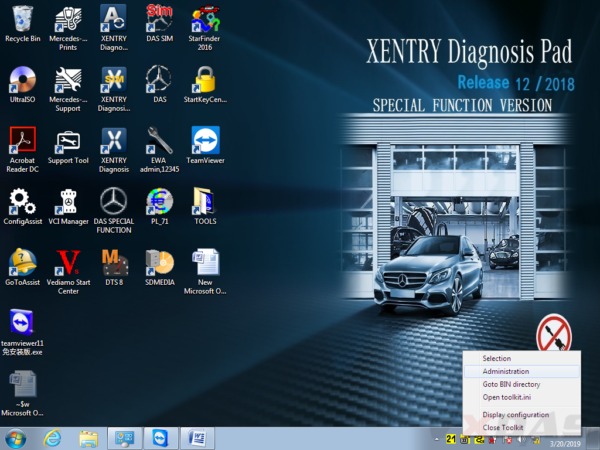
Then choose "Administrationâ€.
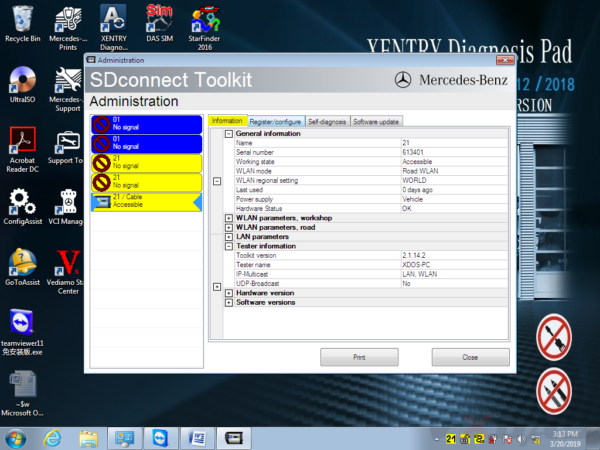
It will show this screen.
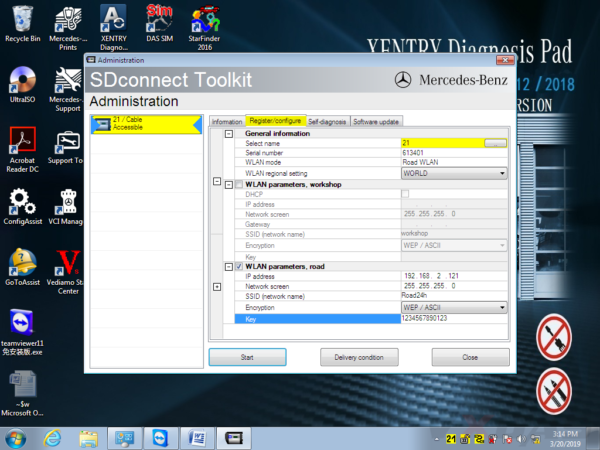
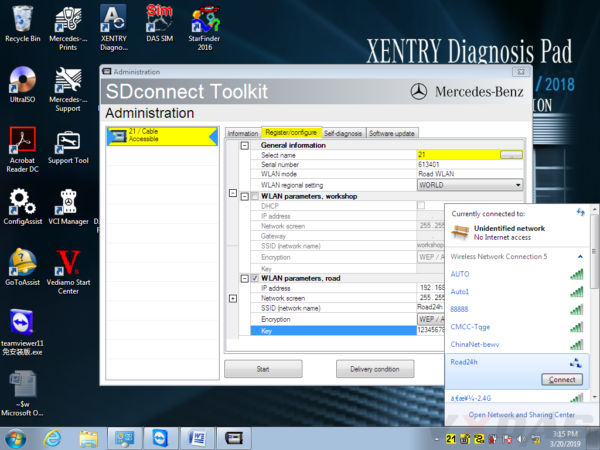
In Administration menu, choose "Register/Configureâ€.

Then put 1234567890123 in the KEY: 1234567890123 (total 13 numbers), then click "Startâ€.
Click the computer icon in the lower right corner.

Find "Road24h†in the picture below.
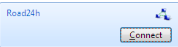
Then Road24h in the Wifi place, click "Connectâ€.
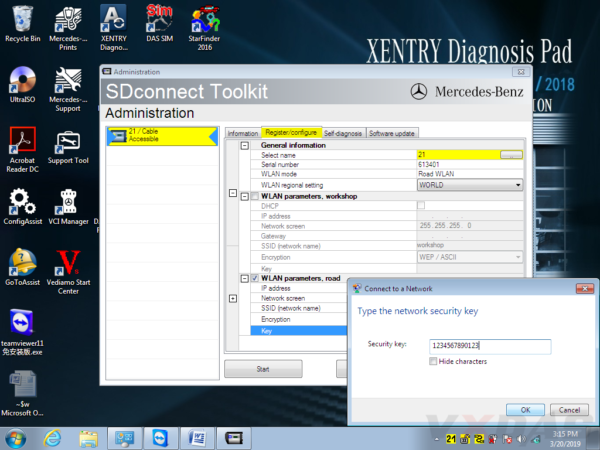
Put the 13 digits password: 1234567890123 for the security key.
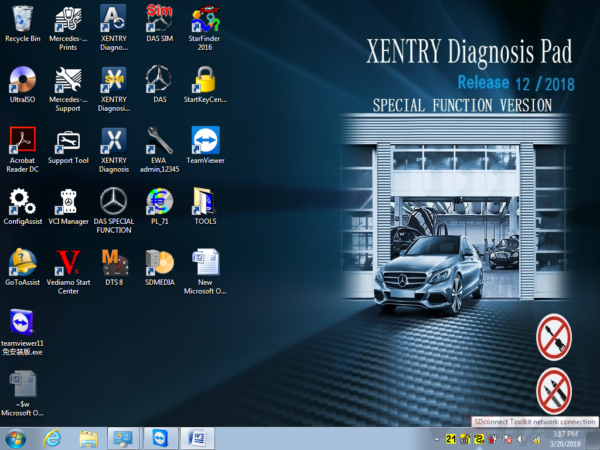
Now please right click this icon.

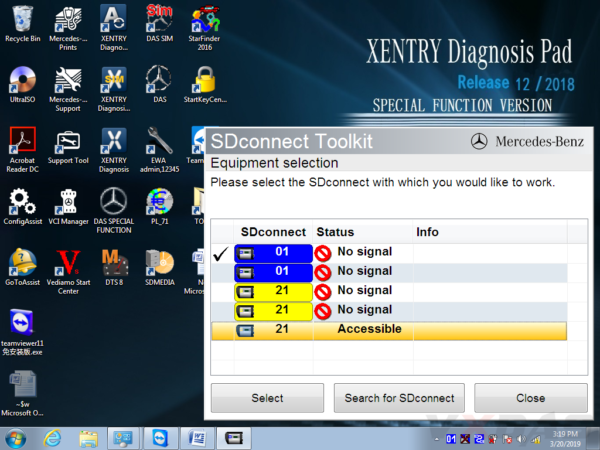
Then choose "Selectionâ€.
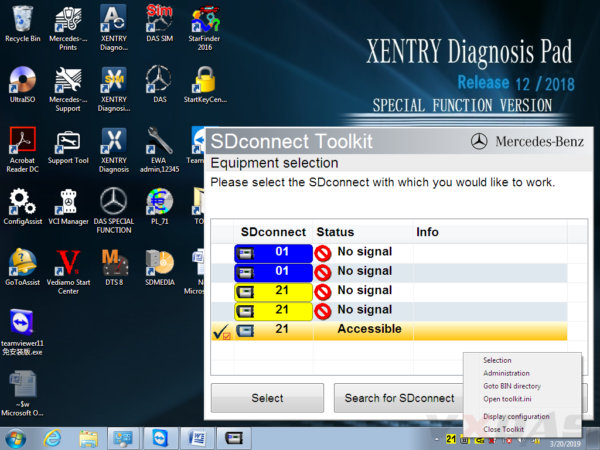
Disconnect the C4/C5 multiplexer and lan cable, then click this "Accessibleâ€.
Disconnect the C4/C5multiplexer and lan cable,click
And click "Selectâ€.

Then you can see these icons appeared in the bottom right corner.

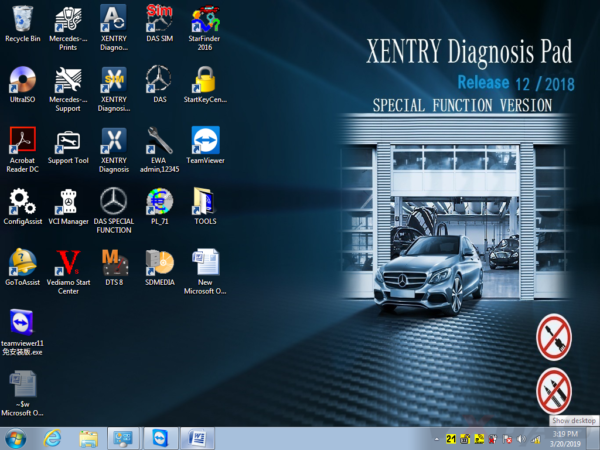
Congratulations! You already finished the settings of wireless for SD C4/C5. Go to use it for testing and works!
Posted by: youobd2 at
04:27 AM
| No Comments
| Add Comment
Post contains 331 words, total size 11 kb.
35 queries taking 0.0205 seconds, 128 records returned.
Powered by Minx 1.1.6c-pink.

