



July 31, 2020
Test the Connection to the ECM Caterpillar Engines using CAT Communication Adapter 3 Toolkit

Use Heavy Duty Diagnostic CAT Communication Adapter 3 Toolkit to test the connection between the
CAT Communication Adapter 3 and the ECM Caterpillar Engines.
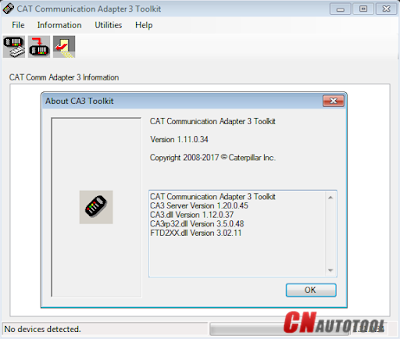
-Download Driver for CAT Comm Adapter 3 here:
CAT Comm Adapter 3 – v2.0
CAT Comm Adapter 3 – v4.4
Preparing to use the CAT Communication Adapter 3 Toolkit
1. Prepare your PC, and connect CAT Comm Adapter 3 to Diagnostic Port/Connector to the ECM.
2. Click "Start†– "All Programs†– "Caterpillar Comm Adapter 3†– "Comm
Adapter 3 Toolkitâ€, or through shortcut "Comm Adapter 3 Toolkit†on
desktop.
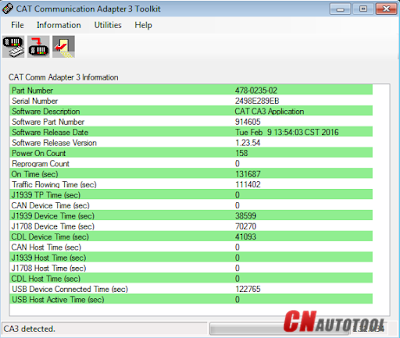
3. Once CA3 was detected, close the CAT Communication Adapter 3 Toolkit and open the CAT ET Software.
-The Connection message box is displayed while the service tool attempts to establish communications with the data link.

-To cancel all attempts to communicate with the ECM, click the "Stop
Connect†button on the Connection message box. All functions that
require an active data link connection are disabled. The service tool
displays a blank main screen. The status bar is updated with the message
"Disconnected.â€
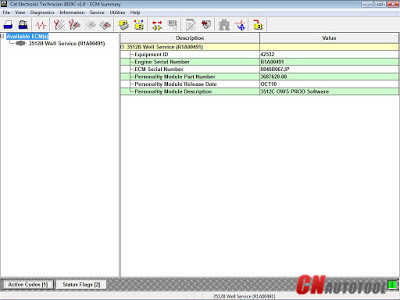
4. When communications are successfully established and a single ECM
is found, the "ECM Summary†screen displays. When communications are
successfully established and multiple ECMs are found, the ECM Selector
dialog box displays. If the service tool connects to an ECM that is not
supported by the subscription, the service tool displays a message and
immediately disconnects.
5. If any problems while trying to Initializing communications to the
ECM, it will displays "Cat Electronic Technician†message to provides
information for correcting the problems as example below.
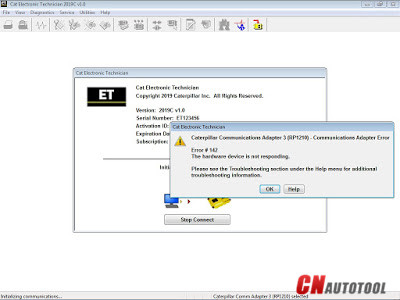

Click "Help†button
Troubleshooting Guide
Posted by: youobd2 at
02:53 AM
| No Comments
| Add Comment
Post contains 292 words, total size 4 kb.
35 queries taking 0.032 seconds, 128 records returned.
Powered by Minx 1.1.6c-pink.

