



July 04, 2019
How to Connect Caterpillar ET Software from your Laptop to ECM
How to Connect CAT ET Software from your Laptop to ECM?
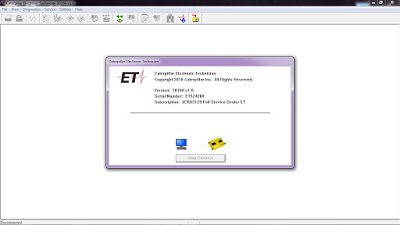
-Open Caterpillar ET Software, it will automatically connect to ECM, Click "Stop Connectâ€.
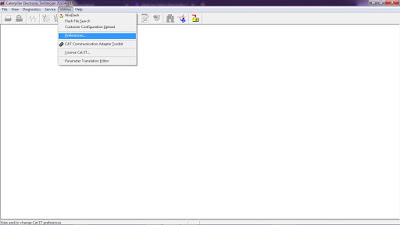
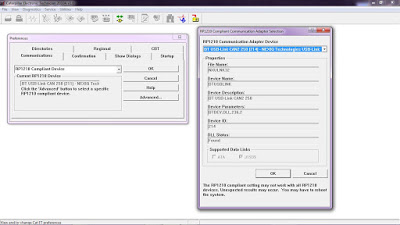
-Click on Menu: "Utilities – Preferencesâ€.
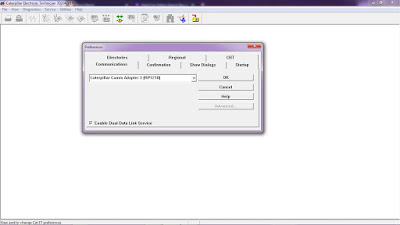
-If using Caterpillar Comm Adapter 3, and Mark on "Enable Dual Data Link Serviceâ€.
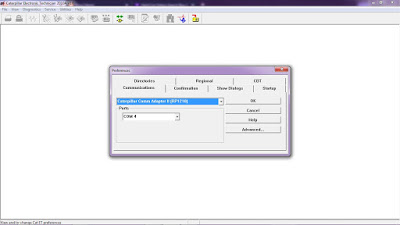
-If using Caterpillar Comm Adapter II, and setting "Ports†(example: COM4) as your COM port at Device Manager.
-If using NEXIQ USB-Link, Choose "RP1210 Compliant Deviceâ€, also Click Advanced button to select a specific RP1210.
#Driver Download:
-NEXIQ USB Link
-Caterpillar Comm Adapter 3– V2.0
Posted by: youobd2 at
09:55 AM
| Comments (1)
| Add Comment
Post contains 100 words, total size 3 kb.
1
I have heard from a reliable source that this graphics driver makes the laptop a lot faster but at the cost of thermals. That means that people will see improvements to the speed of the laptop at the cost of it heating up especially after you get cutey wallpapers of among us crewmates and other GPU intensive tasks like when you get mejis on your computer. If you feel like this is a fair trade-off then, by all means, download it and enjoy gaming on it. But if you only use your laptop for work purposes, then the risks far outweigh the benefits that you can get from the driver.
Posted by: greenbeen at November 12, 2020 11:14 PM (xdtdM)
19kb generated in CPU 0.0192, elapsed 0.0416 seconds.
37 queries taking 0.03 seconds, 130 records returned.
Powered by Minx 1.1.6c-pink.
37 queries taking 0.03 seconds, 130 records returned.
Powered by Minx 1.1.6c-pink.

