



August 12, 2018
This post show a guide on how to use CGDI Pro 9S12 and CGDI MB to add new keys for Benz W639.
Procedures:
Step 1:Read EIS Data
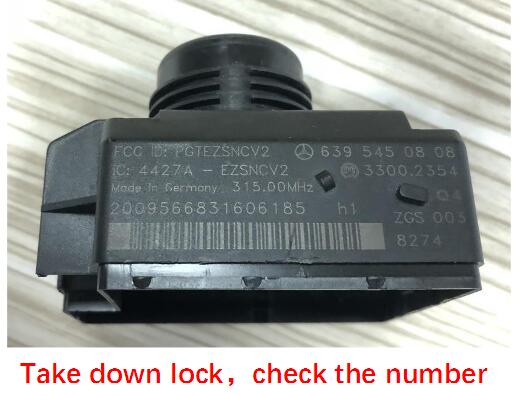
Check the EIS number
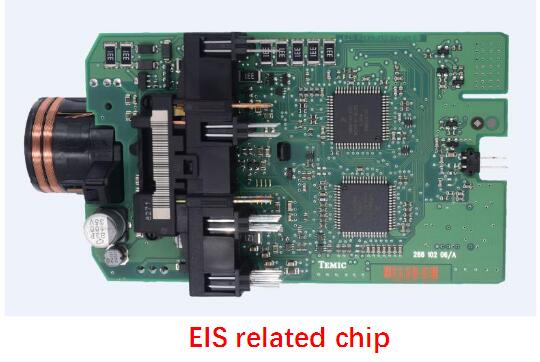
EIS PCB chips:
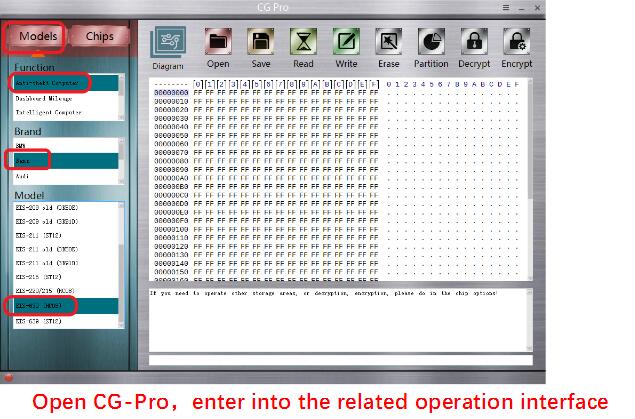
Run the CG Pro 9S12 software:
Select "Anti-theft Computerâ€,â€Benzâ€,â€EIS-639 (HC0 â€
â€
Then follow software wiring diagram to connect the cable connector to EIS PCB.
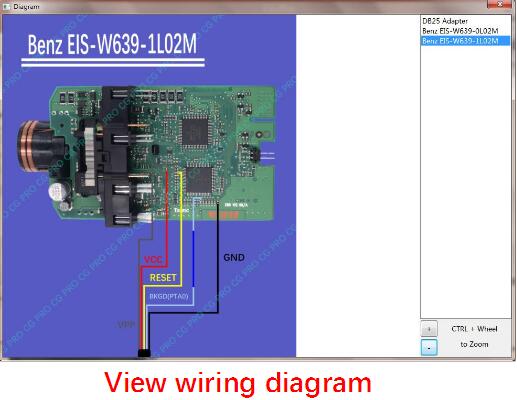
CGDI Pro 9S12 wiring connection to EIS
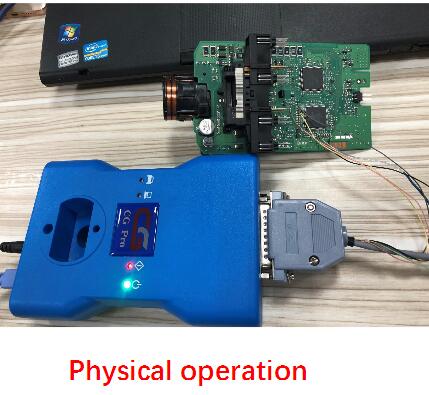
Click "Read†to read EIS data
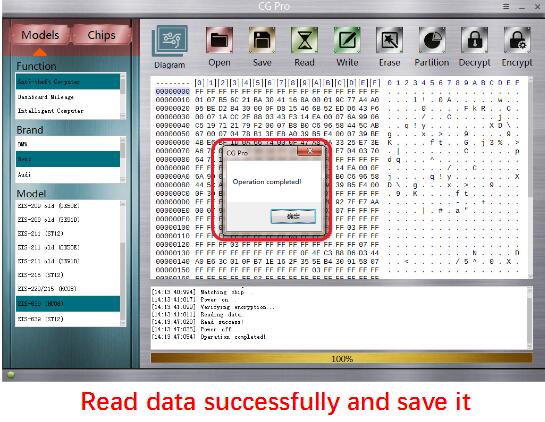
After EIS data reading successfully,save it on your laptop.
Step 2:Adding New Key
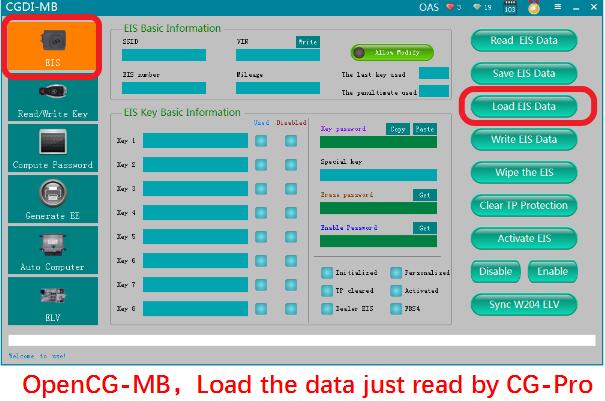
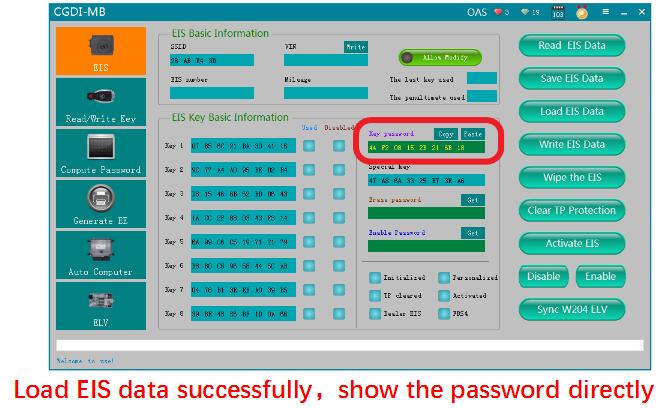
Run CGDI MB software and load EIS data you save before.Then software will show the password.
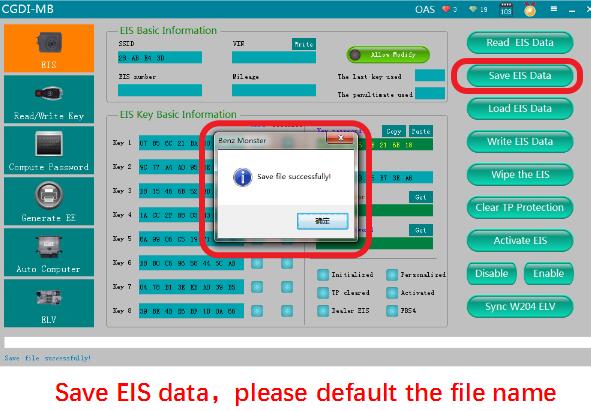
Then click "Save EIS Dataâ€,and you would better to use default file name to save it.
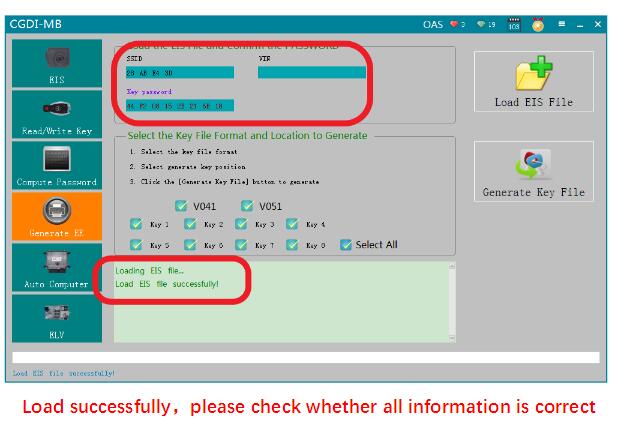
Click "Generate EEâ€,then click "Load EIS File†button to load the EIS data.(This EIS data saved by CGDI MB software,not by CGDI Pro software.)
After EIS data loading,pls check data information.
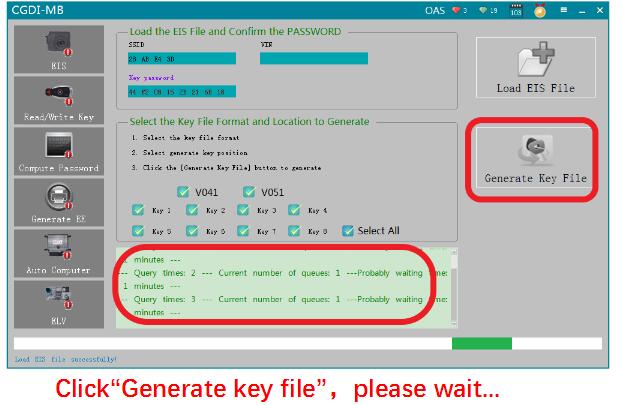
Then click "Generate Key Fileâ€,and wait…
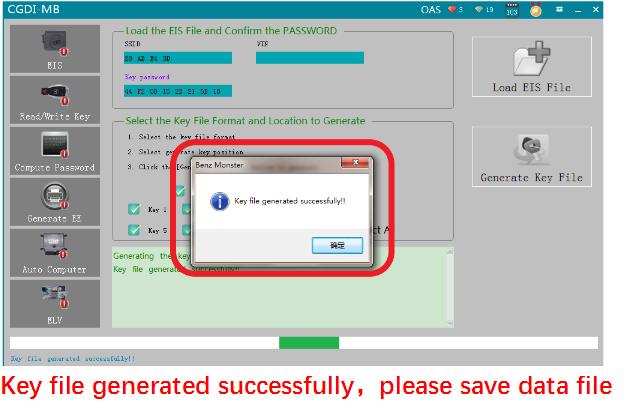
Then the CGDI MB software will prompt you "key file generate successfullyâ€,you need to save the data file.
Select "Read/Write Keyâ€
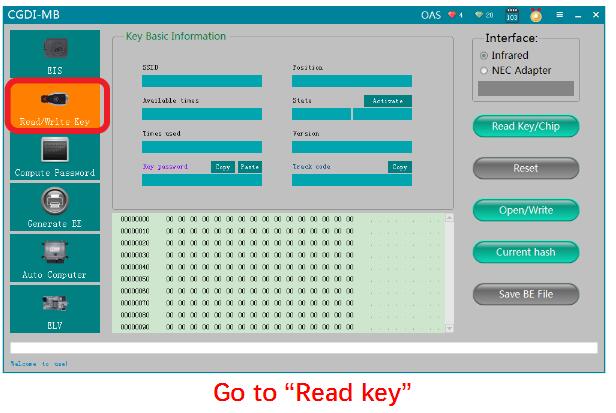
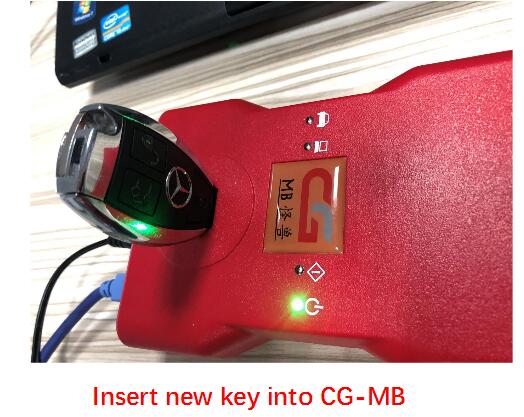
Insert new key you want to add intoKey Programmer CGD MB slot.
Click "Readâ€,the software will show this blank key information

Click "Open/Writeâ€,and check the warning massage:
Smart key please choose 41 format,common key and BE key please choose 51 format.
When writing the original key,you need to use CGDI MB fromwww.obd2tool.com to erase the key data before,otherwise the programming progress will fail.
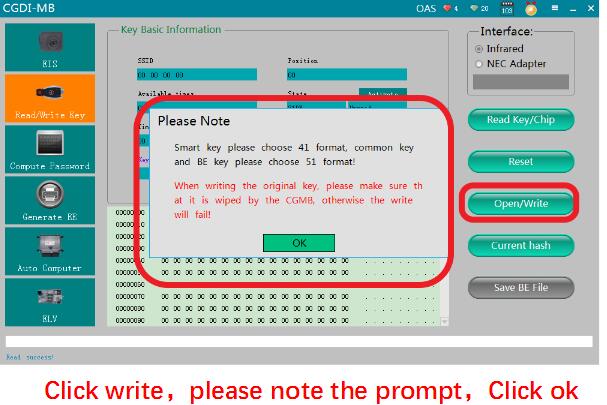
Choose a unused key data file,and open it to continue writing progress.

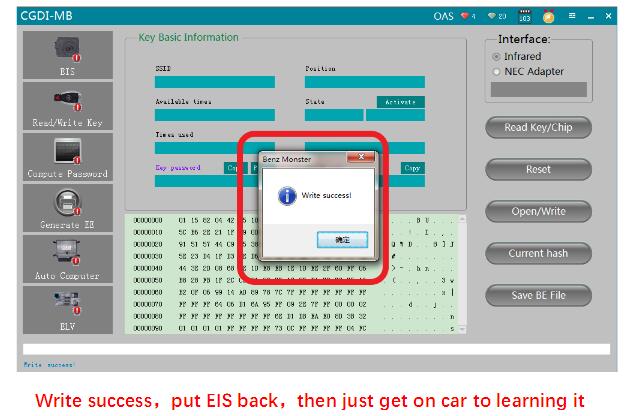
After writing successfully,install EIS back on vehicle,and then perform key learning.
http://wholesaleobd2.net/2018/08/04/how-to-add-benz-w639-with-cgdi-pro-and-cgdi-mb/
Posted by: youobd2 at
08:22 AM
| No Comments
| Add Comment
Post contains 271 words, total size 6 kb.
35 queries taking 0.0286 seconds, 128 records returned.
Powered by Minx 1.1.6c-pink.

