



July 31, 2021
HOW TO ACTIVATE DRIVING AND WATCH VIDEO IN BMW 730 CIC
How to activate driving and watch video in BMW 730 CIC
1.After connectingE sys software, read ecu and select "HU_CIC (63)â€-â€Read Codingâ€;
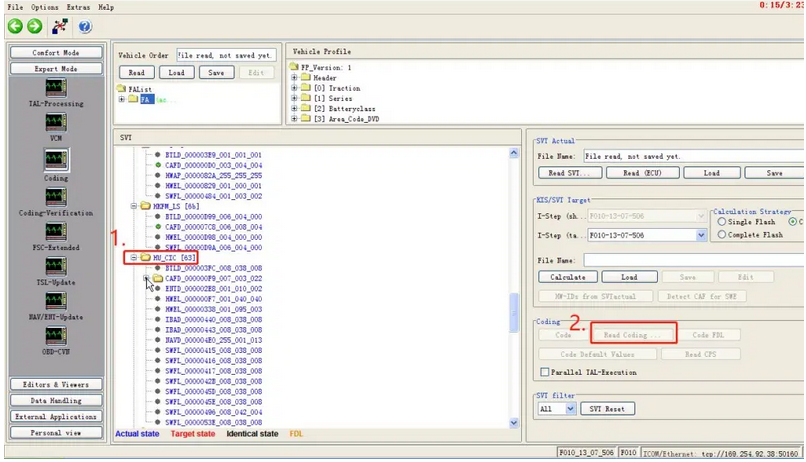
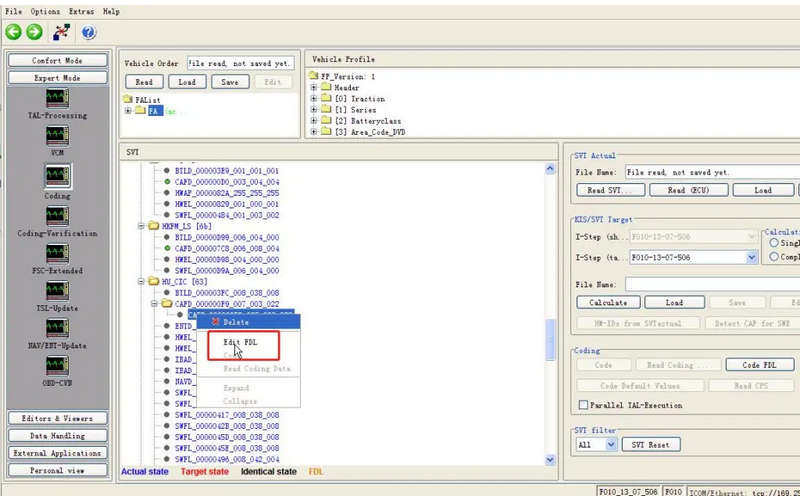
2.Select "HU_CIC â€-â€Edit FDLâ€;
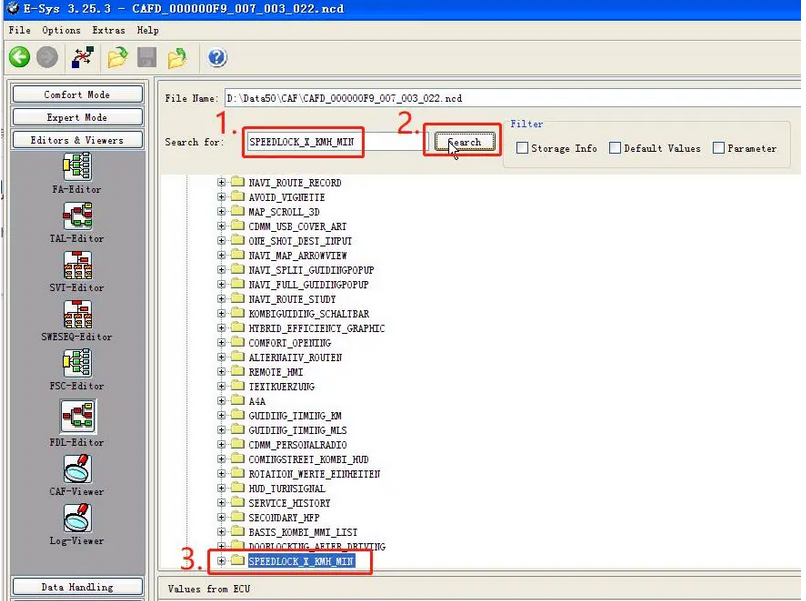
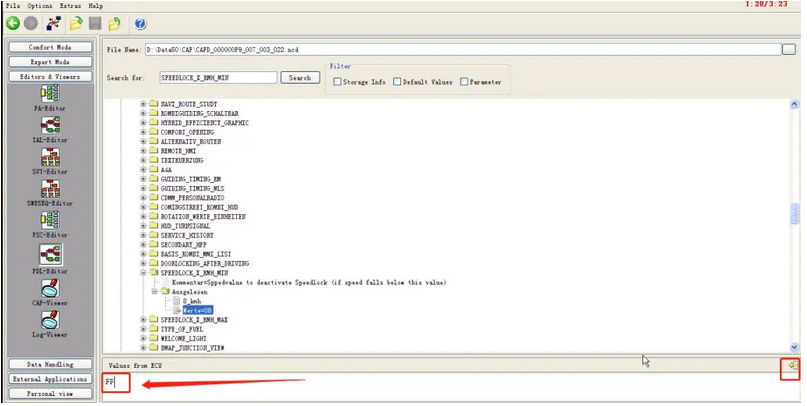
3.Search for "SPEEDLOCK_X_KMH_MINâ€,
4.08 changed to FF;
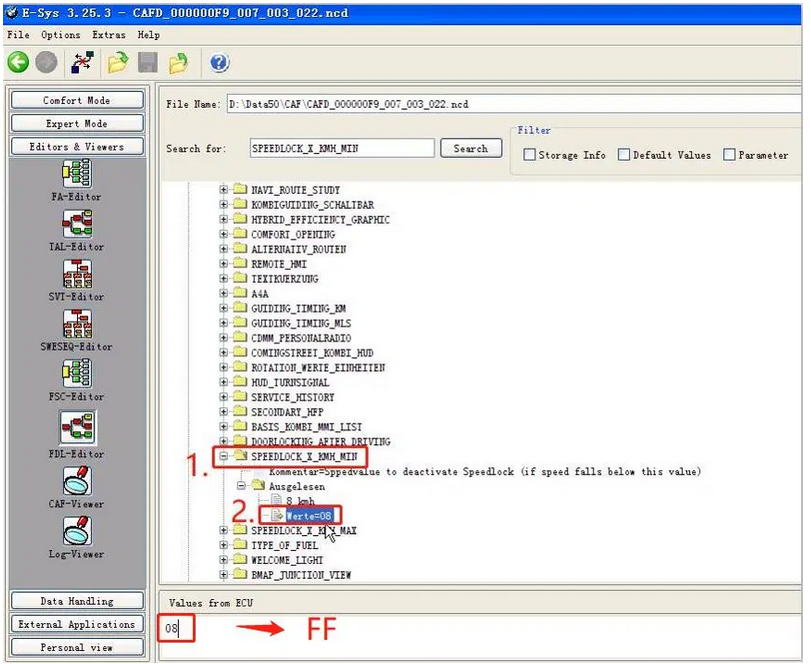
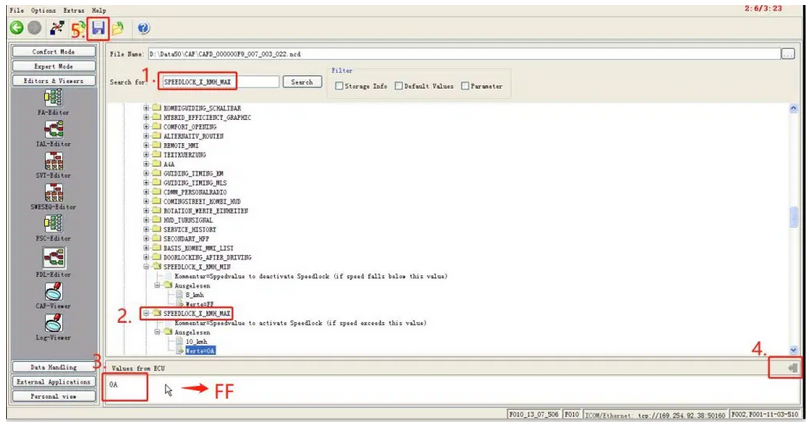
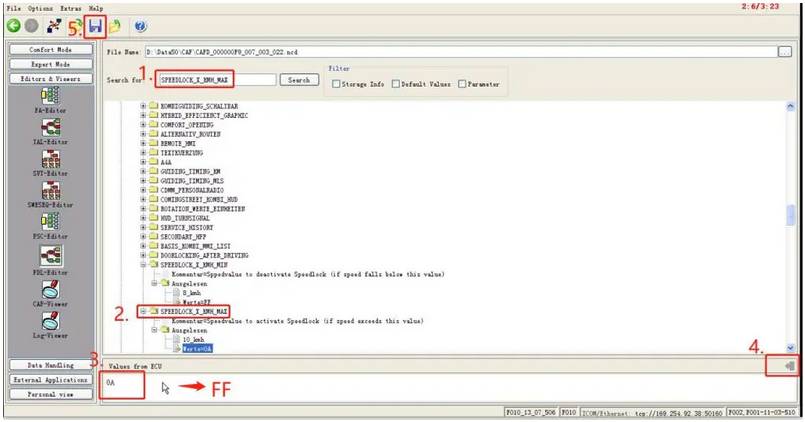
5.Search for "SPEEDLOCK_X_KMH_MAXâ€,0A changed to FF,SAVE;
6.HU_CIC – Code FDL
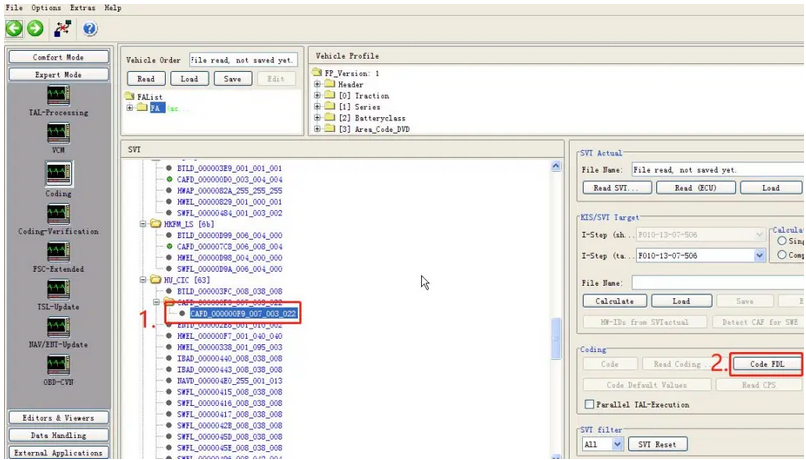
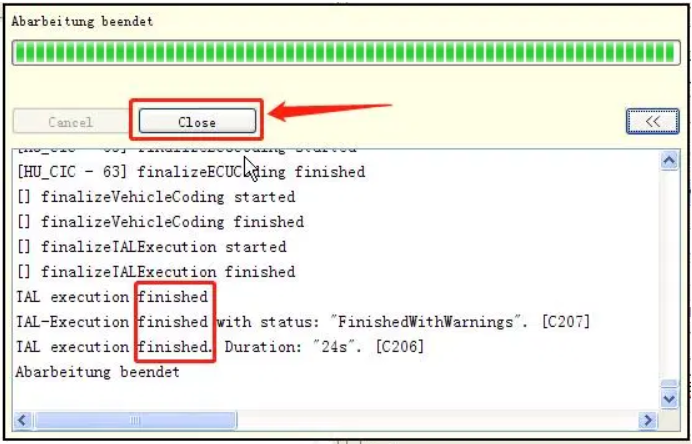
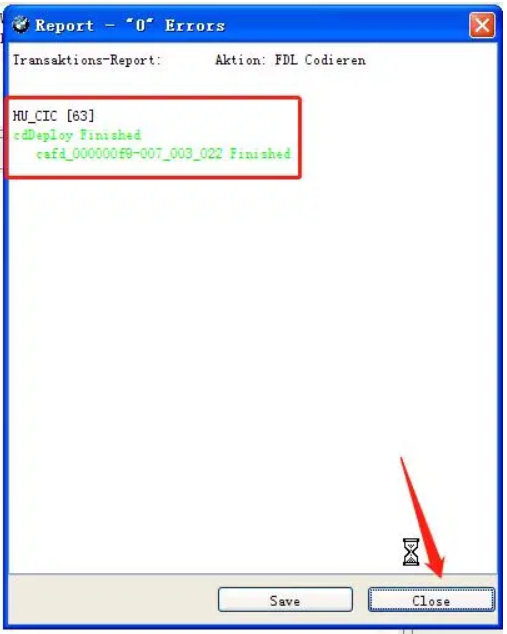
7.Code finished, It is recommended that you turn off the car key and try again after five minutes.
(If you cannot read and change the ECU value, you need to use E sys Launcher PRO or E sys plus software to decrypt the ECU.)
Posted by: youobd2 at
06:48 AM
| No Comments
| Add Comment
Post contains 98 words, total size 4 kb.
19kb generated in CPU 0.022, elapsed 0.0548 seconds.
35 queries taking 0.0413 seconds, 128 records returned.
Powered by Minx 1.1.6c-pink.
35 queries taking 0.0413 seconds, 128 records returned.
Powered by Minx 1.1.6c-pink.

