



July 01, 2020
Description:
Everything you need to diagnose and repair heavy & medium-duty vehicles.
JPRO Professional truck scanner is the most comprehensive and powerful all makes, all models diagnostic tool available in the industry today. In one, easy annual subscription, JPRO provides a complete & unparalleled diagnostic service & repair solution with bi-directional functionality.
Next Step Service Information module helps speed up repair times by providing users with detailed engine repair information and troubleshooting guides for ABS and Transmissions – with the click of a button.
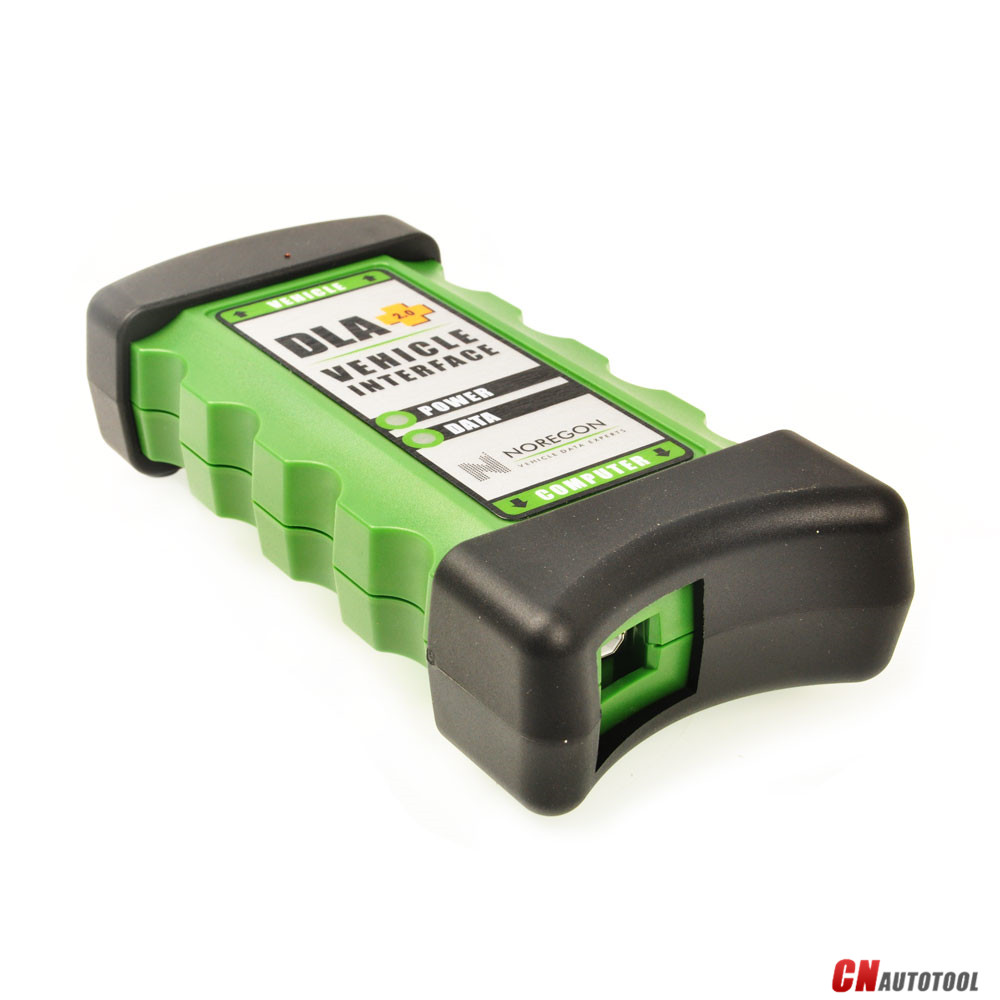
Noergon’s DLA+ 2.0 adapter is a diagnostic communication device
designed to interface between a vehicle and PC via USB cable for
diagnostic and vehicle information, re-programming or parameter
adjustments.
JPRO Professional can support DPF Regeneration for Cummins,Detroit,International,MACK,Paccar,Volvo and more. So here CnAutotool.com show you guide on how to use JPRO Professional to perform DPF Regen.
Preparations:
JPRO Professional Heavy Duty Diagnostic Software Download
Note:Please ensure you have followed all necessary safety precautions BEFORE performing a forced regen.
Procedures:
In the top left corner,vehicle health indicators may alert that you need to perform a DPF regen.
Click the "DPF Regen Needed†button
Then it will show the Aftertreatment Diagnostics screen.Notice in the top right,buttons indicate a needed OR inhibited regen.To initiate a DPF regen,simply click the "Start DPF Regen†button
Alternatively,click the "Aftertreatment Diagnostics†button from the toolbar will also launch the Aftertreatment screen
Additionally,you can access a DPF Regen from the Bi-Directional Test screen.Click the "Bi-Directional†button from the main toolbar.
Select the "DPF service Regen†test and click the "Start†button to launch the Aftertreatment screen
And for those who hold NextStep can access a DPF regen from the NextStep screen.
Click the "Bi-Directional†button on the right hand side.
Posted by: youobd2 at
07:32 AM
| Comments (1)
| Add Comment
Post contains 294 words, total size 3 kb.
My dad’s birthday is coming up and I still have no idea what to give him but now I think I do. He is a car guy so I believe this is something that he would really love to have. Maybe I could turn this into a sort of book so he can carry it with him anytime- he’s not a very techy guy so storing this in his phone my not be a good idea. I taught him how play among us game which is free on games.lol but he’s not getting it lol
Posted by: lexie at November 06, 2020 04:41 AM (6hL9A)
37 queries taking 0.0206 seconds, 130 records returned.
Powered by Minx 1.1.6c-pink.

