September 30, 2021
As titled, Can we dial with Chrysler (Dodge Jeep) 2020 2021 models with the Microod2 China clone wiTECH 1.0 (17.04.27)? Here are some clues.
2018 + FCA cars have new ecu SGW which need to be unlocked online WITECH 2.0 for diagnostic session or need to bypass SGW. wiTECH 1.0 will not be able to dial with 2018+ FCA models.Car ScannerwiTECH 2.0 is mandatory.
There are 2 Micrpod II clone interfaces available:
A295-2 without WiFi. This one with wiTech 1.0 supports Chrysler till 2017/some 2018. No possibleto support Chrysler 2020 or newer.
https://www.obd2tool.com/goods-5281-Chrysler-Diagnostic-Tool-wiTech-MicroPod-2.html
A295-4 with WiFi module.
It has the possibility of doing latest Chrysler by changing the serial number to work with wiTech 2.0. wiTech 2.0 requires MOPARS 2017 secure micropod II VSP-31560 or above.
We don’t provide Serial Number service nor tutorial. You are at your own risk.
https://www.obd2tool.com/goods-10415-Chrysler-Diagnostic-Tool-wiTech-MicroPod-2-With-WIFI.html
Tips:
If you have clone with serial number change 000000 will not work because the serial number is lower then recommendation per witech2 must have new Micropod2 number starting 31xxxx must higher able can using witech 2 diag application.
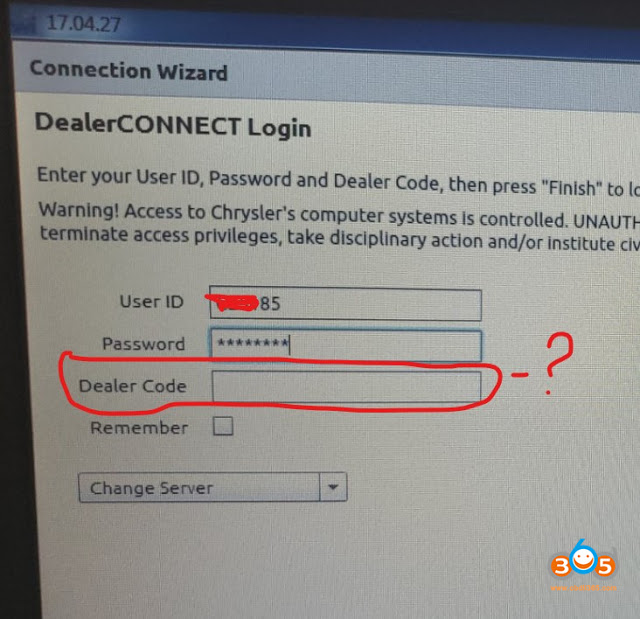
You can use witech1 17.04.027 but you need pay some set up this version pass FCA check up when you launch witech1 application ..BUT you can’t log in dealer connect if you have log in techauthority ID not dealer connect tech ID & dealer codes.
Some FAQs:
Q: will be possible to work online?
A: Yes, tested by many. Online subscription to TechAuthority works with both USB and WIFI MicroPod 2.
No difference if the Micropod 2 is clone or genuine, both of them work perfectly for diagnostics and programming, online or offline, with TechAuthority account.
Q: Does wiTech 2.0 still have a DRB III emulator?
A: The DRB 3 Emulator is no longer included with the wiTECH software, it was removed a few years ago.
You can download DRB3 from third-party resources and test with micropod2 clones. Security is unknown.
or go for wiTech VCI Pod which has DRBIII emulator included in default.
Q: Does the scanner MicroPOD II witech 2.0 also read the old Chrysler??
A: No, the Micropod 2 with WiTech 2.0 software will only work on most CAN compliant vehicles 2007 and newer, and some Chryslers back to 2004.
For vehicles not covered by WiTech software you will need a DRB III or DRB III emulator.
Q: How to work online micropod2 through witech 17.04.27?
A:
-First you need to get a TechAuthority subscription, directly from TechAuthority or from AEtools (You can order a 3-day subscription).
-Then open the Witech program and when the Micropod 2 is detected click the "Next†button at the right bottom in the screen.
-In the next screen you have to enter your license credentials but the first option is only for dealers: username, password and dealer code.
-To use the TechAuthority account you need to click in the tab "change server†and select "Techauthorityâ€, then you only need your username and passsword, not dealer code needed because TechAuthority access is intended for aftermarket or independent workshops.
With TechAuthority access we can use all functions in Witech 17.04.27 for diagnostics, calibrations and programming. We can Update or reprogram the PCM, TCM, TIPM… also we can program a new key or make "Restore vehicle optionsâ€, "Reset Ecu†and many other calibrations like "Learn ETCâ€, "proxy alignmentâ€â€¦, also we can install a new module and make a full flash or configuration. All of this is only possible for vehicles until 2017, for vehicles from 2018+ we need to use Witech 2.0.
FYI: There is a hardware bypass solution for the SGW that uses the chrysler 12 + 8 cable, i.e Autel or Launch X431 with AutoAuth access.
Posted by: youobd2 at
12:53 PM
| No Comments
| Add Comment
Post contains 622 words, total size 5 kb.
1. Read Key Info
Prepare a working key & a new key, connect VVDI Key Tool Plus with OBD.
And turn ignition on, press
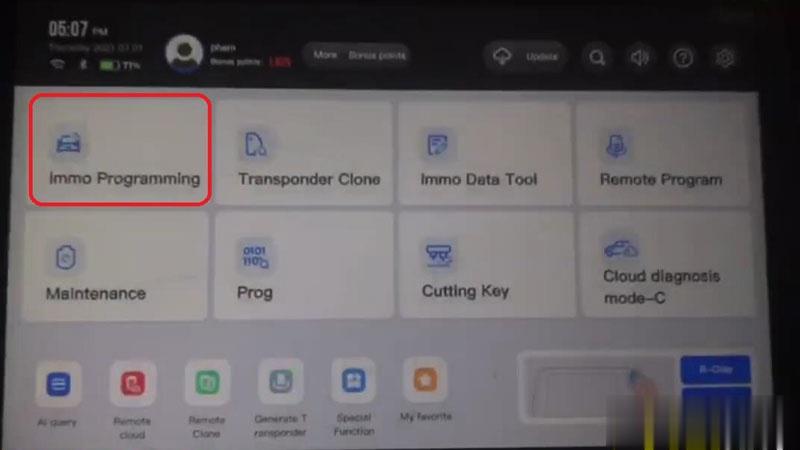
Immo programming >> BMW >> Automatically diagnose models >> Start programming
The current system type is detected as CAS4 1L15Y.
Please wait…
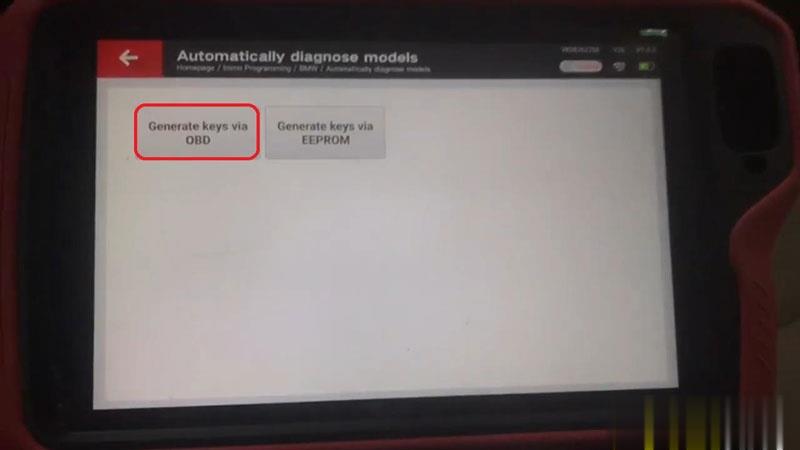
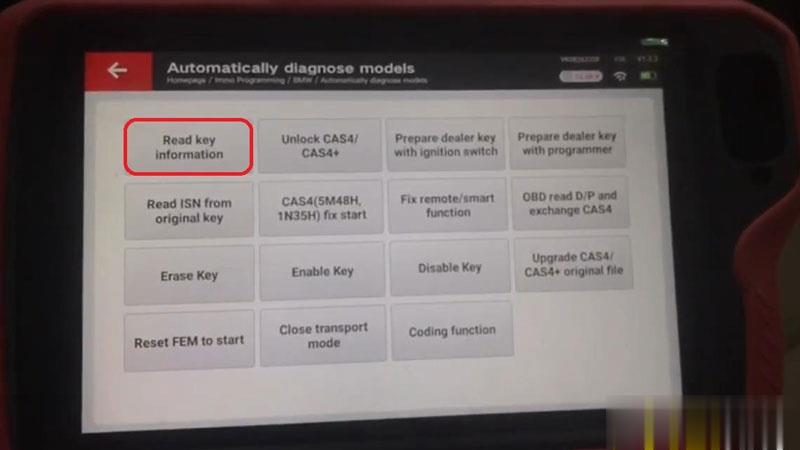
Generate keys via OBD >> Read key information >> Continue >> Continue
Note: prepare dealer key require unlock CAS4, enable key and disable key no need unlock CAS4!
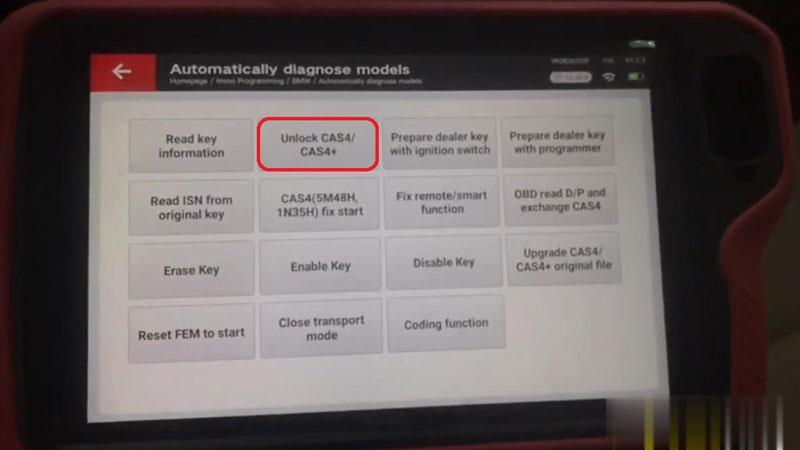
2. Unlock CAS4
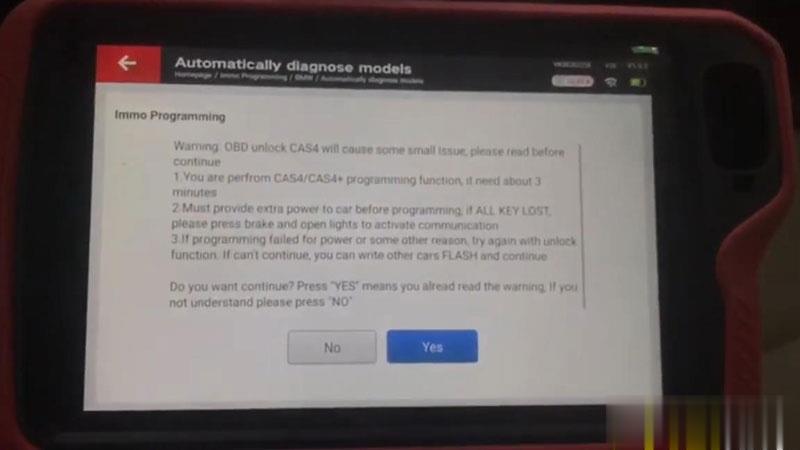
Unlock CAS4/CAS4+ >> Yes >> Save here, Rename, OK
Updating flashing…(please don’t touch any button on the car!)
Wait processing until 100%.
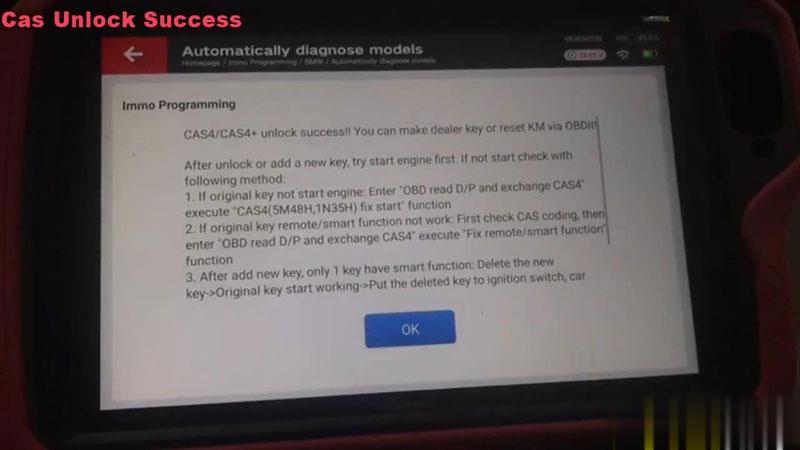
CAS4/CAS4+ unlock success!
3. Program New Key
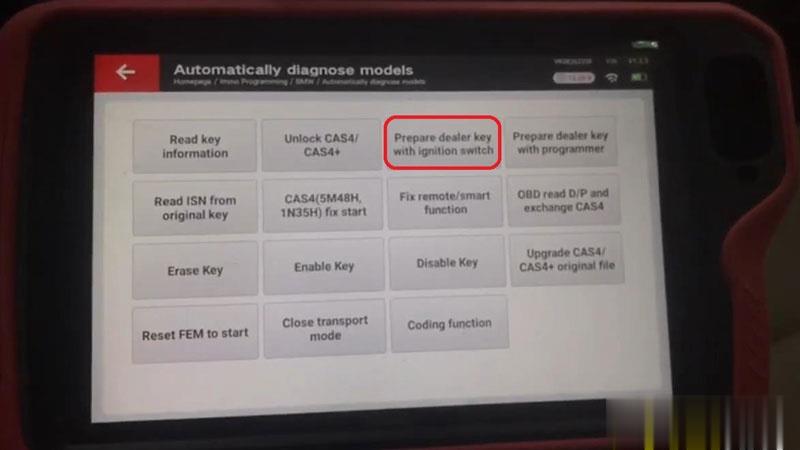
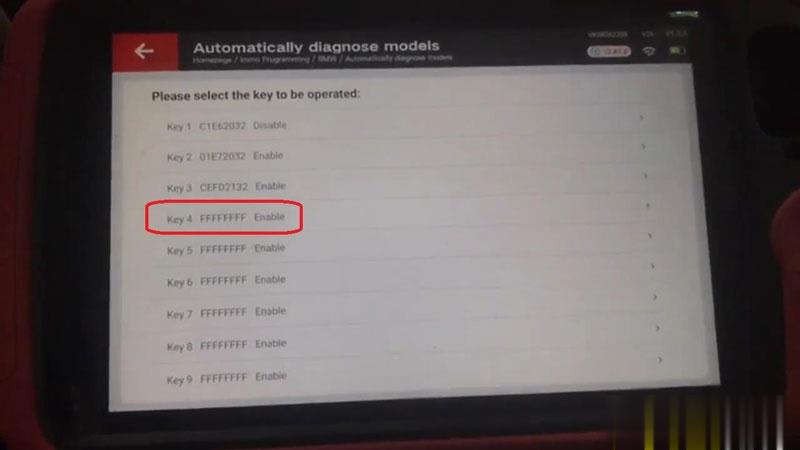
Prepare dealer key with ignition switch >> Select a blank key position: Key 4 >> Record key info, OK
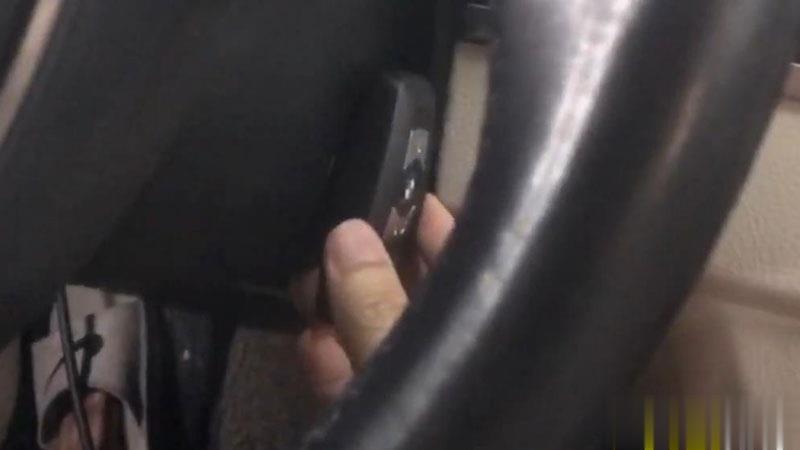
Insert the new key into ignition or keep the new key close to emergency start position of the vehicle.
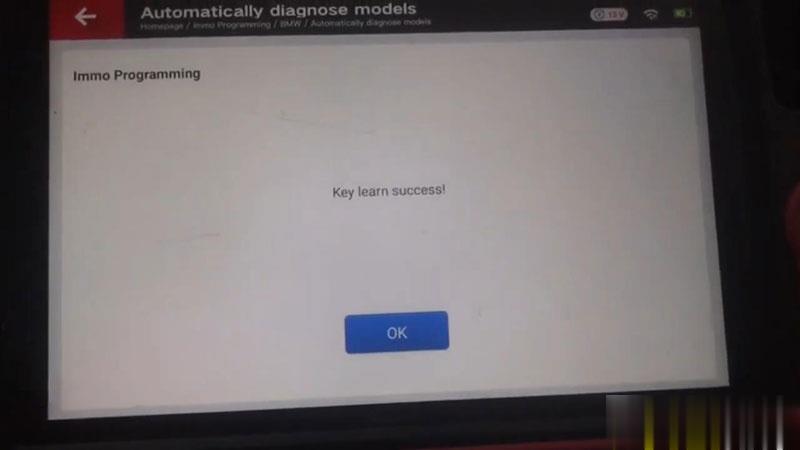
Learning key, please wait…
Key learn success!
Test the keys now, both can work well.
Done!
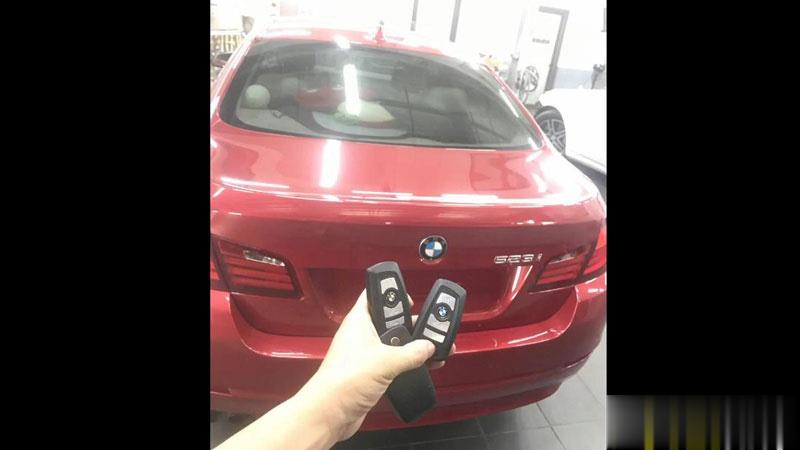
This is how to use VVDI Key Tool Plus to program a BMW 523i CAS4 1L15Y key via OBD.
Posted by: youobd2 at
12:45 PM
| No Comments
| Add Comment
Post contains 221 words, total size 8 kb.
September 16, 2021
Any of these Launch X431 diagnostic scanners has VW Passat 2013 Guided Function: X431 Pro, X431 Pro3, Launch X431 Pad VII, X431 PAD V.
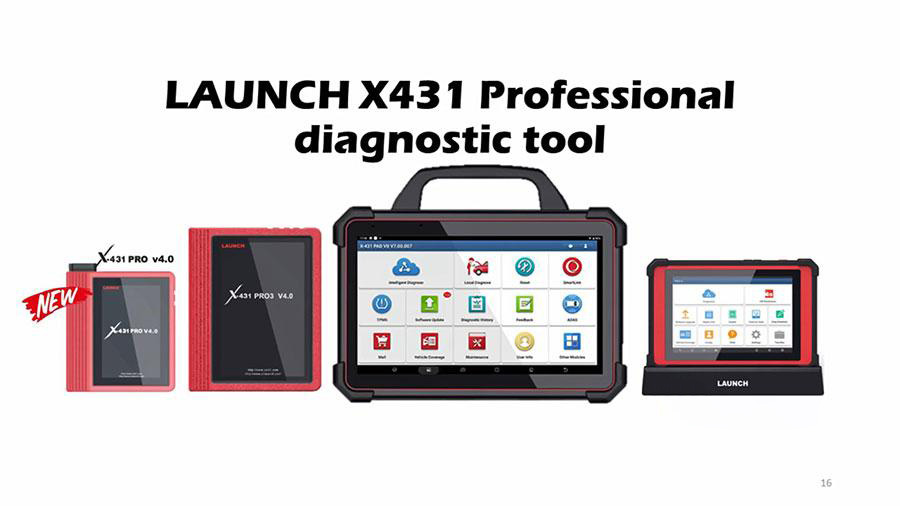
Here is the operation procedure of X431 PAD V VW Passat 2013 Guided Function Air Cond Compressor first run:
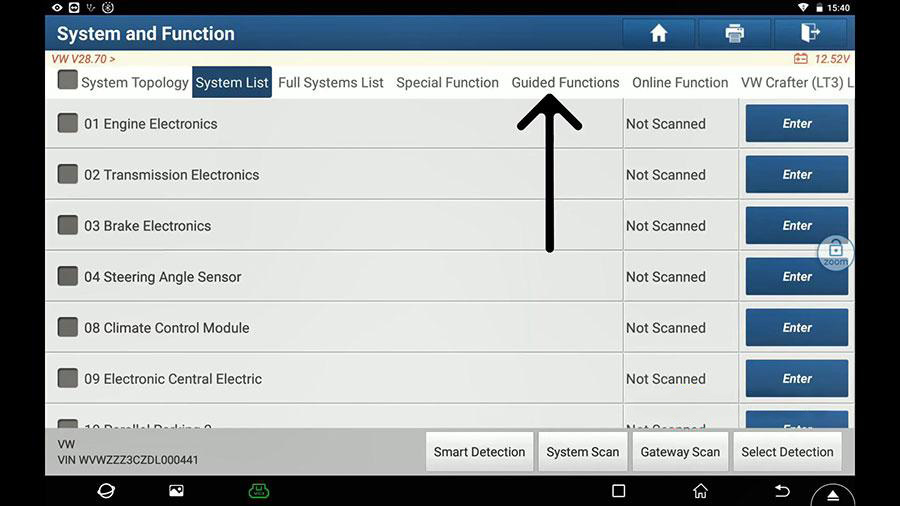
Select VW, and connect the VCI in Wifi mode…
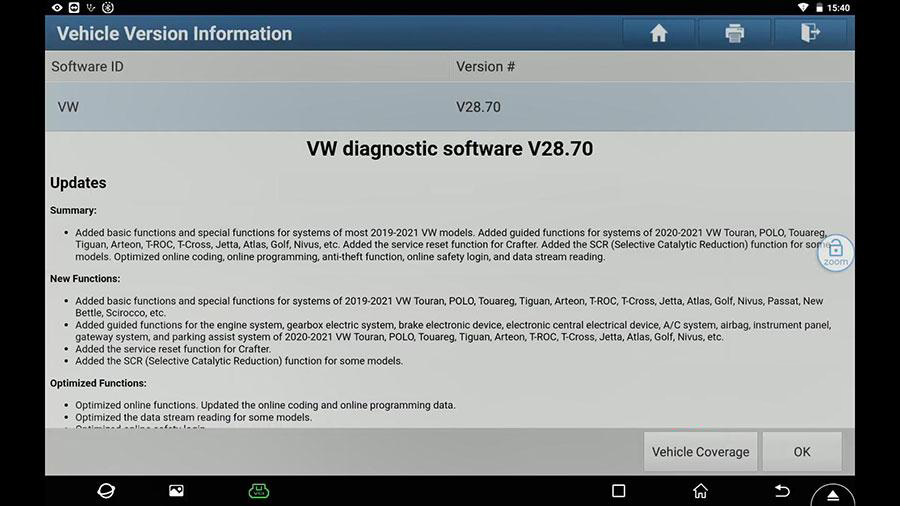
Select "System and Function†and then "Guided Functionsâ€.
Select your car model and year ( Passat 2013 Sedan)
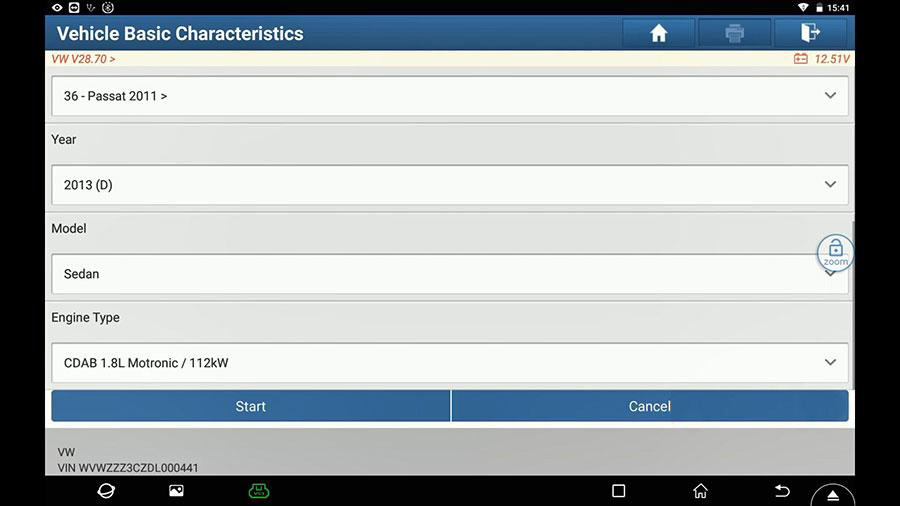
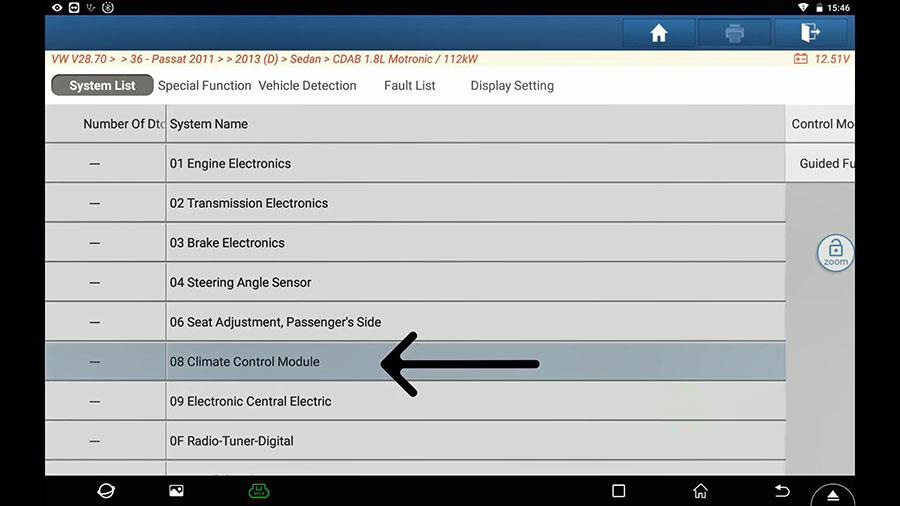
Select 08 Climate Control Module.
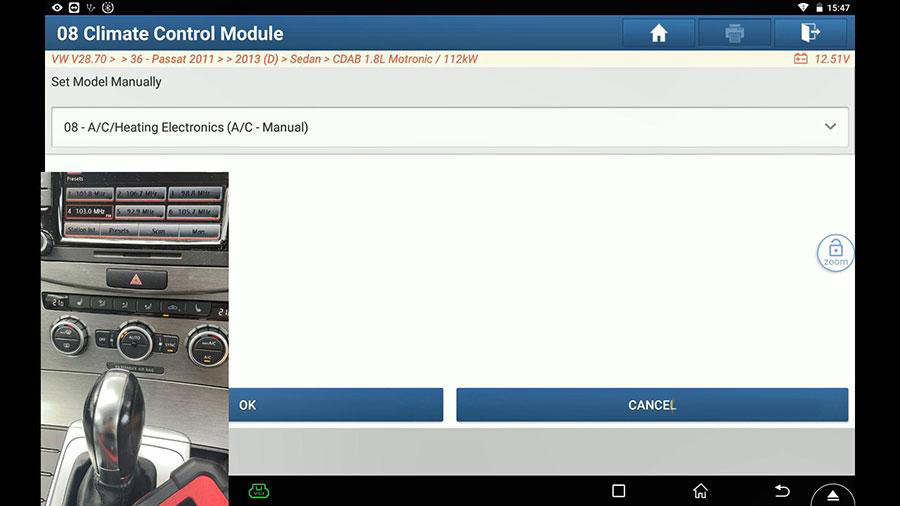
Set Model manually.
Select A/C Compressor First Run (Repair Group 87).
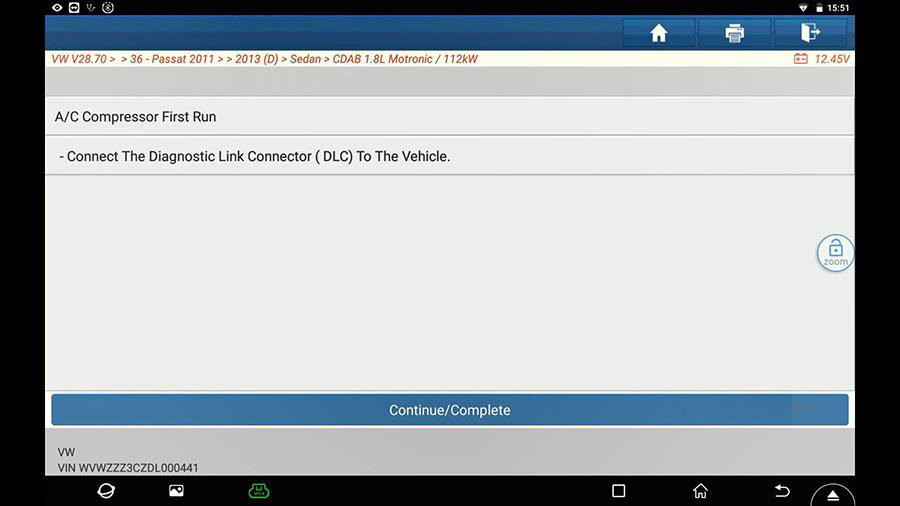
Follow the below steps to operate.
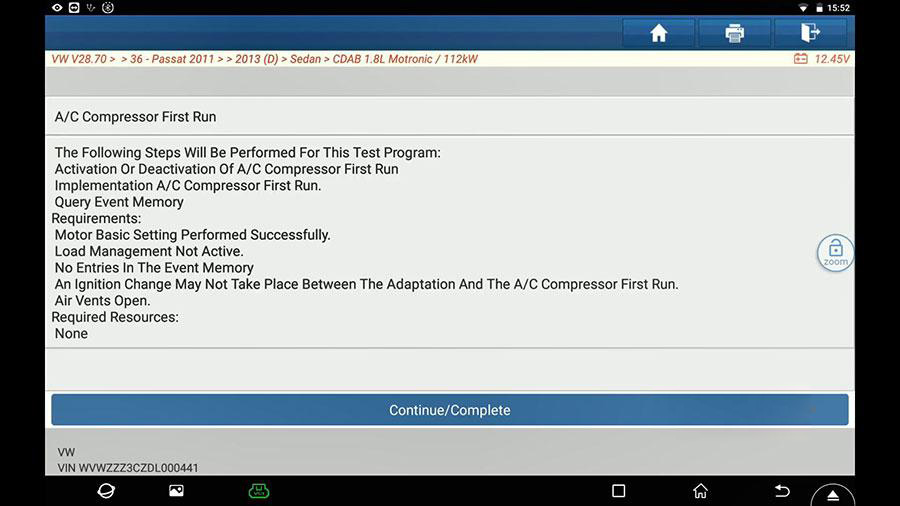
Next is follow the instruction to continue.
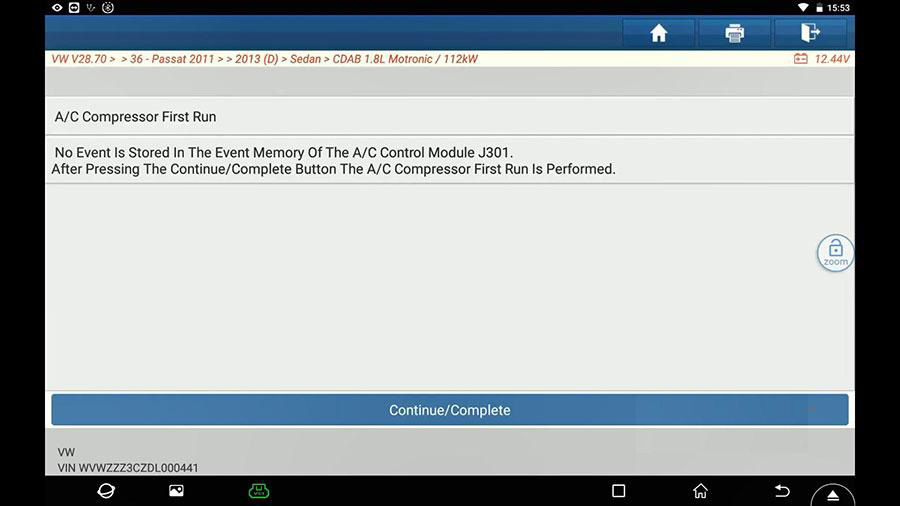
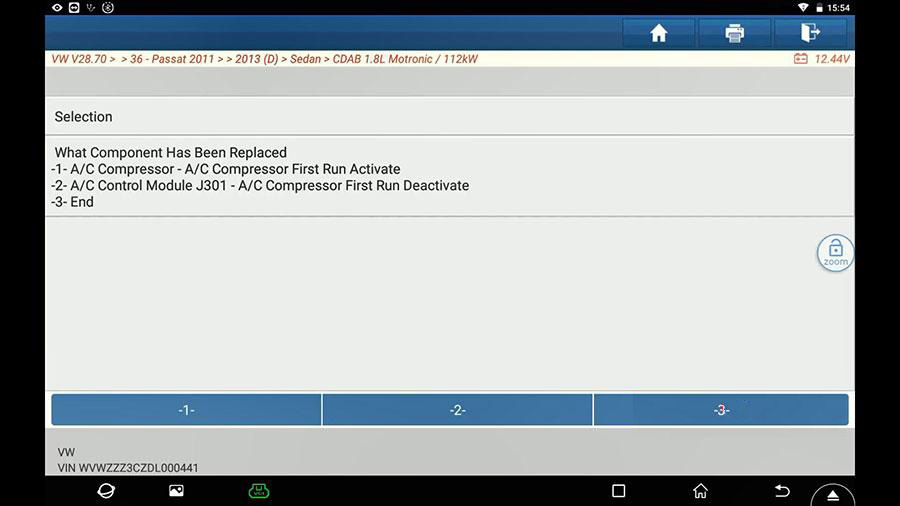
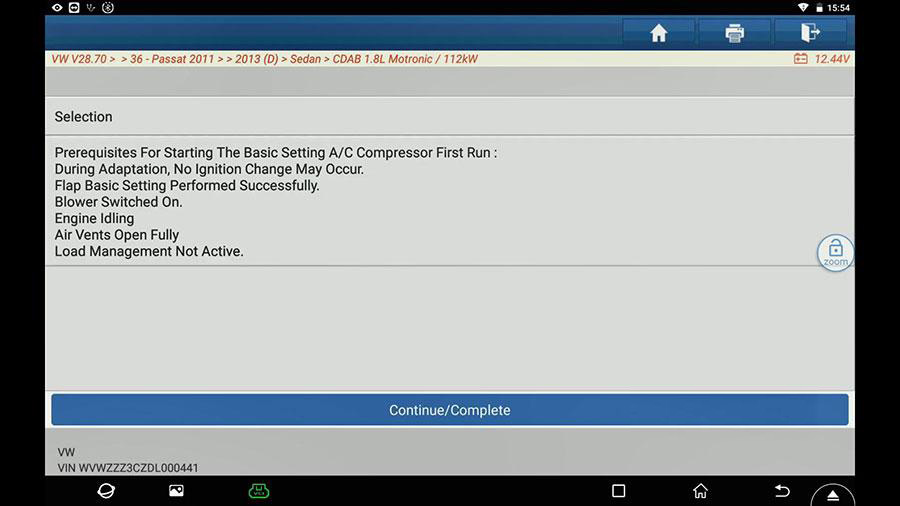
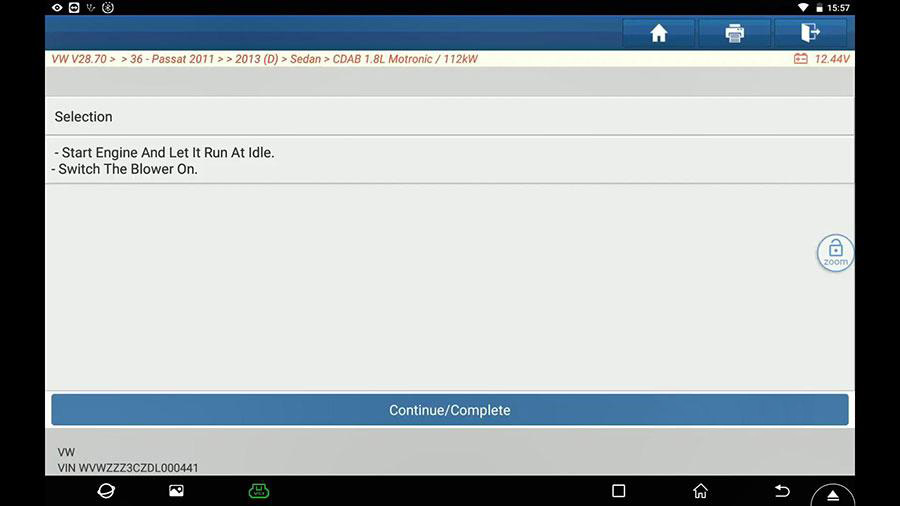
Select "A/C compressor First Run is then activatedâ€.
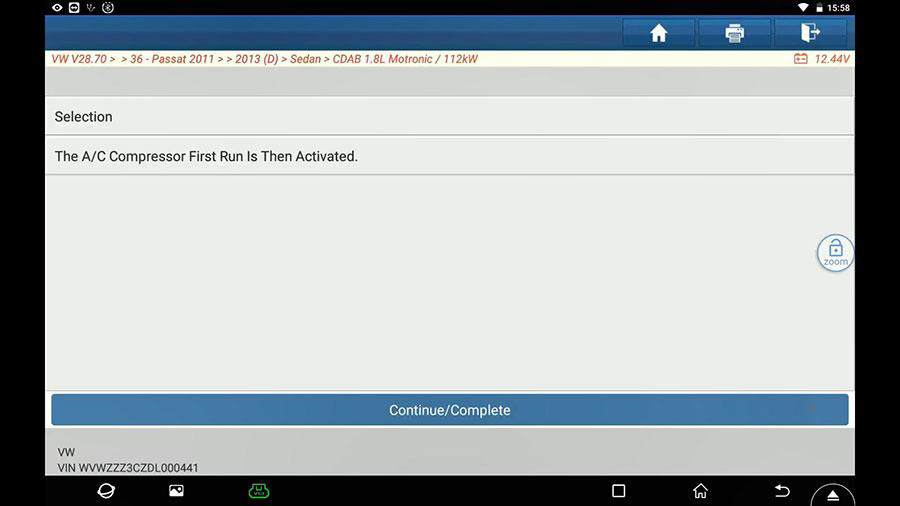
Select "Have you performed basic setting for the flapsâ€.
And then follow the on-screen guide to perform.
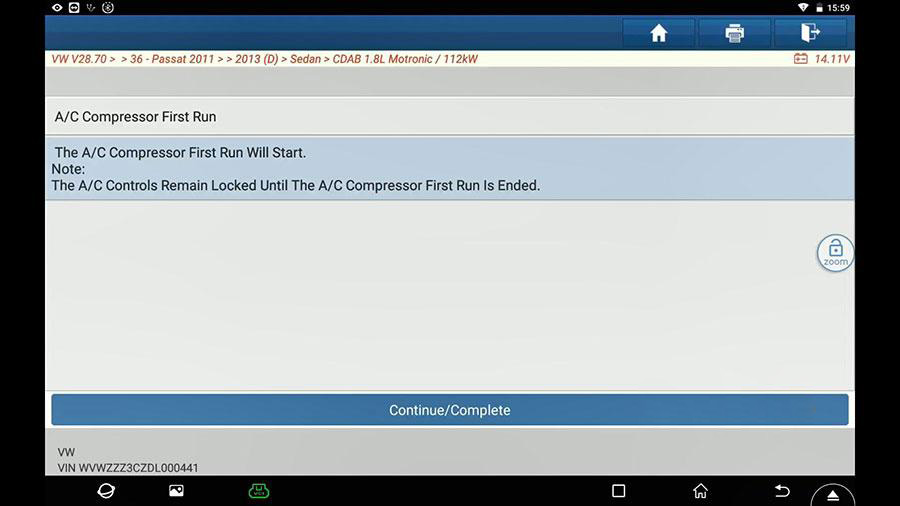
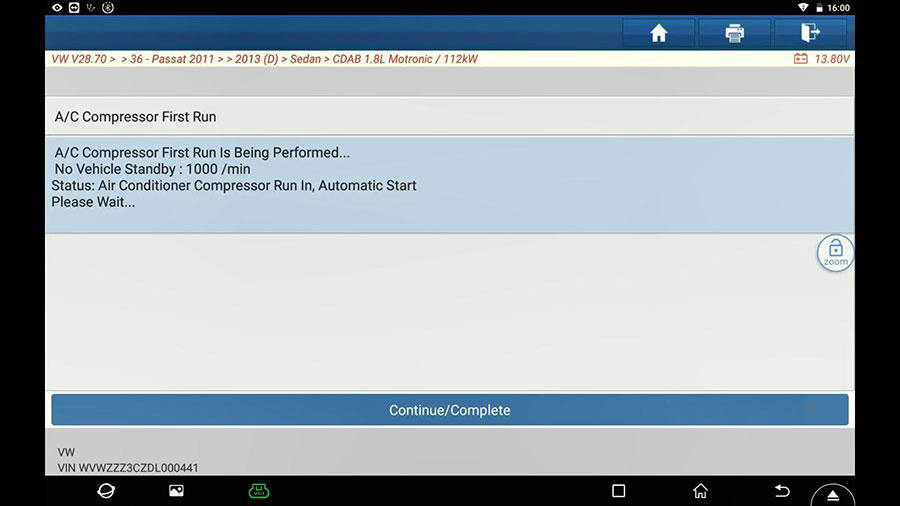
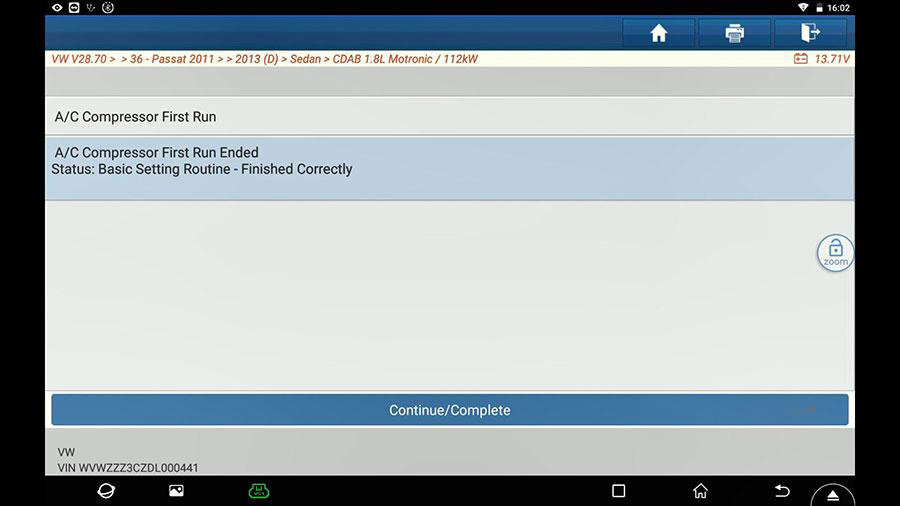
A/C Compressor First run ended.
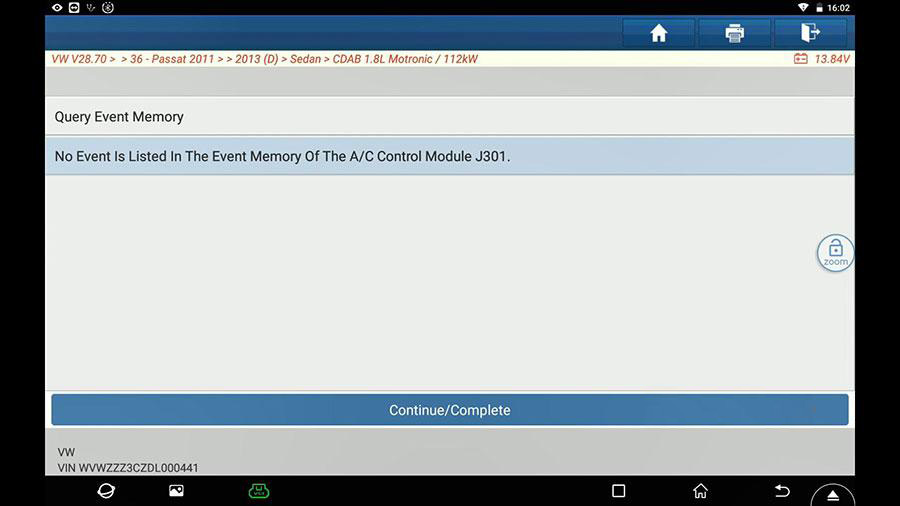
No event is listed in the event memory of the A /C Control module J301.
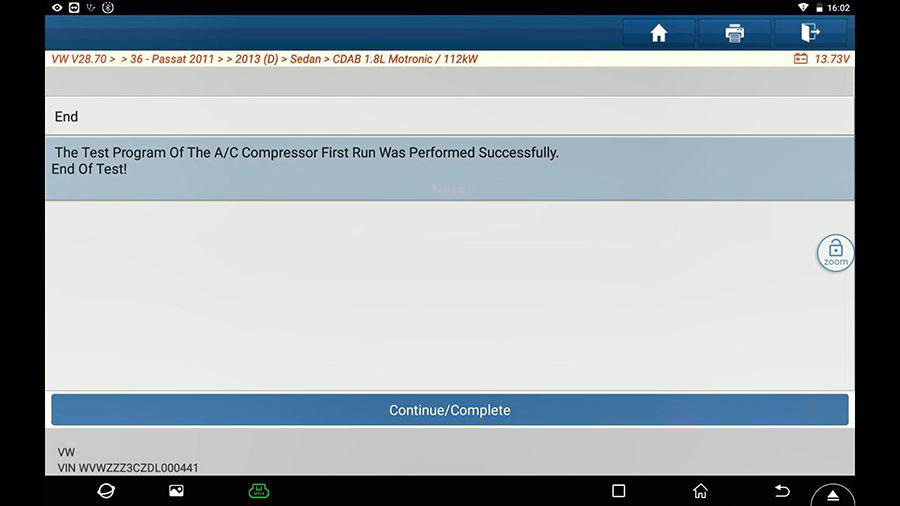
Finally, the test program of the A/C Compressor first run was performed successfully.
End of test.
Enjoy!
Posted by: youobd2 at
03:00 AM
| No Comments
| Add Comment
Post contains 172 words, total size 15 kb.
The OTOFIX BT1– with its smart 5.5 in. touchscreen – enables you to examine your battery and electrical systems and register a new battery with the fastest, most convenient experience ever. Combined with otofix Cloud Services, the otofix BT1 provides a comprehensive battery analysis solution from diagnosis to repair.
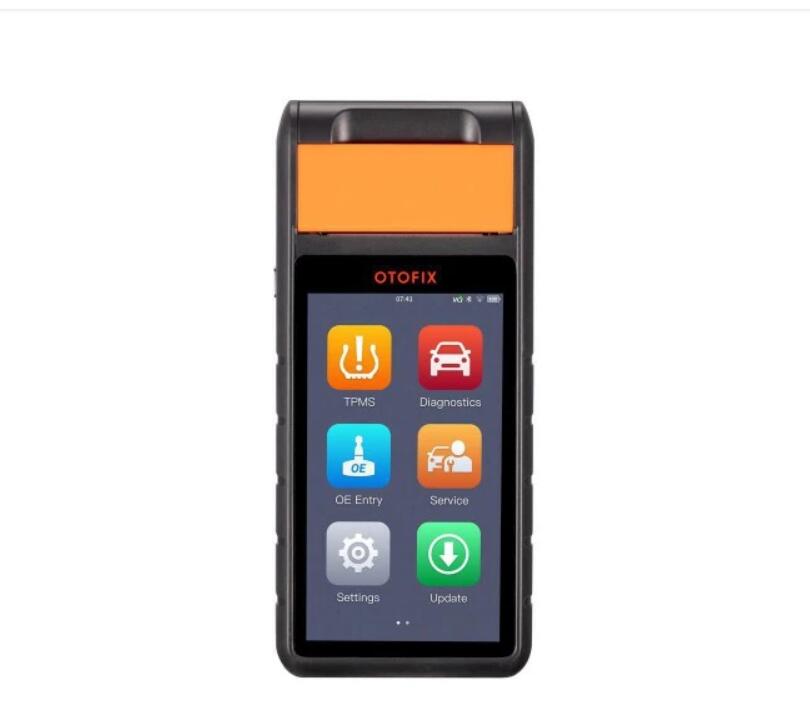
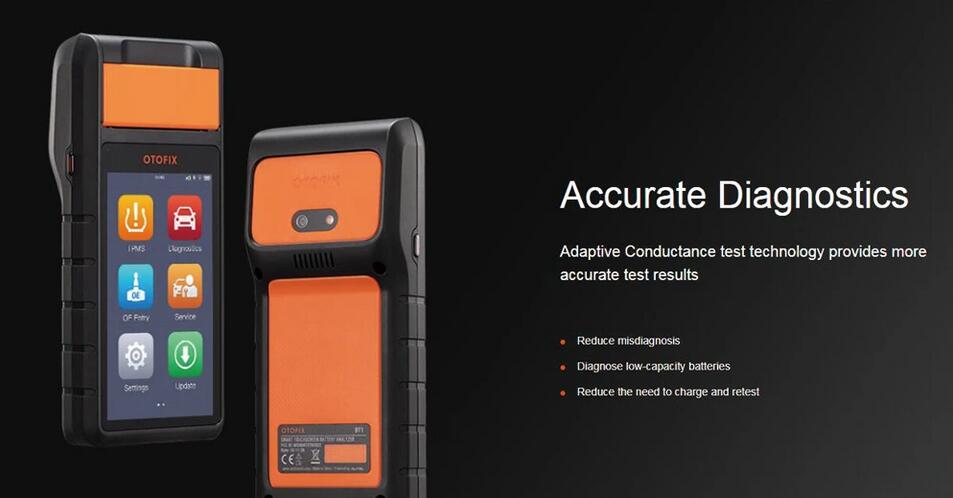
The OTOFIX BT1 is a touchscreen Battery & Electrical System analyzer that applies an advanced battery analysis algorithm – Adaptive Conductance. Adaptive Conductance produces a more accurate examination of the battery’s cold-cranking ability and reserve capacity, vital to determining a battery’s true health. The diagnostic report can be customized with your personal or entity information.

OTOFIX BT1 Battery Tester Highlight
1. Lifetime Free Update Online
2. Print and Email Customised Report
3. BMS Reset: Broaden your service expertise
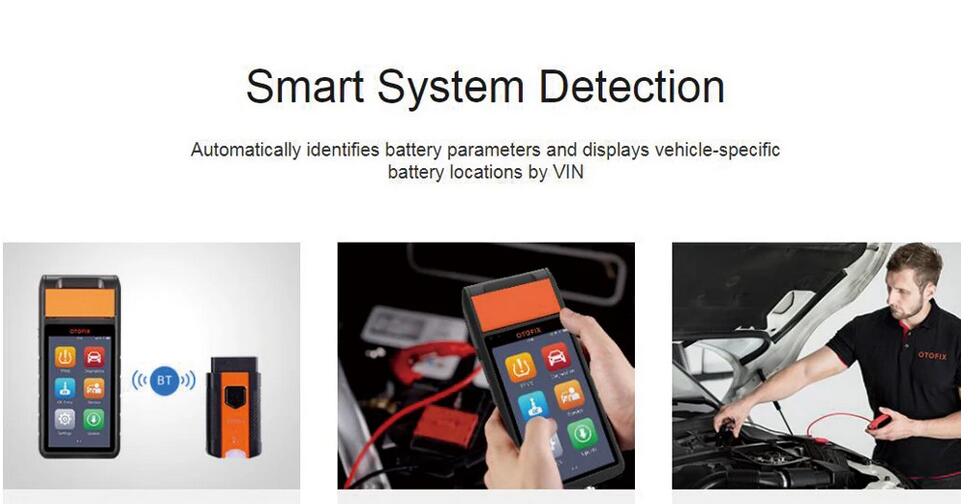
4. Smart System Detection: Bolster confidence
5. Comprehensive Systems Diagnostics, unleash more possibilities
6. Accurate Diagnostics: Advanced testing methods, more decisive results
7. Multi-Language Supported: English, German, French, Italian, Dutch, Polish, Spanish, Portuguese, Russian, Swedish
8. Dynamic Service Experience, Faster and Easier Operation:The BT1 offers a rich user experience with a large touchscreen and on-screen support resources
* Offers Simple Navigation
* Improve Service Effectiveness with Its 5.5-Inch Color LCD Screen
OTOFIX BT1 Functions
1. Electrical System Reset
2. Auto Registration After Battery Replacement
3. All System Diagnostics with Subscription
4. Graphic Instructions for Battery Replacing and Testing
5. Guided Battery Replacement Procedure with Prompted Memory Reset
6. AutoVIN to identify Battery Parameters
OTOFIX BT1 Supports Battery Types
1. Battery Ratings:
CCA, CA, MCA, JIS, DIN, SAE, IEC, EN, EN2, BCI, GB
2. Battery Types:
Test Flooded, AGM, AGM_Spiral, EFB and GEL Batteries
Test 6- and 12-volt Batteries: 100 – 3000 CCA
Test 12- and 24-volt Cranking/Charging Systems
Specification:
Operating System: Android 9
Screen Display: 5.5″ LCD Touch Screen / 720*1280 Resolution
Storage: 32GB
Connectivity: Wi-Fi (802.1.1 a/b/g/n/ac) / USB 2.0 Type-C / BT5.0+EDR
Camera: 8MP
Input Voltage: 5V DC
Working Current: < 450 mA at 7.7 V DC
Internal Battery: 7.7V, 3000 mAh
CCA Range: 100 to 3000 A
Voltage Range: 1.5 to 36 V
Operating Temperature: 0° to 45°C
Storage Temperature: -10° to 60°C
What Can OTOFIX BT1 Do for You?
1. Electrical System Reset
2. Auto Registration After Battery Replacement
3. All System Diagnostics with Subscription
4. Graphic Instructions for Battery Replacing and Testing
5. Guided Battery Replacement Procedure with Prompted Memory Reset
AUTEL OTOFIX BT1 Package List:
1pc Main Unit
1pc x Battery Clamp Cable
2pcs x Paper Roll
1pc x Power Adapter
1pc x USB Cable
See What Customers Said About OTOFIX BT1
Review 1:
Completely standalone battery tester and electrical system analyzer
it’s very handy and for both professional and personal use.
It come in a hard plastic case, open it up, there are a V200 VCI for bluetooth connection. It’s said to test flooded or wet cell batteries and AGM aka absorbed glass mat as well as AGM Spiral and others. I have tried on flooded battery. After starting the connection with the VCI and starting the engine, I attached the test leads to the battery and tab in the vehicle test, the tool recognized the application in seconds by the wireless vci and detected VIN automatically, then it read the Battery Type, Battery standard, Battery capacity. Then the tool guided me through the steps required to initiate the in-vehicle test.
Review 2:
Can function as a diagnostic case
I am looking for a battery tester that tells the truth. The testers under 50 € on amazon never work and suddenly I said to myself this time you have to find a good product. I found BT1 by chance it is expensive as a battery tester but not at all expensive for a diag case which can clear codes
Enjoy!
Posted by: youobd2 at
02:45 AM
| No Comments
| Add Comment
Post contains 632 words, total size 6 kb.
20 queries taking 0.0093 seconds, 35 records returned.
Powered by Minx 1.1.6c-pink.