



September 30, 2020
Top 5 Reasons to Get Nissan Consult 3 Plus:
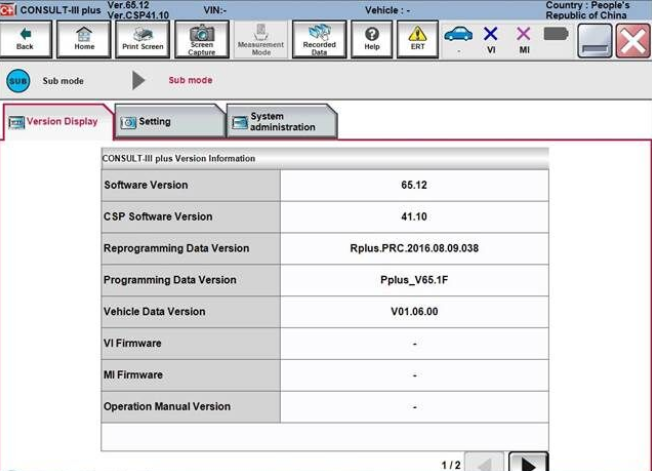
1.Consult-3 plus = Consult-3 for Nissan + Consult-2 for Nissan
2.Software Version: CSP Software Version : CSP V41.10; Programming Data Version : plus_V75
3.Supports all the models of the Nissan and Infiniti from 1996 to 2018, with all Consult II & III functions .
4.Calcaulate the password for the new cars till year 2018 with NISSAN Password.
5.Supports ECU Programming without card
6.Can be installed on Windows XP, WIN7
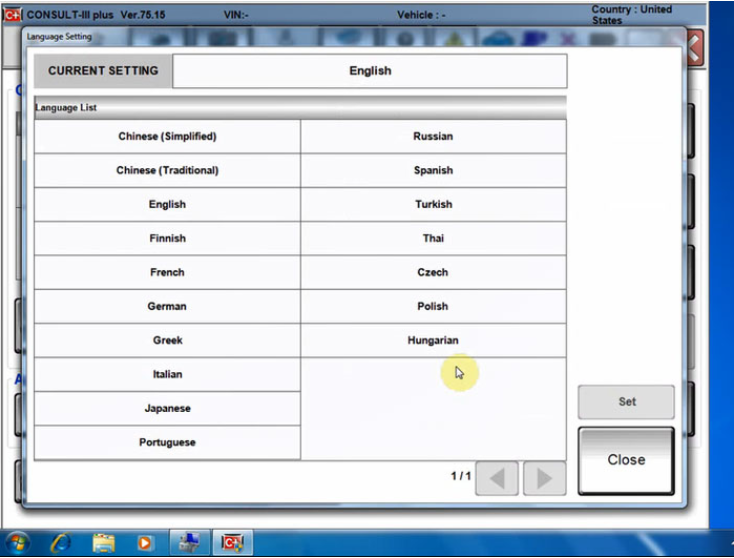
7.Suppored Languages: English,
Chinese, Finnish, French, German, Greek, Italian, Japanese,
Portuguese,Russian, Spanish, Turkish, Thai, Czech, Polish, Hungarian
FAQ
Q1: What is the difference among Nissan consult 3, consult 4 and Nissan
consult 3 plus? Can Nissan consult 4 remap ECU and change IGN
time-limited parameter?
A1:
1) Nissan consult 3 and consult 4
share the same software version and parts, the difference between them
is the appearance and the quality;
2) Nissan consult3 plus is the
newest-released Nissan diagnostic it supports the Nissan up to 2018
year. And only Nissan Consult 3 Plus can support programming.
Q2: What additional card needed when use Nissan Consult-3 plus to make key?
A2: It need additional card, it needs for making key, this card is
Nissan Consult-3 plus Security Card, otherwise the button "Immobilizer
key" is gray color and is unavailable
Q3: Can i use this nissan consult 3 plus to program tcm and bcm?
A2: Yes, but you need to have the program file.
Q4: Does your Nissan consult 3 plus contain Battery registration card?
A6: No, it doesn't.
Q5: Do you have any instruction for software installation?
A7: Yes. There is the software installation video on our website. There
is the software installation manual in the package too. You can follow
them to install the software. Attention: Nissan consult software must be
installed on XP system.
Q6: Can i use your nissan consult 3 to program tcm and bcm?
A8: This nissan consult 3 plus support this two function. But if you want to use this two function, you need have the programming file by yourself.
Posted by: youobd2 at
08:13 AM
| No Comments
| Add Comment
Post contains 349 words, total size 4 kb.
September 22, 2020
Xtool X100 Pad3 2020 Auto Key programmer for Toyota for lexus key lost odometer adjustment OBD2 car diagnostic tool free update
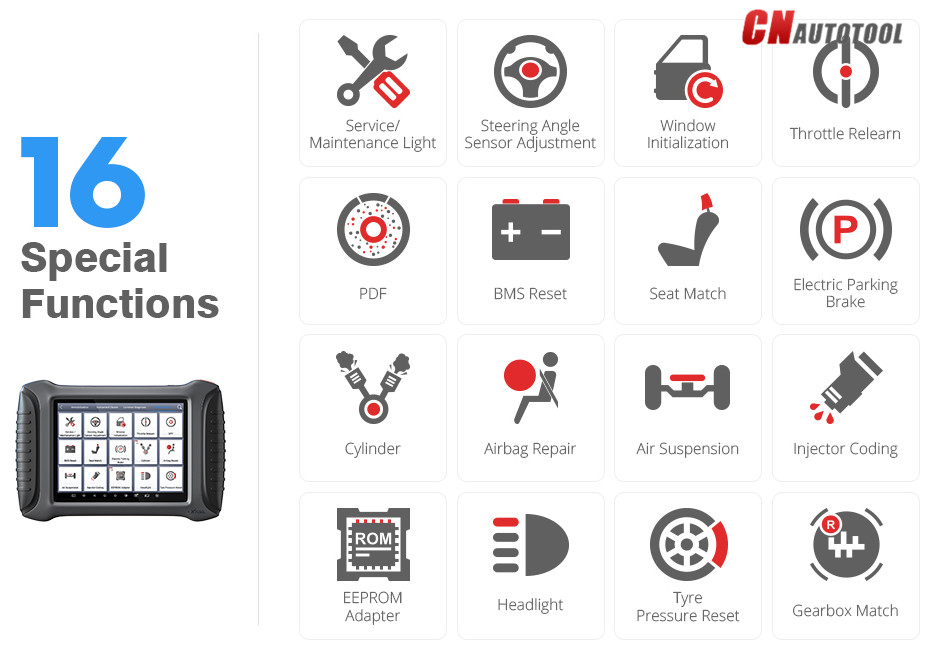
XTOOL X100 PAD3 Support 16 Special Functions:
Service/Maintenance Light
Steering Angle Sensor Adjustment
Window Initialization
Throttle Relearn
PDF
BMS Reset
Seat Match
Electric Parking Brake
Cylinder
Airbag Repair
Air Suspension
Injector Coding
EEPROM Adapter
Headlight
Tyre Pressure Reset
Gearbox Match
XTOOL X100 PAD3 Key Programming Vehicle Coverage:
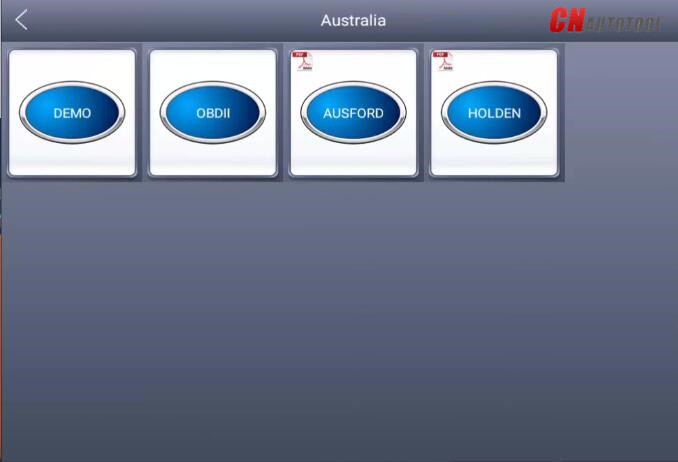
Australia:
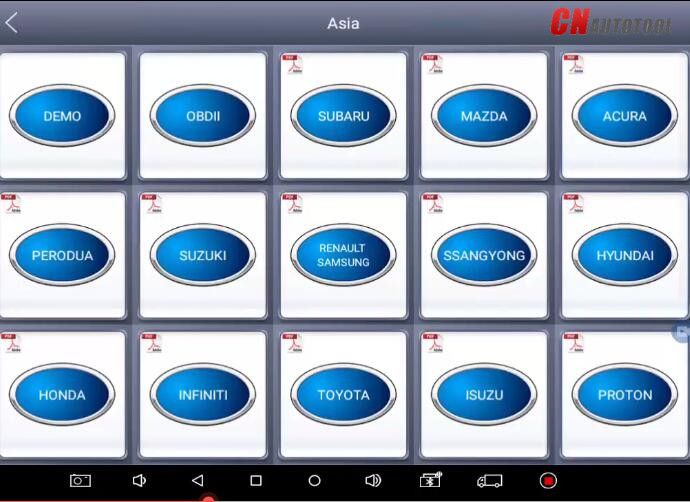
Asia: for Toyota, for Lexus, for Honda, for Acura, for Mazda,
forNissan, for Infiniti, for Mitsubishi, for Subaru, for Suzuki, for
Kia, for Hyundai, for Daewoo, for SSANGYONG, for Proton, etc
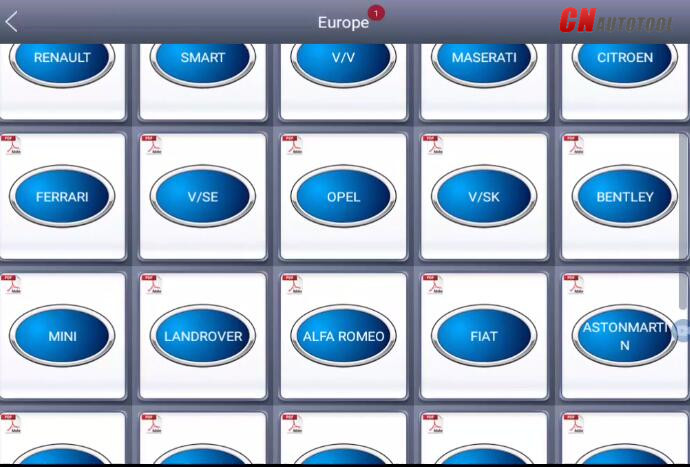
Europe: for Audi, for VW, for Skoda, for Seat, for Porsche, for Opel,
for Citroen, for Peugeot, for Jaguar, for Land Rover, for Lincoln, for
Renault, etc
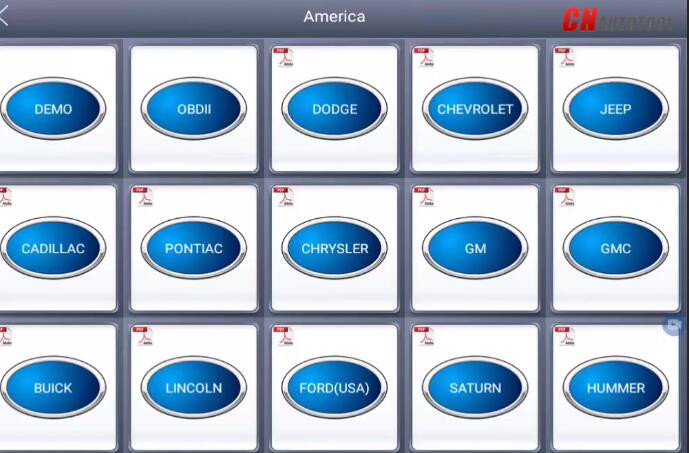
America: forGM,for Cadillac, for Buick, for Chrysler, for Ford etc
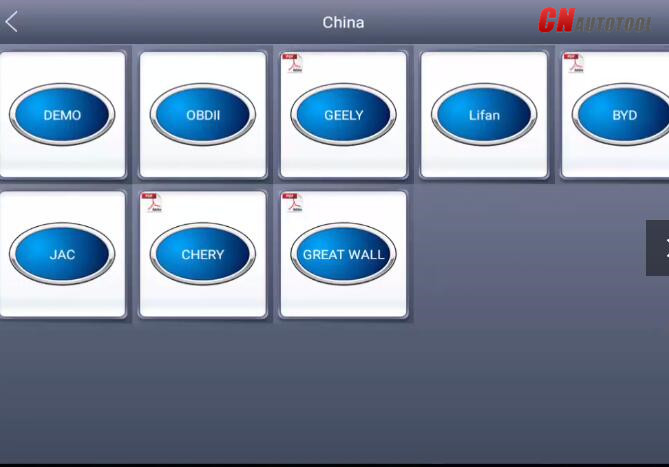
China: for Great Wall, for Chery, for Brilliance-auto, for Geely, for
LIFAN, for HAFEI, for CHANGAN, for LANDWIND, for BYD,for BYD , for JAC,
etc.
Posted by: youobd2 at
08:05 AM
| No Comments
| Add Comment
Post contains 173 words, total size 4 kb.
September 12, 2020
Nissan Consult-3 plus is the best for diagnosing Nissan.
Top 5 Reasons to Get Nissan Consult 3 Plus:
1.Consult-3 plus = Consult-3 for Nissan + Consult-2 for Nissan
2.Software Version: CSP Software Version : CSP V41.10; Programming Data Version : plus_V75
3.Supports all the models of the Nissan and Infiniti from 1996 to 2018, with all Consult II & III functions .
4.Calcaulate the password for the new cars till year 2018 with NISSAN Password.
5.Supports ECU Programming without card
6.Can be installed on Windows XP, WIN7
7.Suppored Languages: English,
Chinese, Finnish, French, German, Greek, Italian, Japanese,
Portuguese,Russian, Spanish, Turkish, Thai, Czech, Polish, Hungarian
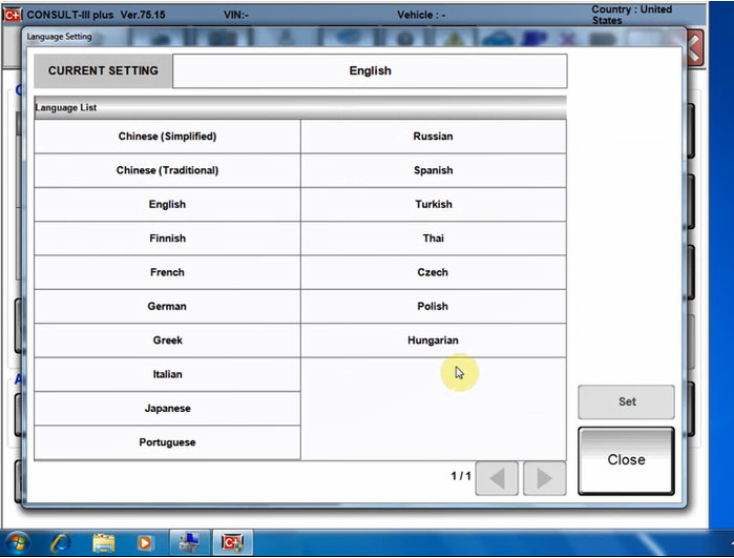
Notice : You can select the package with HDD( software ) or not ,we already installed the nissan consult-3 plus software into 160G SATA interface laptop HDD, the HDD can be used after 2008 year SATA hard disk interface laptop
Nissan Consult3 Plus v75.20 software installation:
1.Uninstall the firewall, antivirus software.
2.Install the Consult 3 plus V75.20 to the C drive in the "NTFS†format.
3.Nissan Consult 3 Plus V65.12 & up adds ECU programming function without working with immobiliser card.
Operating system:Windows
XP and Windows 7/8/10 operating system. Cannot work on VISTA O/S. (
Windows XP SP3,Windows 7 Pro/Ultimate is also supported)
Consult -3 Plus for Nissan Functions :
Consult-3
Plus for Nissan can support all the models of the Nissan and Infiniti
from 1996 up till now, with all Consult II & III functions .
And Consult III Plus can calcaulate the new 20 digital password for the Nissan new cars.
1. Consult-3 Plus for Nissan (Nissan Consult 3+) work for all nissan car , infiniti car and nissan gtr car to 2018.
2. Consult-3 Plus for Nissan work with obd-16 connector for the new
kind of car, work with 14 pin connector for the old kind of car.
3. Consult-3 Plus for Nissan support nissan car electrolic system diagnostic function.
4. Consult-3 Plus for Nissansupport nissan electromobiles such as Leaf.
Conslu-3 for Nissan Car List:
1. Scantool Diagnostics: for all Nissan,Infiniti,GTR;
2. Immobi and Smart key: for all Nissan,Infiniti,GTR;
3. Nissan GTR: for Nissan GTR Diagbostics,Immobi;
4. Electromobiles car: for Nissan Electromobiles car Diagbostics and
Immobi; For immobilizer key programming function, you need to purchase
Nissan Conslut-3 Plus Security card together.
Consult-3 for Nissan Packing List:
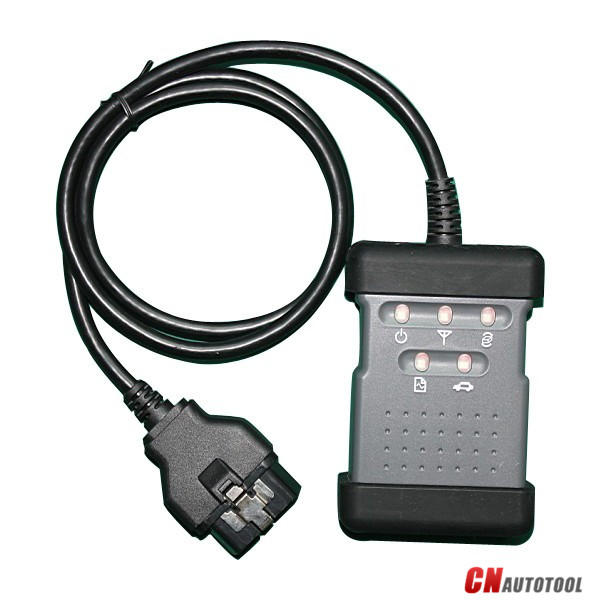
1pc* Consult 3 Plus for Nissan Vehicle Communication Module + OBD16 Cable
1pc* 14Pin Line for Nissan
1pc* USB 2.0 Cable
1pc* Casebox
1pc* HDD 160G (option)
Posted by: youobd2 at
01:47 PM
| Comments (1)
| Add Comment
Post contains 416 words, total size 5 kb.
In the Cayenne 958 Service Manual there is a procedure to check the engine oil level with the PIWIS tester. This is more accurate than the normal procedure with the instrument cluster screen and on top of that, it tells you how much oil you have to top to be at max level.
Here is the procedure:
WM 170101 CHECKING ENGINE-OIL LEVEL USING THE PIWIS TESTER (CAYENNE,
CAYENNE GTS, CAYENNE S HYBRID, CAYENNE S E, CAYENNE TURBO, CAYENNE
(3.0)) > CHECKING ENGINE-OIL LEVEL
Information
The PIWIS Tester II 9818 instructions take precedence and in the event of a discrepancy these are the
instructions that must be followed. Deviations may occur with later software versions.
1. PIWIS Tester II 9818 must be connected and ignition switched on.
2. Start the diagnostic program and select the required vehicle.
3. Select the DME control unit in the control unit overview. Press [F12] to continue.
4. Select the Maintenance/repairs menu. Press [F12] to continue.
5. Select the Oil filling function. Press [F12] to continue.
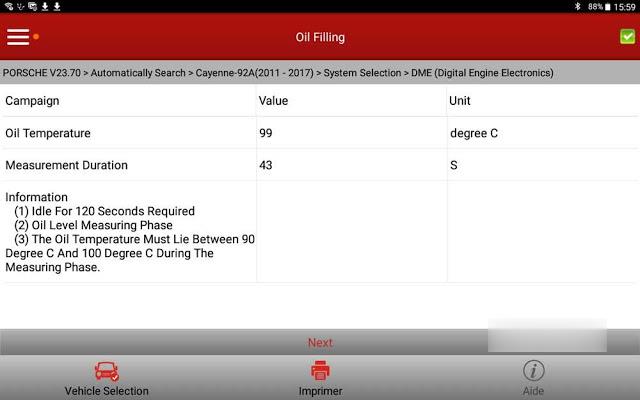
6. Start the engine and let it run until an engine oil temperature of 90° C is reached.Rev the engine if necessary to heat the engine oil to the specified temperature.
7.The oil level measurement process starts automatically as soon as the engine oil temperature
of 90° C is reached.
8. Switch off engine.
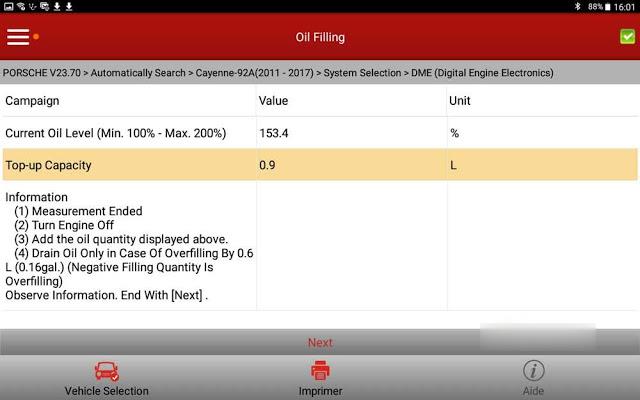
9. Add the quantity of oil displayed on the PIWIS Tester II 9818 .
10. Disconnect the PIWIS Tester.
With the X431 it is located in the "Oil filling†special function menu of the DME and here is how it works:
Test ongoing:
Posted by: youobd2 at
12:52 PM
| Comments (1)
| Add Comment
Post contains 278 words, total size 3 kb.
Confirmed! Launch X431 V+ diagnose Hyundai Kia etc Korean cars, even to the 2020 year.100% works
Firstly, Launch X431 V+ Hyundai function list:
http://qcar.x431.com/newqcar/
Click on "Passenger car seriesâ€;
Click on the letter "Hâ€;
Click on "Hyundaiâ€;
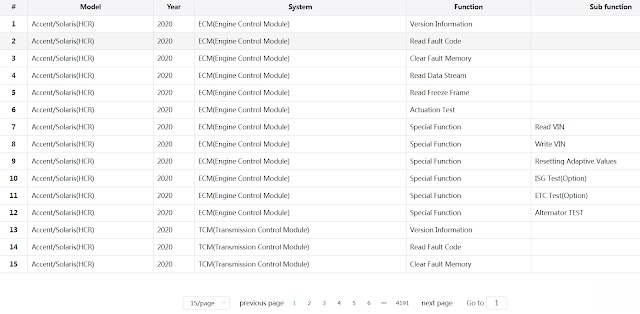
Select "Model†-> "Year†-> "System†-> "Functionâ€.
X431 V+ can work with Hyundai from 1989 – 2020 year.
You will see X431 V+ support Hyundai cars even to 2020 year [for Accent / Solaris (HCR), Elantra(AD), G90(HI), Grandeur /Azera (IG), H-1/iMax/iLOAD(TQ), Kona(OS), Nexo (FE), Palisade(LX2), Reina(CB), Santafe(TM), Santro(AH2), Veloster (JS), i30 (PDE), i30N(PDEN).
Attach one screenshoot:
Then, Launch X431 V+ Kia function list:
Back to click on "Kâ€;
Then "Kiaâ€;
Select "Model†-> "Year†-> "System†-> "Functionâ€.
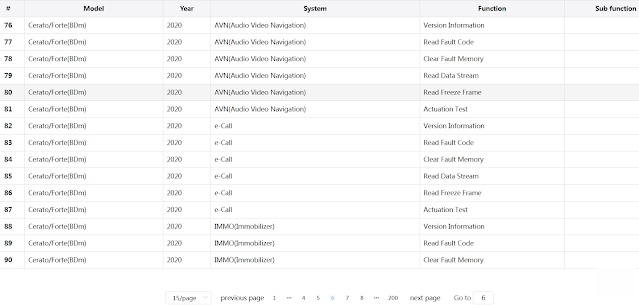
X431 V+ can work with Kia from 1990 – 2020 year.
For the following Kia models, it can cover to 2020 year:
Cerato/Forte(BDm), K900 (RJ), Optima Hybrid (JF HEV), Optima PHEV (JF PHEV), Optima (JF), Optima (JFA) – For Central and South America, Pegas /Soluto (AB), RIO (SC), RIO (YB), Sedona (YP), Sorento (UM), Soul EV (SK3 EV), Soul EV (SK3 EV) – For Mexico, Soul (SK3), Soul (SK3) – For Mexico, Sportage (QL), Stonic (YB CUV), Telluride (ON)
Launch X431 V+ diagnose Kia
Posted by: youobd2 at
07:18 AM
| Comments (1)
| Add Comment
Post contains 207 words, total size 2 kb.
September 08, 2020
 .Communicating ï¼›
9).Choose “Yesâ€ï¼›
10).Turn off the ignitionï¼›
11).Make sure ignition openedï¼›
12).Press “Yes†to clear all DTC;
14).Turn off the igintionï¼›
16).Switch on the iginitionï¼›
.Communicating ï¼›
9).Choose “Yesâ€ï¼›
10).Turn off the ignitionï¼›
11).Make sure ignition openedï¼›
12).Press “Yes†to clear all DTC;
14).Turn off the igintionï¼›
16).Switch on the iginitionï¼›
Posted by: youobd2 at
03:18 AM
| Comments (1)
| Add Comment
Post contains 69 words, total size 1 kb.
25 queries taking 0.0247 seconds, 44 records returned.
Powered by Minx 1.1.6c-pink.

